.jpg&w=64&q=75)
.jpg)
Renewal applies to fixed-term tenancies only. An Assured Periodic Tenancy has no fixed end date, so it never needs renewing.
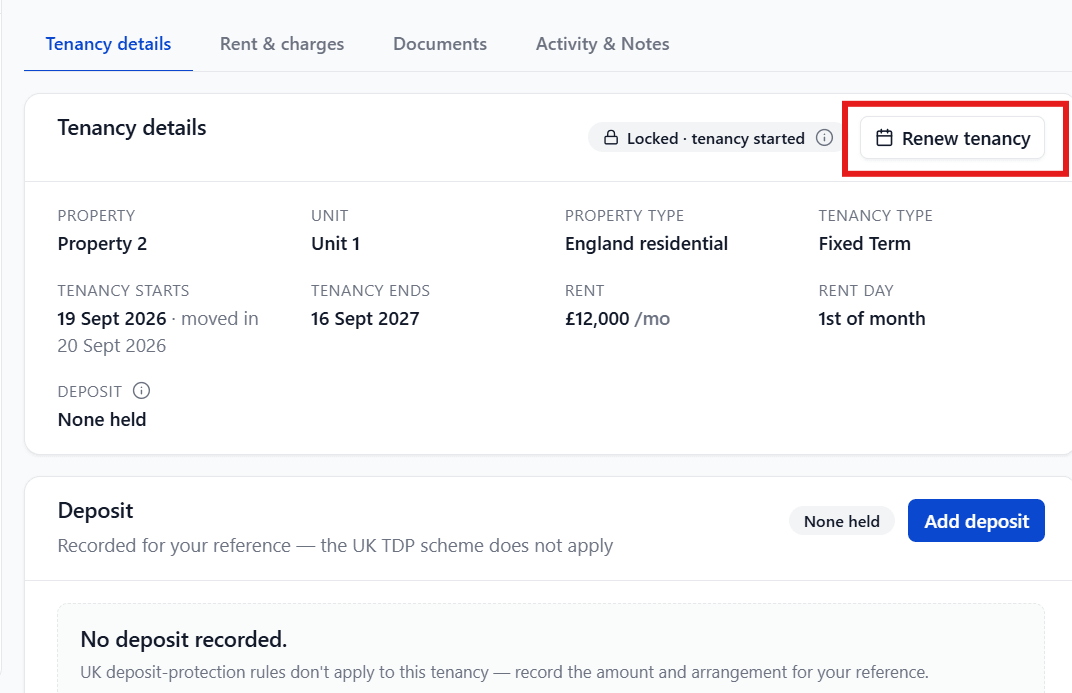
Ninety days before a fixed-term tenancy's end date, you'll see a warning banner on the Tenancy details tab and a Renew tenancy button on the tenancy header.
To Renew a Tenancy
Select Renew tenancy → (from the banner or the header button).
Choose what happens after the current term ends:
New fixed term: set the new end date.
Periodic continuation: the tenancy rolls on with no end date.
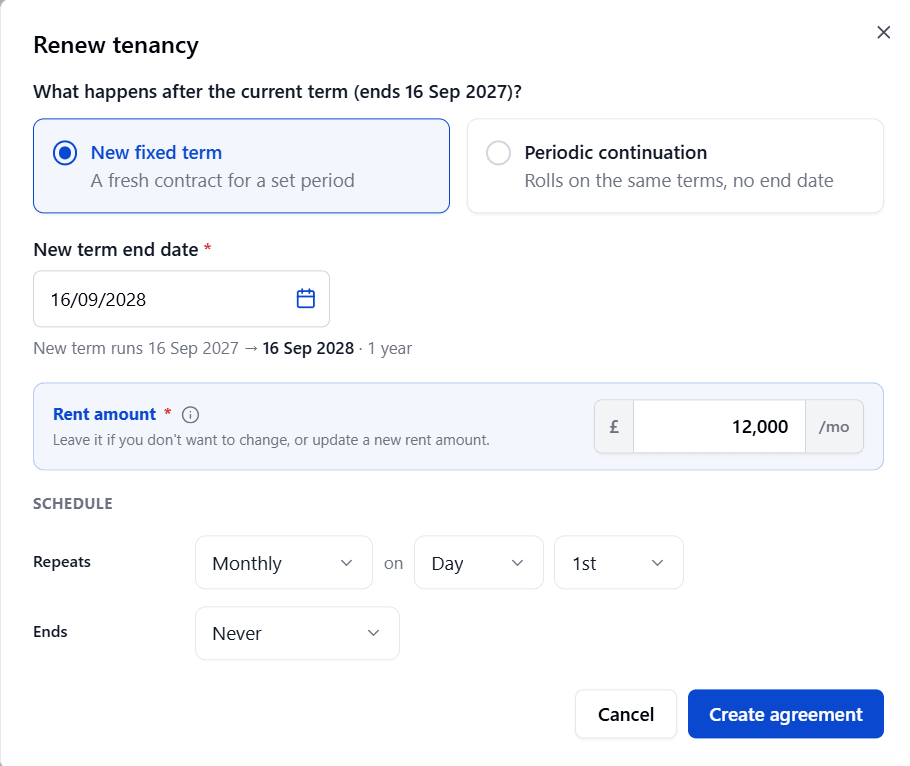
Leave the rent as it is, or enter a new figure, along with how it repeats.
Select Create Agreement.
Send the new agreement for signature, the same way as in Agreements & the written statement of terms.
What Happens When Your Tenant Signs
Once your tenant e-signs the renewal, RentalBux automatically:
Updates the tenancy's end date (or moves it to periodic)
Records any rent change in the rent history
Re-checks the deposit cap against the new rent, and prompts a top-up or refund if needed
Marks any guarantors as reconfirmed
Files the new agreement in Documents
Schedules the next renewal reminder, 90 days before the new end date
If you choose Periodic continuation for an England residential letting to individuals,
the tenancy becomes subject to the same Assured Periodic Tenancy rules.