.jpg&w=64&q=75)
.jpg)

Whether you can add or edit a deposit, and what RentalBux asks you to do with it, depends on the tenancy type.
On an Assured Periodic Tenancy
You record the deposit when you first add the tenancy — see Adding a tenancy record. Under Deposit, turn on I'm taking a security deposit, then enter:
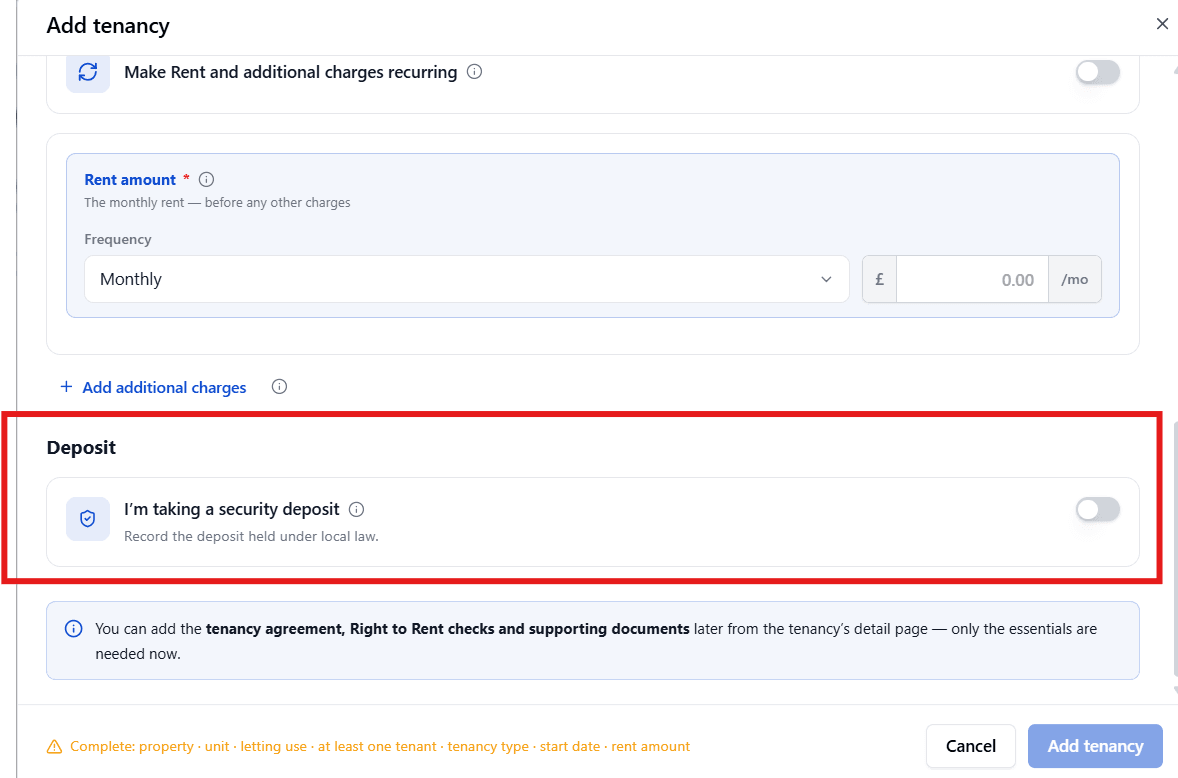
The Deposit amount
The Deposit protection scheme (optional for example, "DPS (Deposit Protection Service)"). RentalBux notes you can add the scheme later if you don't know it yet.
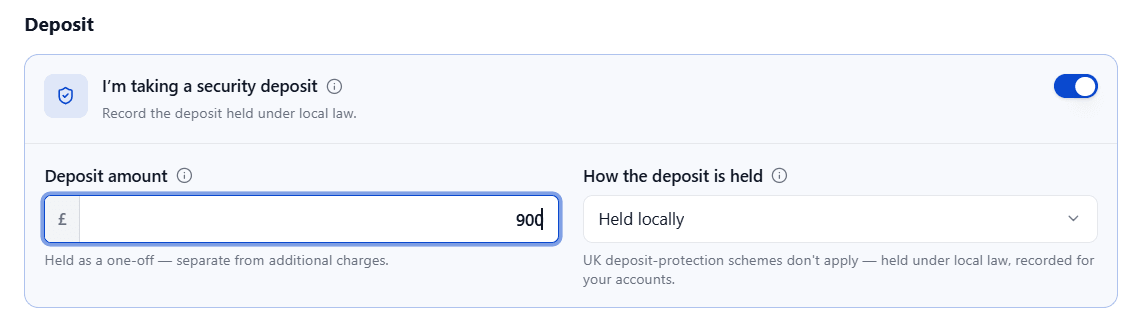
The deposit is held as a one-off, separate from any other charges on the tenancy. Currently, RentalBux doesn't offer a way to add a deposit to an APT afterwards if you didn't record one at the time, enter it when you create the tenancy.
On the Tenancy details tab, this shows in the Deposit & protection panel. If nothing's recorded, it simply reads "No deposit has been recorded for this tenancy."
On Other Tenancy Types (for example, a Holiday or short-stay letting)
Unlike an APT, you can add a deposit here at any time, even after the tenancy has started:
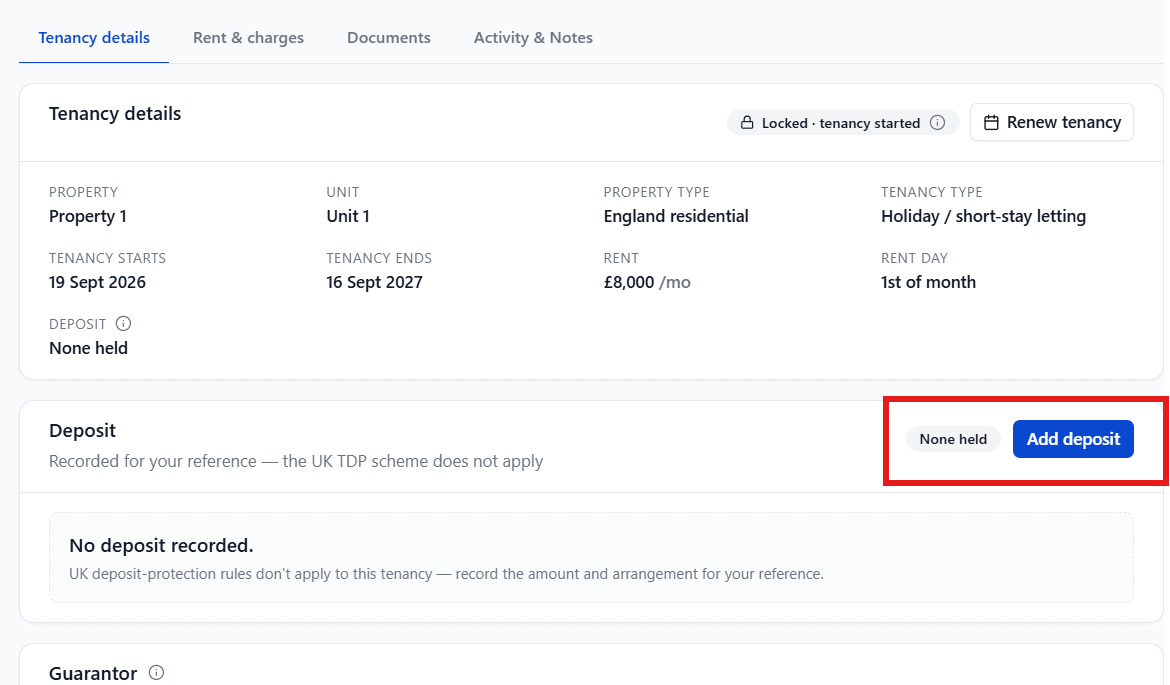
If none is recorded yet, select Add deposit.
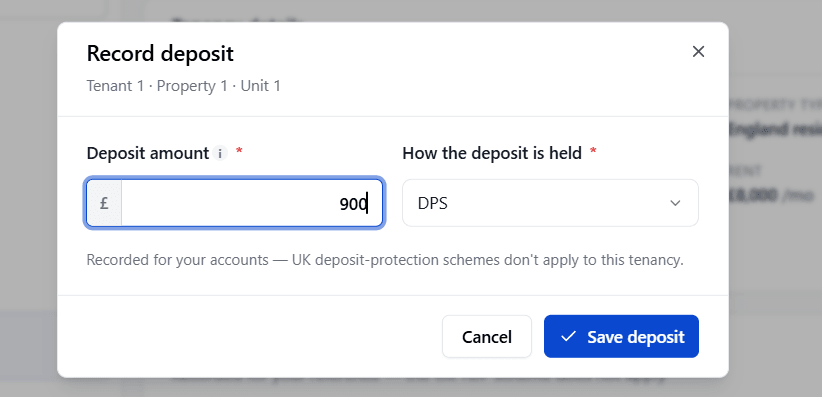
Enter the Deposit amount.
Choose an Arrangement: DPS, myDeposits, TDS, or + Add custom, this is for your own record-keeping only, since none of these schemes actually apply to this tenancy.
Select Save deposit.

Once saved, the panel shows a Recorded tag with the Amount held and Arrangement, and an Edit deposit button, the deposit stays directly editable at any time on these tenancy types.