.jpg&w=64&q=75)
.jpg)

Select Terminate on the tenancy header to open End this tenancy. Which routes you're offered depends on the tenancy type:
On an Assured Periodic Tenancy, you can choose between Section 8 · grounds for possession and End by agreement.
On other tenancy types (for example, a Holiday or short-stay letting), only End by agreement is offered.
End by agreement
Use this where you and your tenant both agree to end the tenancy by a mutual agreement not a court notice.
Select End by agreement.
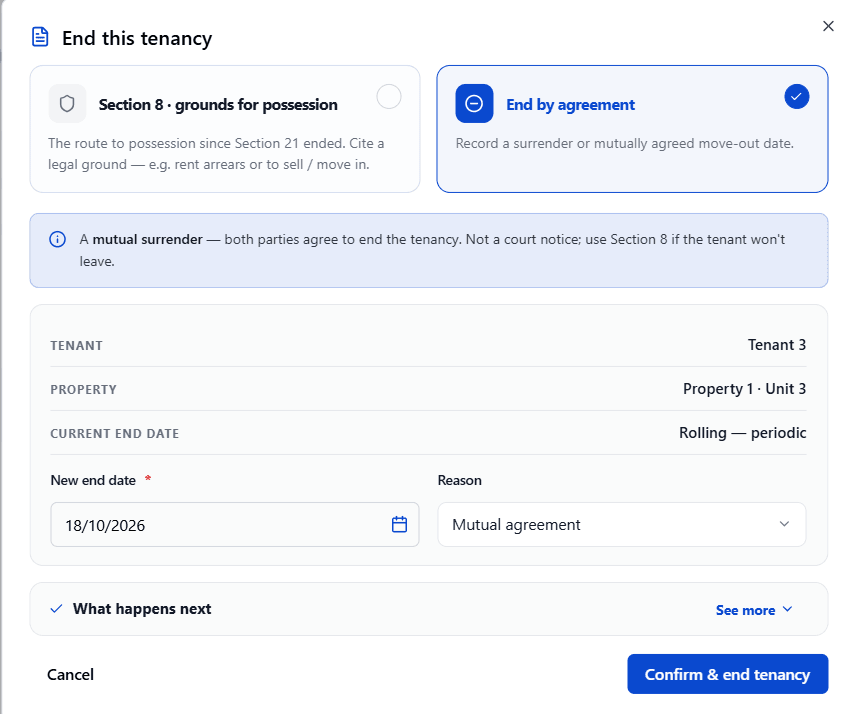
Check the Tenant, Property and Current end date shown, then enter the New end date.
Choose a Reason for example, Mutual agreement.
Expand What happens next to see what follows, then select Confirm & end tenancy.
Section 8 Grounds for Possession (Assured Periodic Tenancy only)
Use this if your tenant won't agree to leave. You must cite a legal ground, and each ground has its own required notice period for example, Ground 8 (serious rent arrears) needs 4 weeks' notice.
Select Section 8 · grounds for possession.
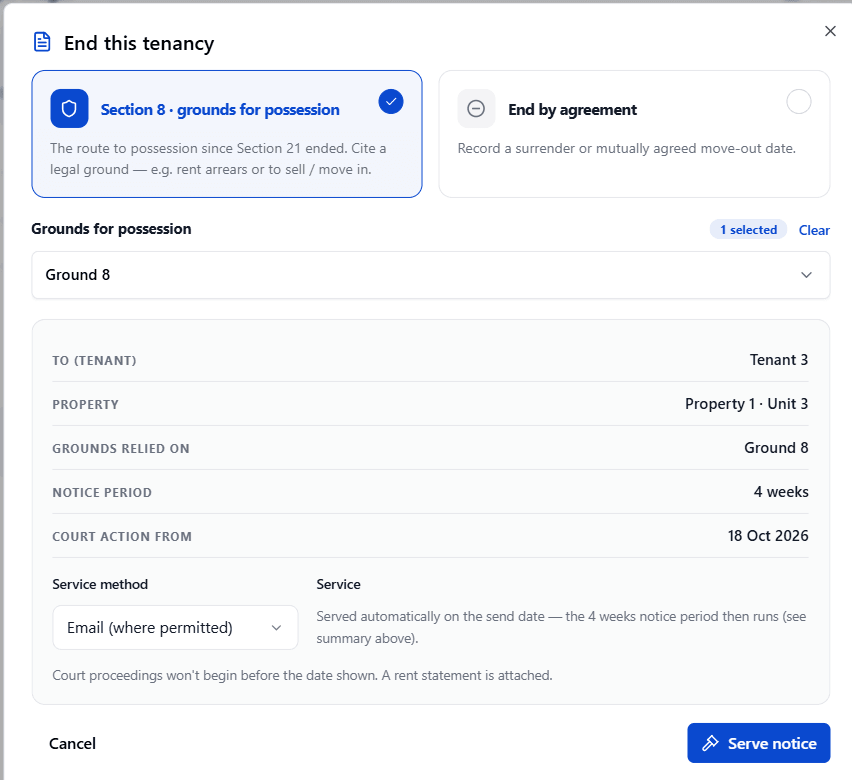
Under Grounds for possession, choose the ground(s) that apply a running count (for example, "1 selected") is shown, with a Clear link to reset.
Check the summary: the tenant, property, grounds relied on, notice period, and the earliest date court action can start.
Choose the Service method (for example, "Email (where permitted)"). The screen confirms the notice is served automatically on the send date, that the notice period then runs from there, that court proceedings won't begin before the date shown, and that a rent statement is attached.
Select Serve notice.
After a Tenancy Ends
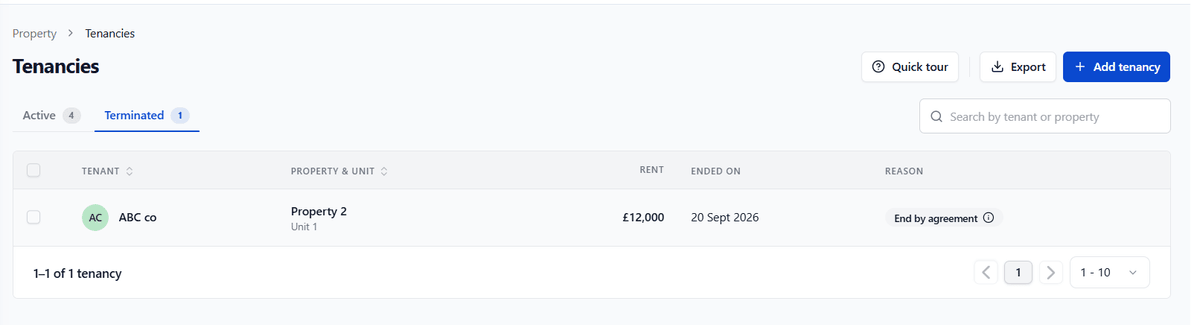
The tenancy moves to the Terminated tab. Its full history rent, documents, notes stays available to view. The unit becomes available to re-let. An ended tenancy is never deleted.