.jpg&w=64&q=75)
.jpg)
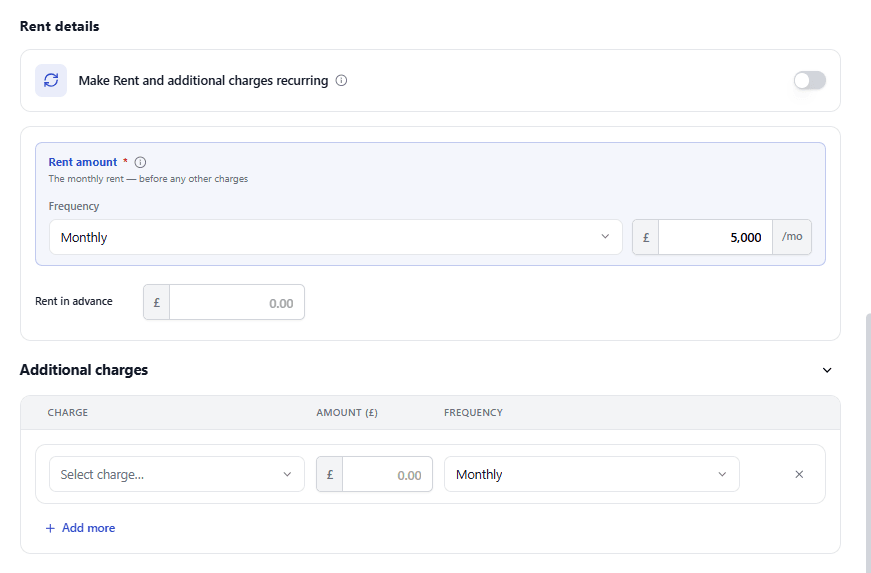
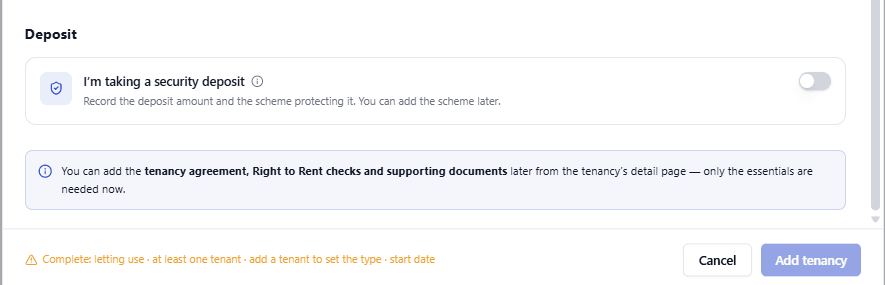
Select + Add tenancy on the Tenancies page to open the Add tenancy form. It's one scrolling form, in five parts: Property details, Tenants, Tenancy term, Rent Details, and Deposit. Nothing is saved until you reach the end and select Add tenancy.
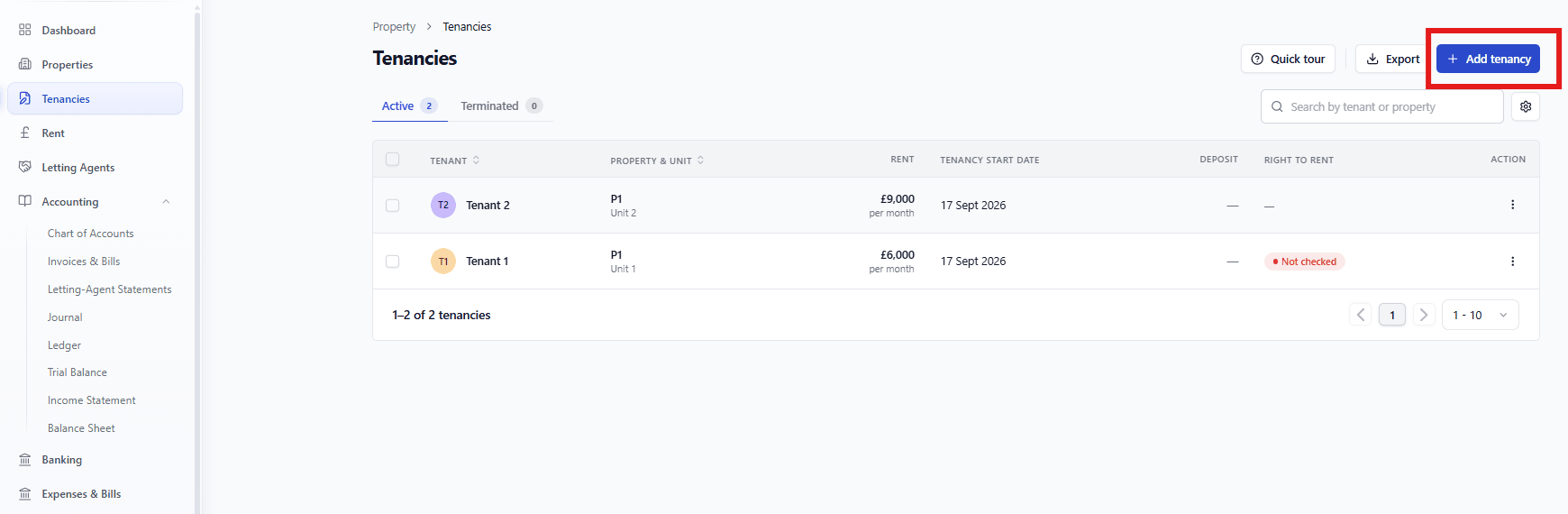
To Add a Tenancy
|
|
|
|
|
|
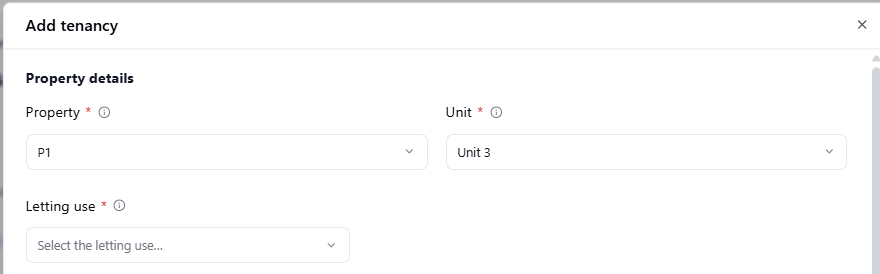
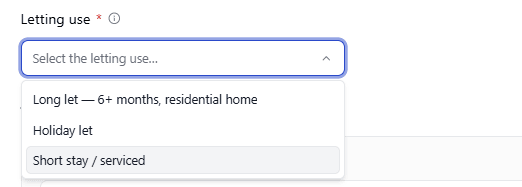
Letting Use
Choose the option that describes what the letting actually is:
Option | Use for |
|---|---|
Long let 6+ months, residential home | An ordinary, longer-term residential letting; the most common choice |
Holiday let | Short-term holiday accommodation |
Short stay / serviced | Short-stay or serviced accommodation |
Letting use is one of the facts RentalBux uses, alongside the property's location, the tenant, and the Occupancy basis below, to work out the tenancy's correct legal type automatically — see How RentalBux works out your tenancy type.
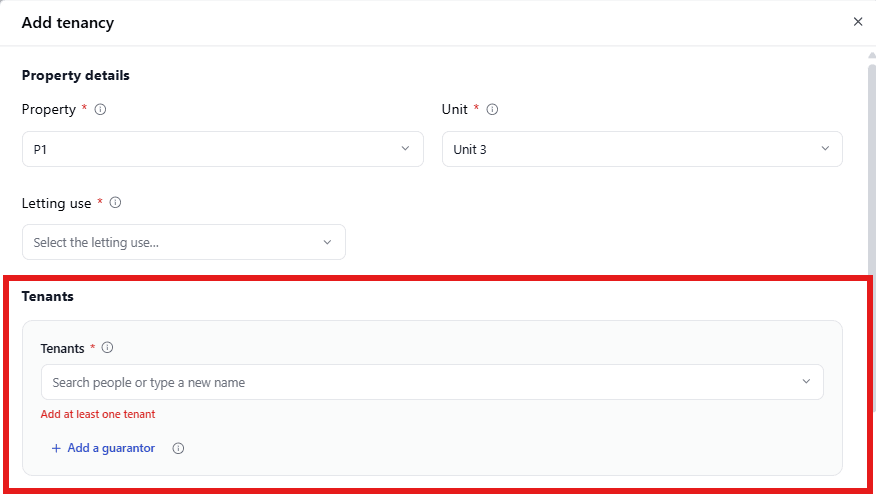
If you type a name that isn't already a saved contact, RentalBux opens Add new contact so you can create them on the spot.
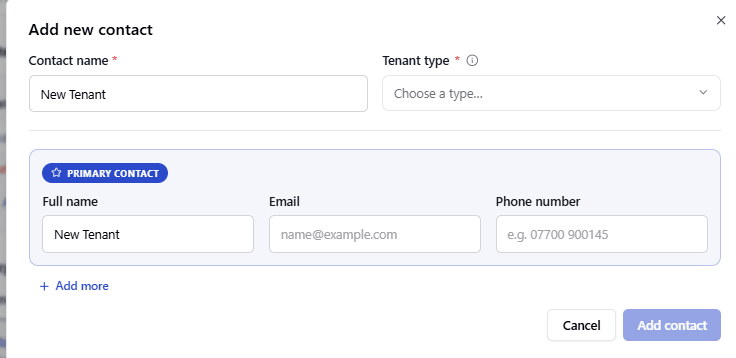
Enter the Contact name.
Choose the Tenant type:
Tenant type | Description |
|---|---|
Individual | A person |
Partnership (ordinary) | Individuals |
LLP | Body corporate |
Company | Body corporate |
Under Primary contact, confirm or edit the Full name and enter an Email.
Select + Add more to add another contact to this tenancy or Add contact to save this one and return to the Add tenancy form.
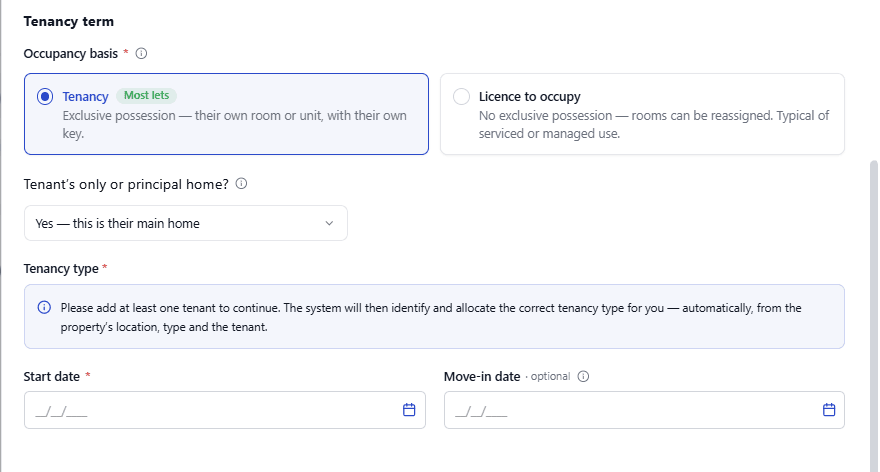
Occupancy Basis: Tenancy or Licence to Occupy
This is a genuine choice you make but it's based on the actual possession arrangement you have with the occupier, not on naming a legal tenancy type yourself.
Choose Tenancy if the occupier has exclusive possession; their own room or unit, with their own key, that you can't enter or reassign without their permission. This is right for almost every letting and is selected by default.
Choose Licence to occupy only if you can genuinely move the occupier between rooms and access the space without their permission. Selecting it requires you to tick a confirmation box first.
This choice, together with Letting use and the other tenancy details, feeds directly into the tenancy type RentalBux works out for you afterwards.
Tenancy Type
You won't see a tenancy type until you've added at least one tenant, RentalBux needs to know who the tenant is before it can work this out. Once a tenant is added, the correct tenancy type is shown automatically.
Field | What it means |
|---|---|
Start date | The tenancy's legal start date. This drives every deadline the module tracks for this tenancy, so make sure it's correct. |
Tenant's only or principal home? | Defaults to Yes. Only change this to No if it's genuinely not the tenant's main home — it affects the tenancy type RentalBux works out. |
Once you select Add tenancy, the property/unit, tenants, occupancy basis and tenancy term become part of the tenancy's core, contractual details. See Tenancy details tab and the structural lock for what you can still change afterwards, and how. If you enter a deposit above the legal cap for the tenancy type, RentalBux blocks the save and offers to reduce it to the cap automatically.