.jpg&w=64&q=75)
.jpg)

A guarantor is someone typically a parent, employer or company who agrees to stand behind the rent if the tenant can't pay. You can add one when you first add the tenancy, or at any time afterwards from the tenancy record.
To add or manage guarantors
On the Tenancy details tab, find the Guarantor panel.
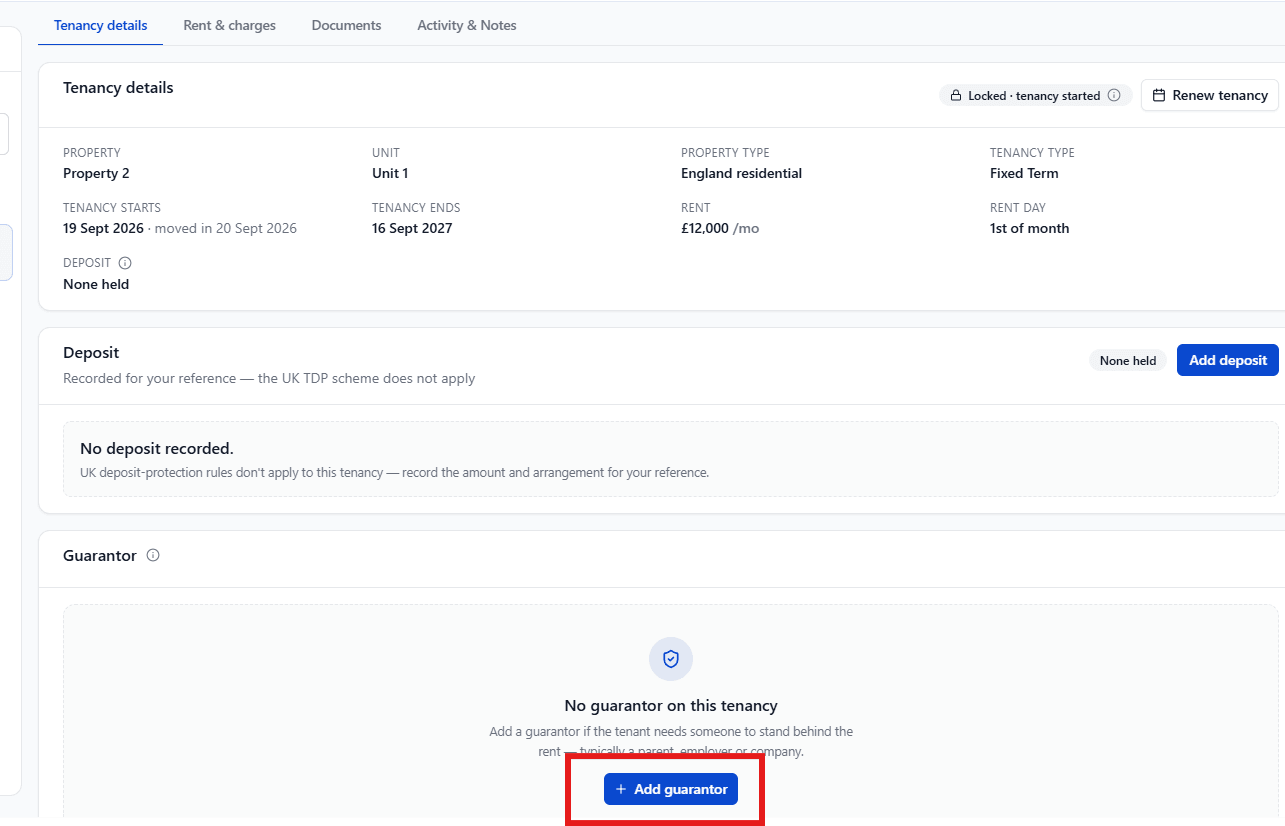
If there's no guarantor yet, select + Add guarantor. If one already exists, select Manage.
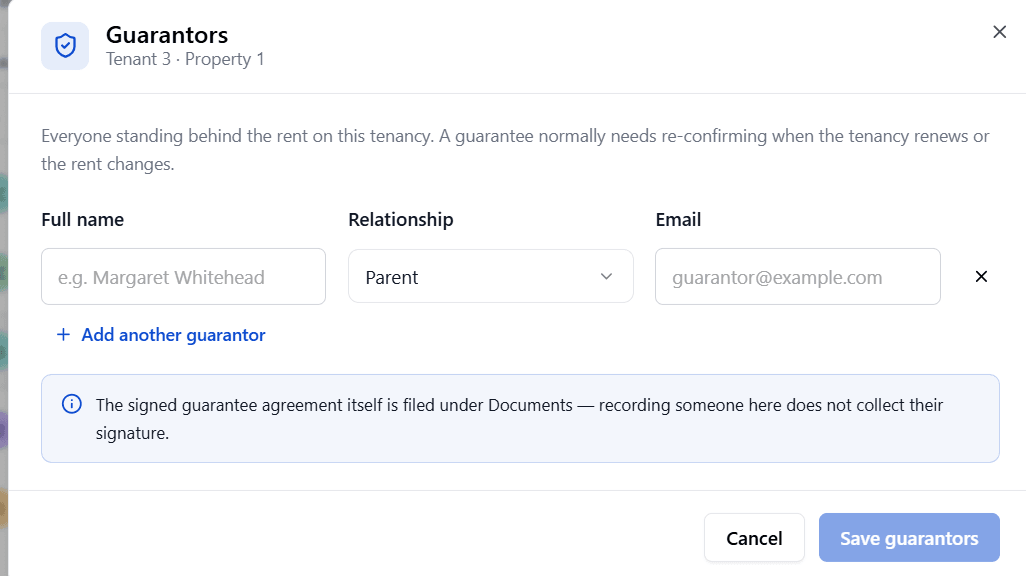
Enter the guarantor's Full name, Relationship (Parent, Relative, Employer, Company, Friend, or a custom relationship), and, optionally, their Email.
Select + Add another guarantor if there's more than one.
Select Save guarantors.
Each guarantor is listed with their name, relationship and contact details, with options to edit or remove them.
A guarantor is treated as a party to the contract, the same as a tenant. You can freely add, edit or remove a guarantor even after the tenancy is added.