
Everything RentalBux offers, explained screen by screen, so you know exactly what you're getting before you even sign up.
Why This Guide Exists?
You've heard about RentalBux. Maybe someone mentioned it, maybe you stumbled across it while Googling "Making Tax Digital for landlords," or maybe your accountant told you it's time to stop using spreadsheets. Whatever brought you here, you probably want to know one thing before you commit any time to it:
What does RentalBux actually do?
Fair question. This guide walks you through every part of the platform — no sign-up required to read along. By the end, you'll know exactly what RentalBux can handle for you and whether it's the right fit for your rental business.
Your Dashboard — The First Thing You See
When you log in, your dashboard is home. Think of it as a bird's-eye view of your entire rental business.
Here's what you'll find:

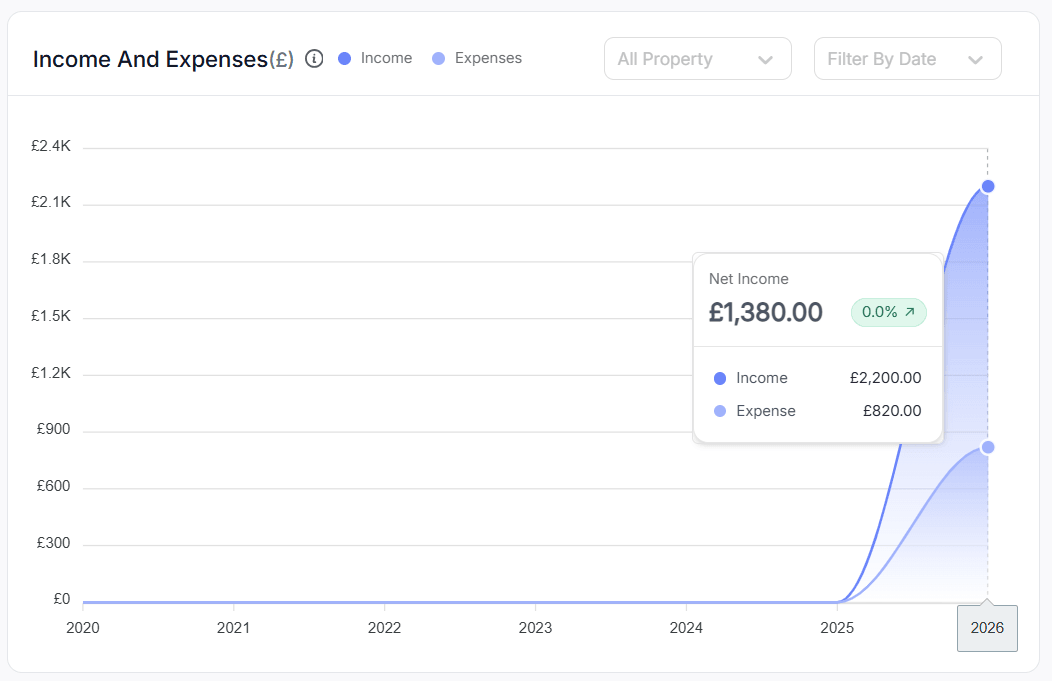
Your rental income summary:
A clear, visual breakdown of how much rent has come in this month, this quarter, and this tax year. No maths needed, RentalBux calculates it for you.
Your expenses at a glance:
Every repair bill, letting agent fee, insurance premium, and mortgage payment you've logged, all totalled up and categorised.
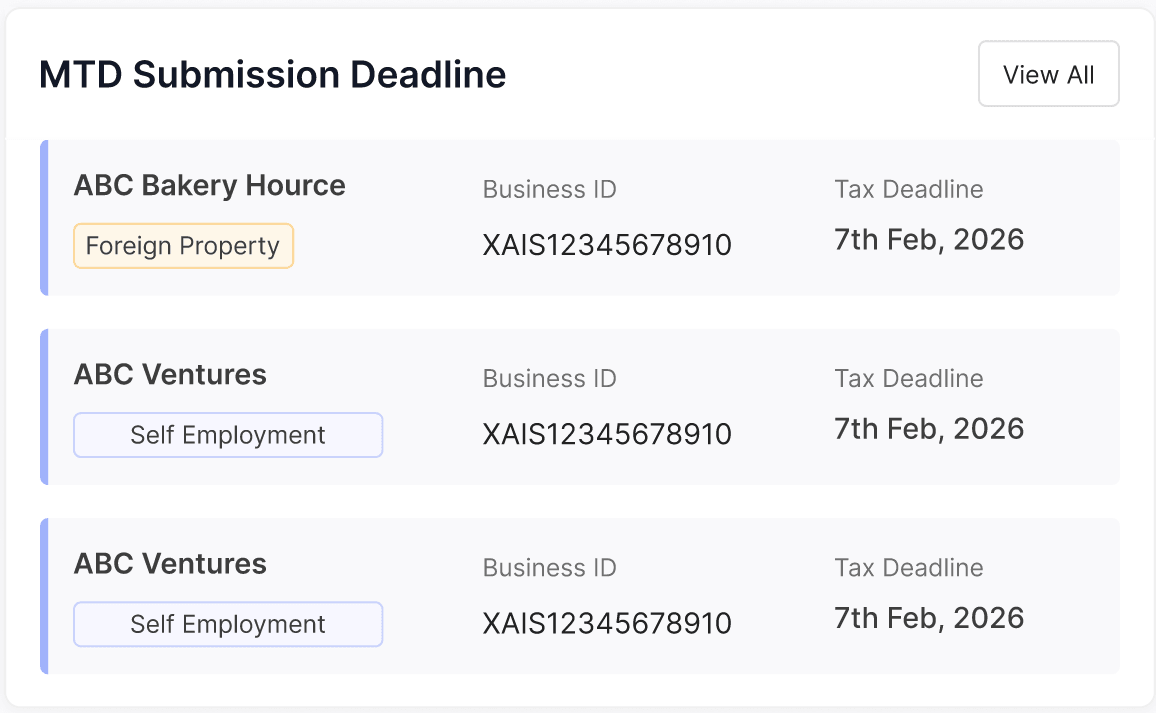
Your MTD Submission Deadline:
A simple indicator showing whether your next quarterly submission to HMRC is ready, due soon, or overdue. Green means you're fine. Amber means it's coming up. Red means you need to take action.
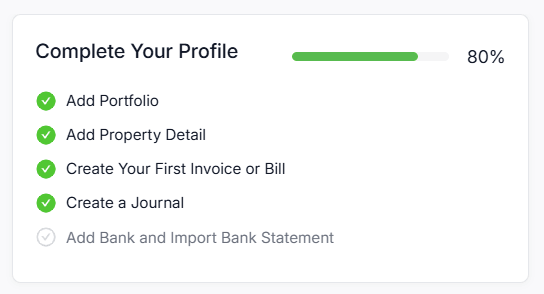
Your profile completion tracker:
Especially useful when you're new — it shows you exactly what setup steps you've completed and what's still left. Think of it like a progress bar for getting your account fully ready.
Upcoming deadlines:
Rent due dates, document expiry dates, MTD submission deadlines — all in one place so nothing catches you off guard.
Quick actions:
Buttons to create a new invoice, log an expense, connect bank, or add a property. The things you do most, always one click away.
 |  |  |  |
Your Property Portfolio
This is where all your properties live inside RentalBux.
Each property gets its own profile showing the address, property type (residential, commercial, or HMO), ownership details, linked tenants, active tenancy dates, and any compliance documents you've uploaded.
If you own properties jointly with someone else, RentalBux lets you set the ownership split — say 50/50 or 70/30 — and automatically divides income and expenses accordingly. You don't have to work this out manually.
If you own properties overseas, those sit separately because HMRC treats foreign rental income differently. RentalBux handles that distinction for you behind the scenes.
You can manage one property unit or fifty. The portfolio view lets you compare performance across properties, see which ones are making money, and spot the ones that are costing you.
Income and Expense Tracking
This is the day-to-day engine of RentalBux.
For income: You create rent invoices , and RentalBux tracks when they're paid, overdue, or awaiting. Every penny of rental income is recorded and categorised correctly for HMRC.
For expenses: You log what you've spent — repairs, agent fees, insurance, travel to properties, office costs — and RentalBux categorises each one using HMRC's approved list of allowable deductions. That means when tax time arrives, you already know exactly what you can claim.
Receipt scanning: Open the RentalBux app on your phone, photograph a receipt, and the system automatically reads the amount, date, and vendor. It's attached to the right expense, filed away, and ready if HMRC ever asks to see proof.
The MTD Module — Making Tax Digital Made Simple
This is the part most landlords are anxious about, and the part where RentalBux earns its keep.
Making Tax Digital for Income Tax means you need to send HMRC a summary of your rental income and expenses every three months, plus an end-of-year statement. If your property income is above £50,000, this starts from April 2026.
RentalBux connects directly to HMRC's systems. When a quarterly deadline approaches, you review your figures (which have been building up automatically from your invoices and expense records), confirm everything looks right, and press Submit. That's it.
You don't need to understand tax codes, HMRC's API, or anything technical. RentalBux translates your rental business activity into the exact format HMRC expects and sends it securely.
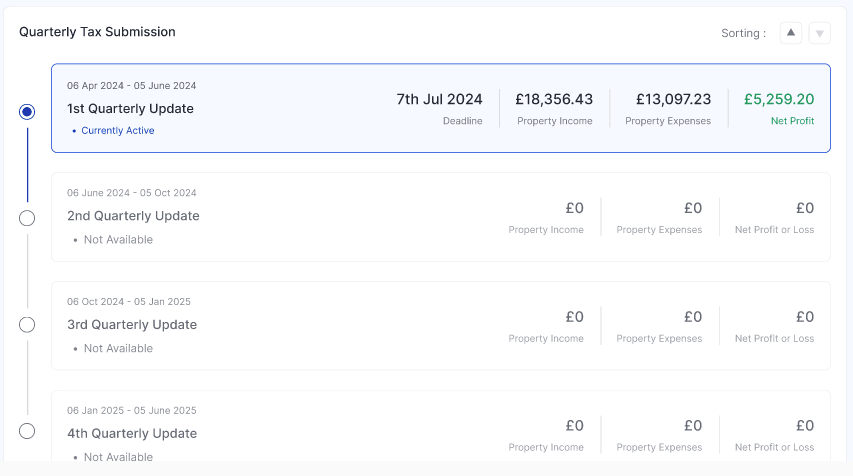
The MTD module shows you:
Your four quarterly periods and when each is due
What figures will be sent for each quarter
Your submission history and confirmation receipts
Your estimated tax position for the year
Document Storage
Every landlord needs to keep a pile of documents — EPCs, gas safety certificates, electrical reports, tenancy agreements, insurance policies, and more.
RentalBux gives you a secure place to store all of these, assigned to the right property, with expiry dates attached. When a gas safety certificate is about to expire, you'll get a reminder before it lapses — not after.
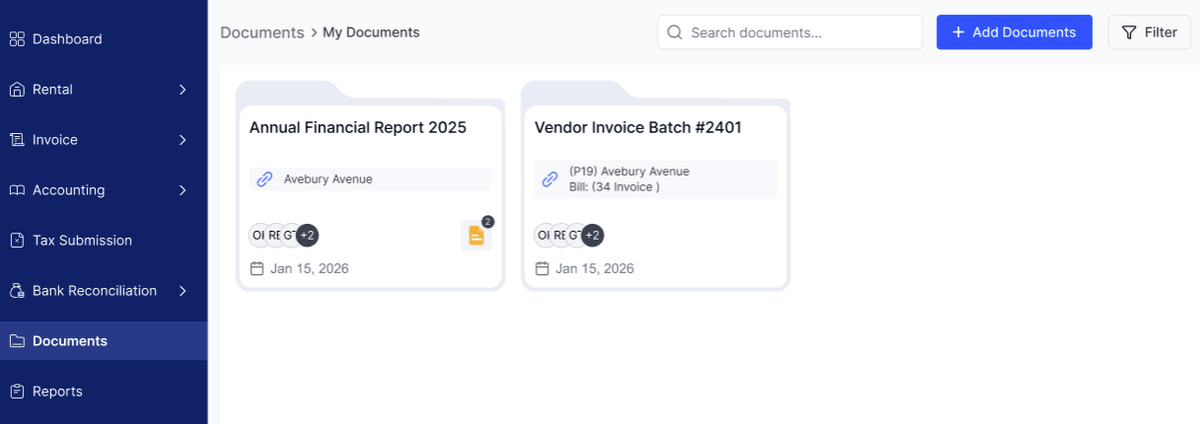
You can upload PDFs, photos, or scans. Everything is encrypted and stored securely, and you can share specific documents with tenants or letting agents through a secure link.
Tenancy Management
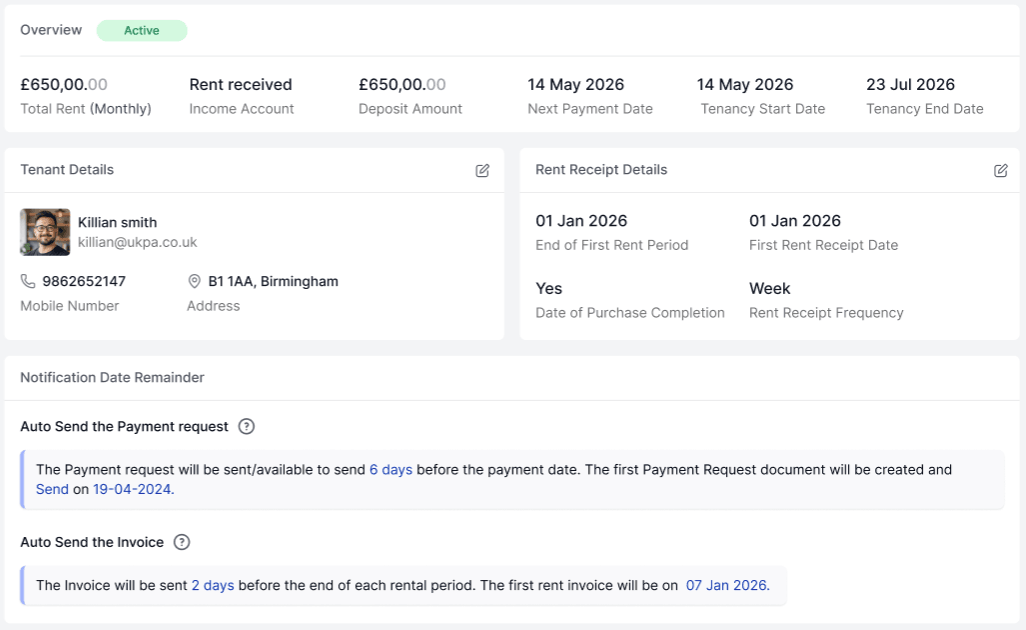
RentalBux lets you keep a record of every tenancy: who's living in each property unit, when the lease started, when it ends, how much rent they're paying, and whether they're up to date.
You can set up automatic rent reminders so tenants get a friendly email before their rent is due. If a payment is late, you'll know about it immediately.
When a tenant moves out, and a new one moves in, the changeover is straightforward — close the old tenancy record, set up the new one, and your financial tracking continues seamlessly.
Bank Reconciliation
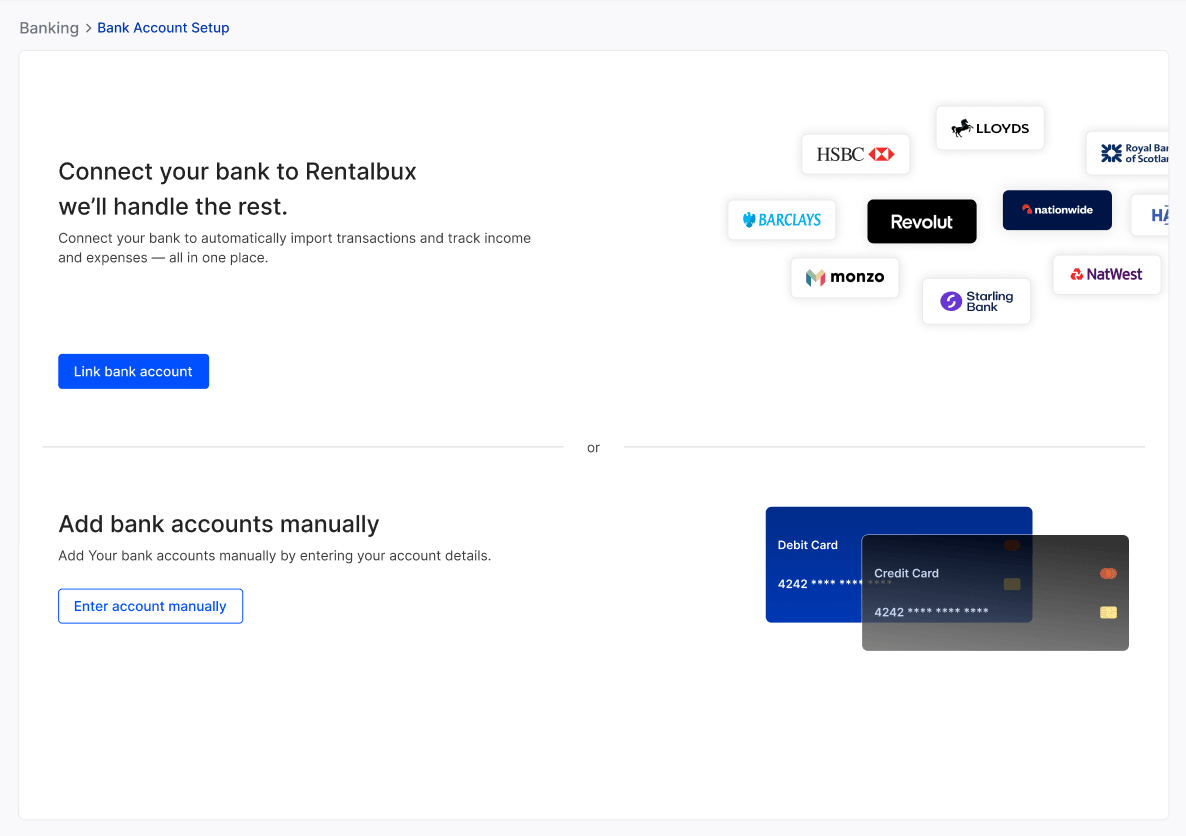
If you've linked your bank account or uploaded bank statements, RentalBux can match your bank transactions against the invoices and expenses you've logged. This is called reconciliation, and it's how you make sure your records match reality.
Reports
When you want to see how your rental business is performing, the Reports section has you covered:
Property and Tenancy Reports— see exactly how your properties are managed
Income statement — your total revenue minus total expenses for any period you choose
Balance sheet — a snapshot of what you own, what you owe, and your equity
Trial balance — for your accountant, if they want to check the numbers
General ledger and journal — the detailed record of every financial transaction
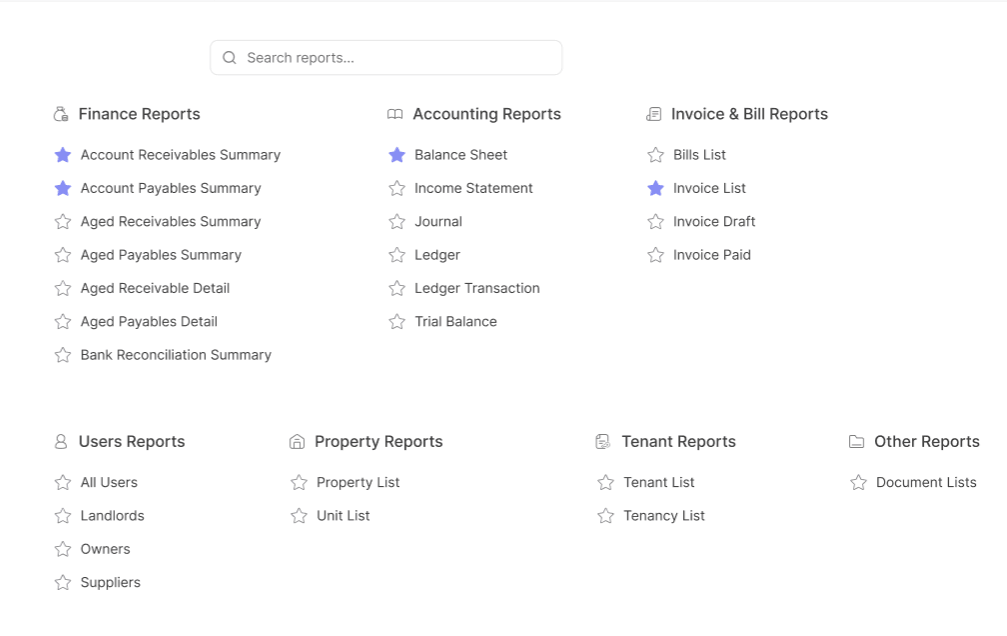
You can export any report as a CSV or PDF to share with your accountant.
What About the Free Plan?
RentalBux offers a genuinely free plan for landlords with one property unit. It includes everything described above — full MTD compliance, invoicing, expense tracking, document storage, bank reconciliation, and reporting. No credit card required. Free until March 2028.
If you have multiple properties, joint ownership, foreign properties, or self-employment income, the paid plans start from £4.50 per month. But for a single-property unit landlord, the free plan gives you every feature with no catches.
Ready to Get Started?
You can sign up at rentalbux.com in under two minutes. If you'd prefer someone to walk you through it, you can book a free demo and a member of the RentalBux team will show you around.