If you own rental property outside the UK, you're still required to report that income to HMRC. Here's how RentalBux handles foreign property, and why it matters for MTD.
Why Foreign Property Income Is Treated Differently
HMRC separates your rental income into two buckets: UK property income and foreign property income. Each has its own reporting requirements under Making Tax Digital.
This means if you own a flat in London and an apartment in Spain, you can't just lump all the rent together. The UK flat's income goes under your UK Property income source, and the Spanish apartment goes under Foreign Property. RentalBux keeps these separate automatically.
This isn't about making things complicated — it's about making sure your MTD submissions match what HMRC expects. And RentalBux is one of very few HMRC-recognised platforms that supports foreign property MTD filing, so you're in good hands.
How to Setup a Foreign Property Income Source
Click on Switch Profile on the top right corner of your RentalBux dashboard

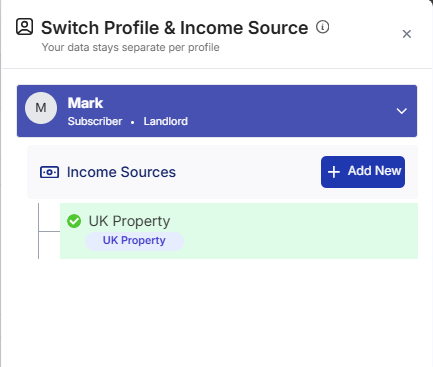
Go to the income source section and click on Add New
In the form that opens, fill in the Mandatory fields. Select Foreign Property in the Income Source selection screen. Select a foreign Country and update address.
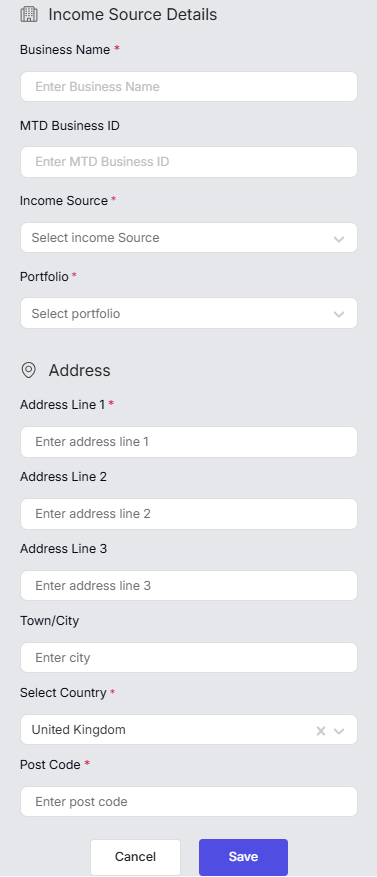
Click on Save
How to Add a Foreign Property
Step 1: Navigate to the Property Section
From your dashboard, click My Property in the main navigation menu. This is where all your properties are managed.
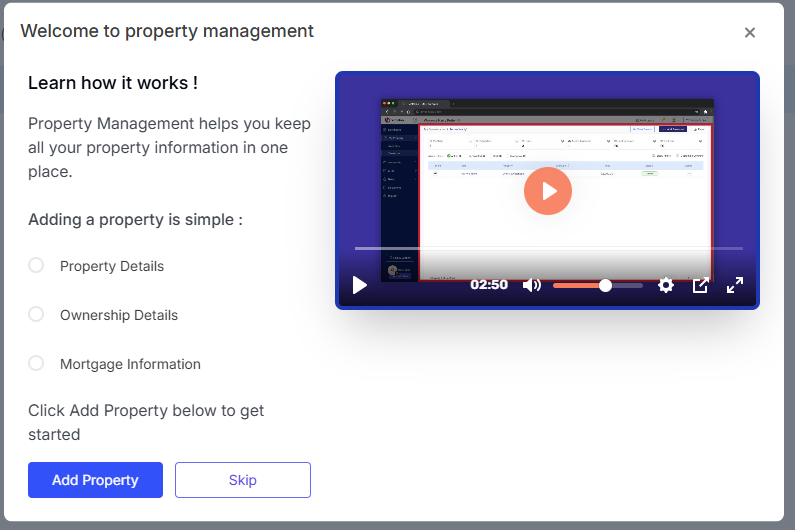
If this is your first time here, you'll see a welcome screen saying ‘Welcome to Property Management’ with a video guide and a button saying Add Property. Click it.
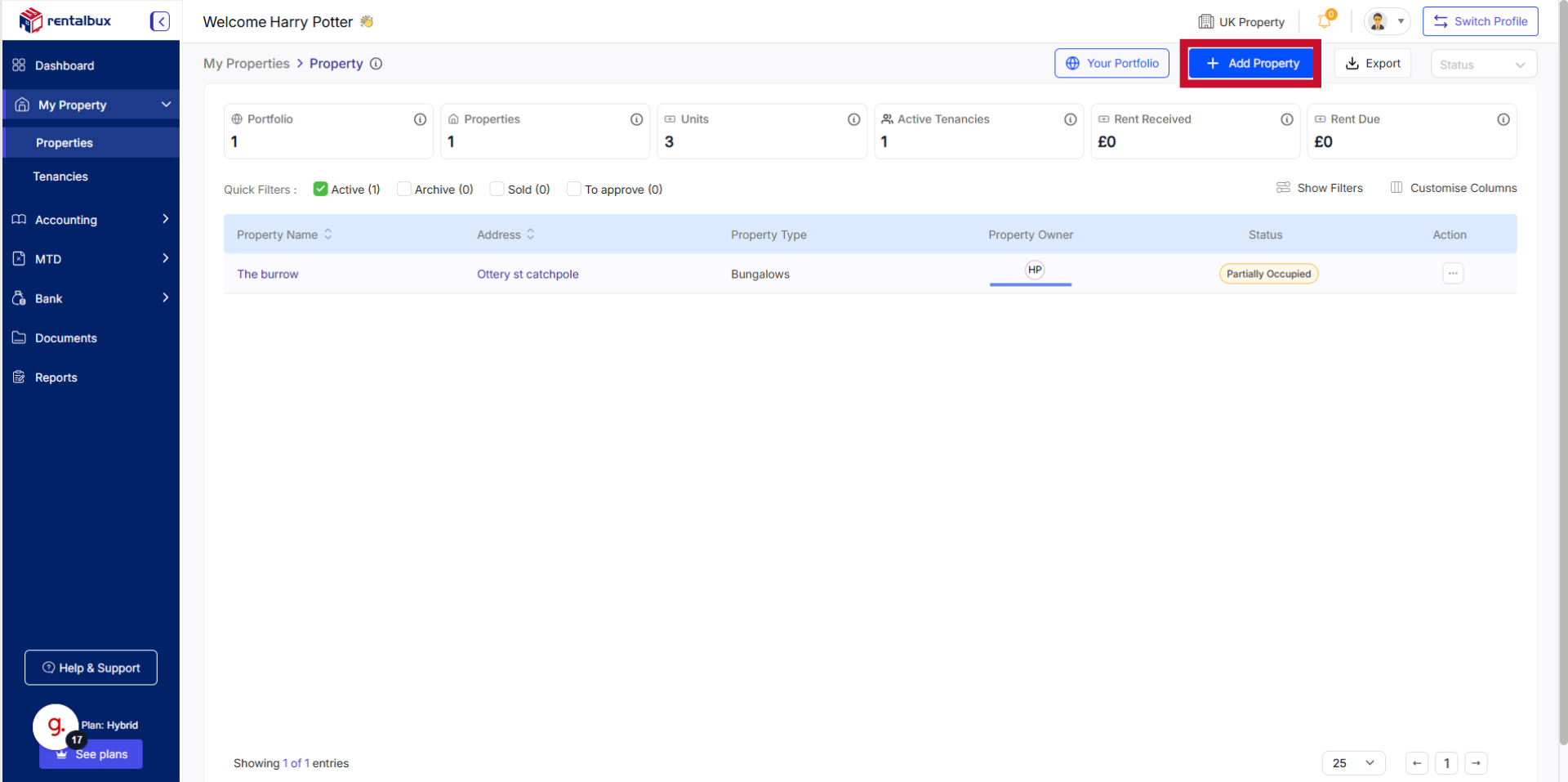
If you already have properties listed, click the Add Property button in the top right corner.
Step 2: Enter the Property Details
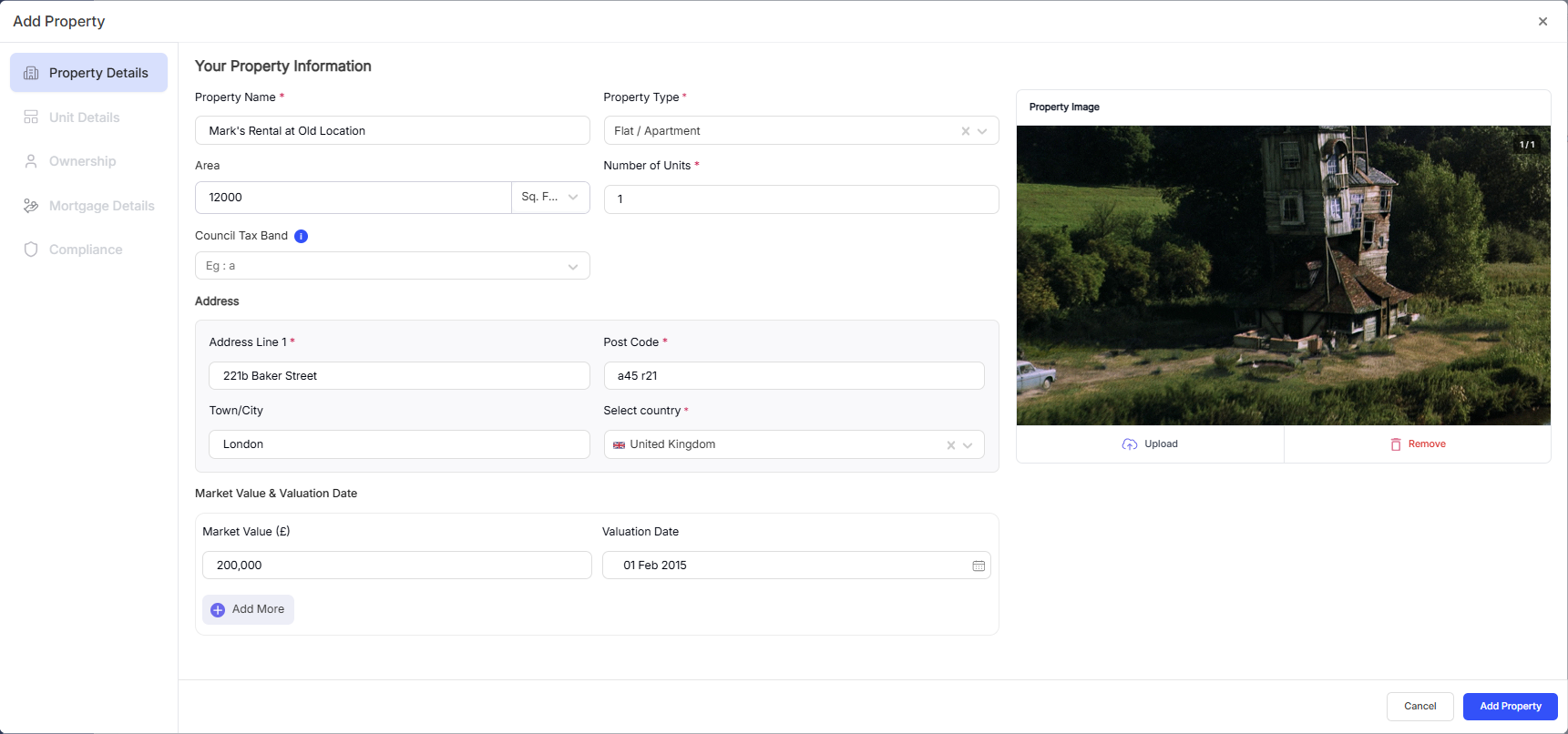
Type in the name, full address, and other details of your rental property, including the postcode. RentalBux may offer address suggestions as you type — select the correct one if it appears, or enter the address manually.
Getting the address right matters because it's linked to your MTD submissions and needs to match your records with HMRC.
Step 3: Edit the Unit Details
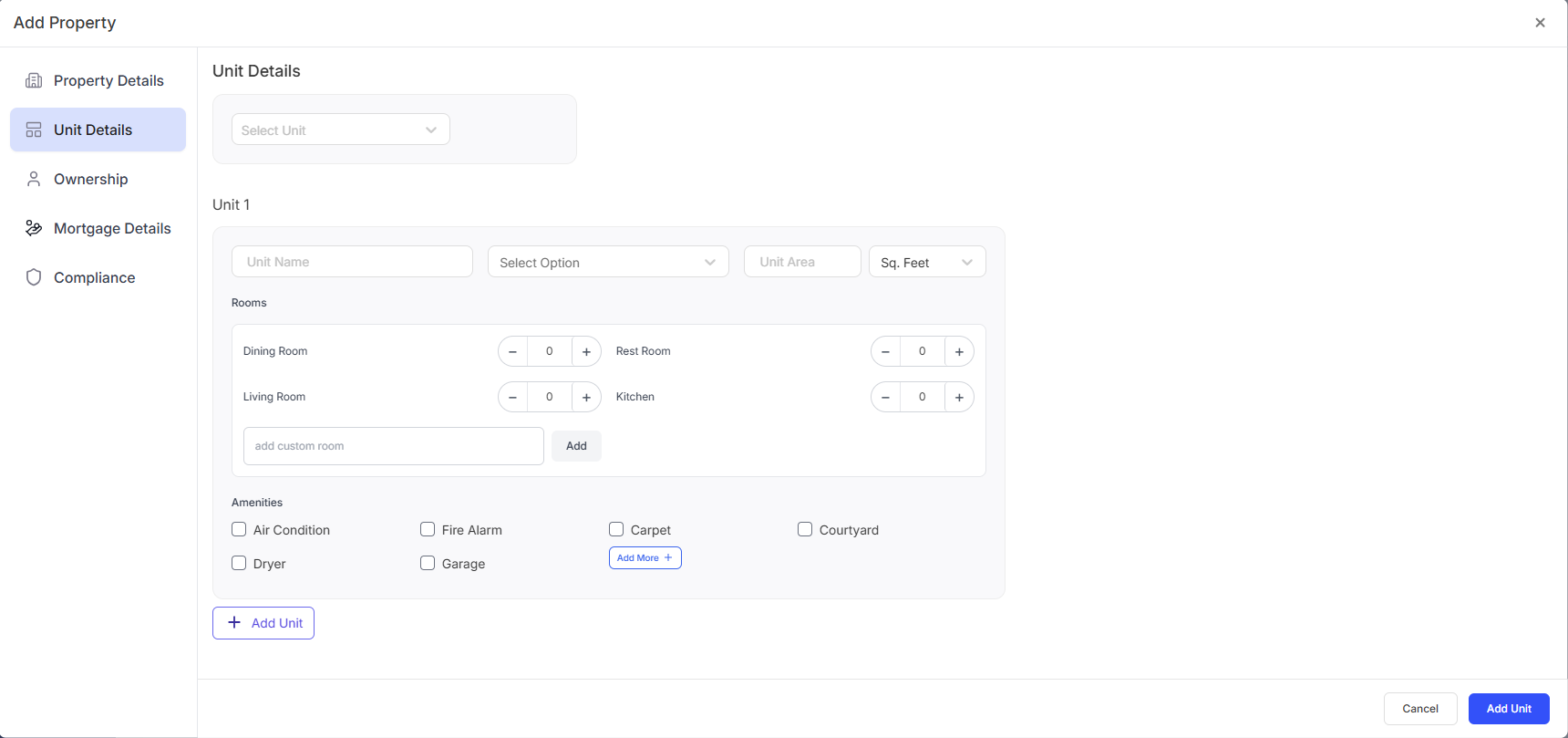
Choose from:
Existing Units or add a unit
Update unit name, room details and amenities
The property unit affects your subscription. Add actual units based on your properties.
Step 4: Set Your Ownership Percentage
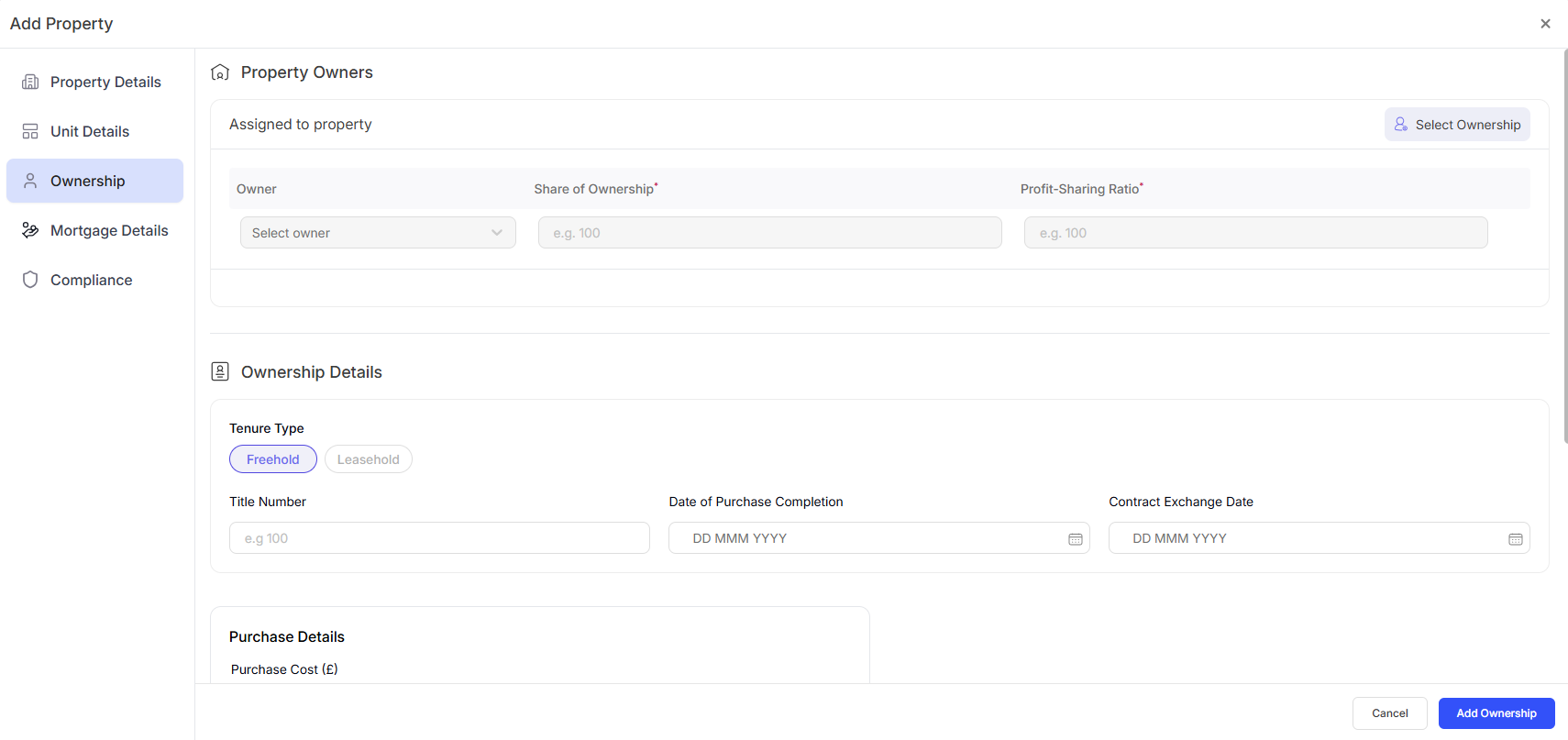
If you're the sole owner, this is simply 100%.
If you own the property with someone else (a spouse, partner, or co-investor), enter your percentage share — for example, 50%, 60%, 75%, or whatever reflects your actual ownership.
This is important because RentalBux uses this percentage to calculate your share of the income and expenses for tax purposes. If you need to set up a co-owner, see the guide: Setting Up Joint Ownership & Configuring Profit Splits.
Step 5: Add Mortgage Details
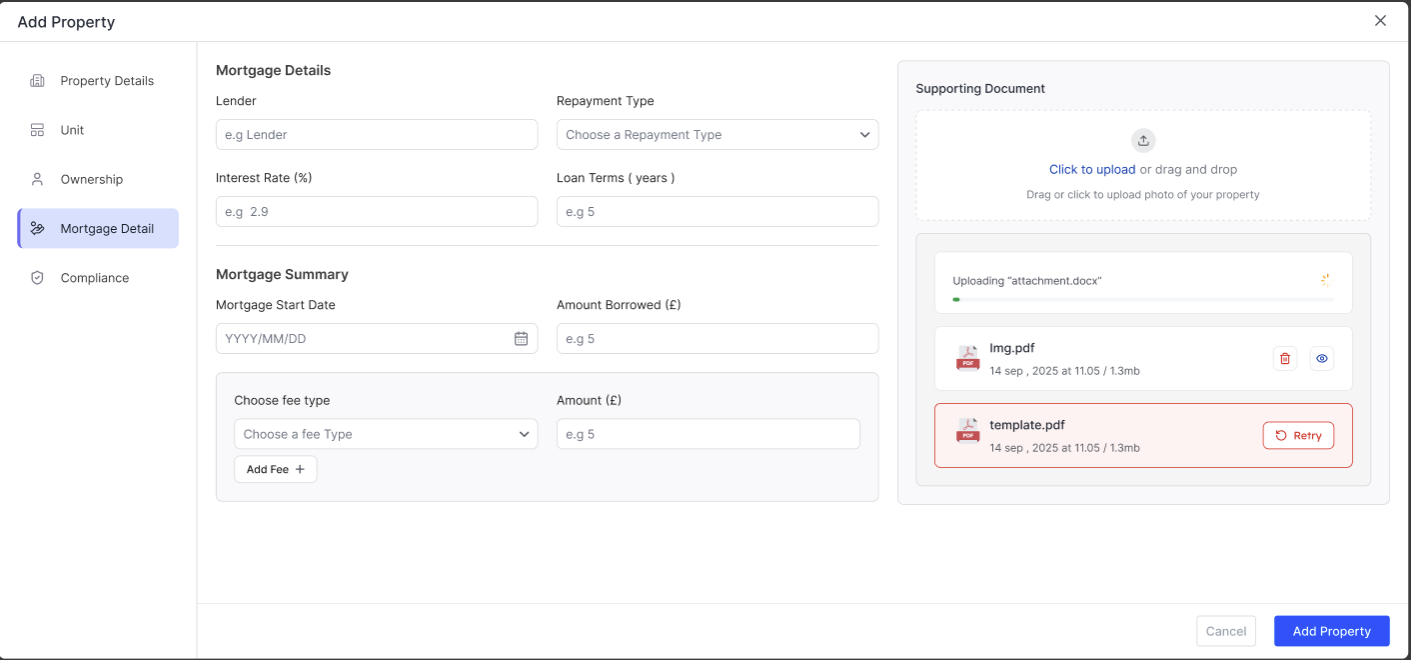
The Mortgage Details section allows you to enter and manage financing information for a property. This information is used to track loan balances, monthly payments, and overall investment performance. If you manage the property yourself, skip this step.
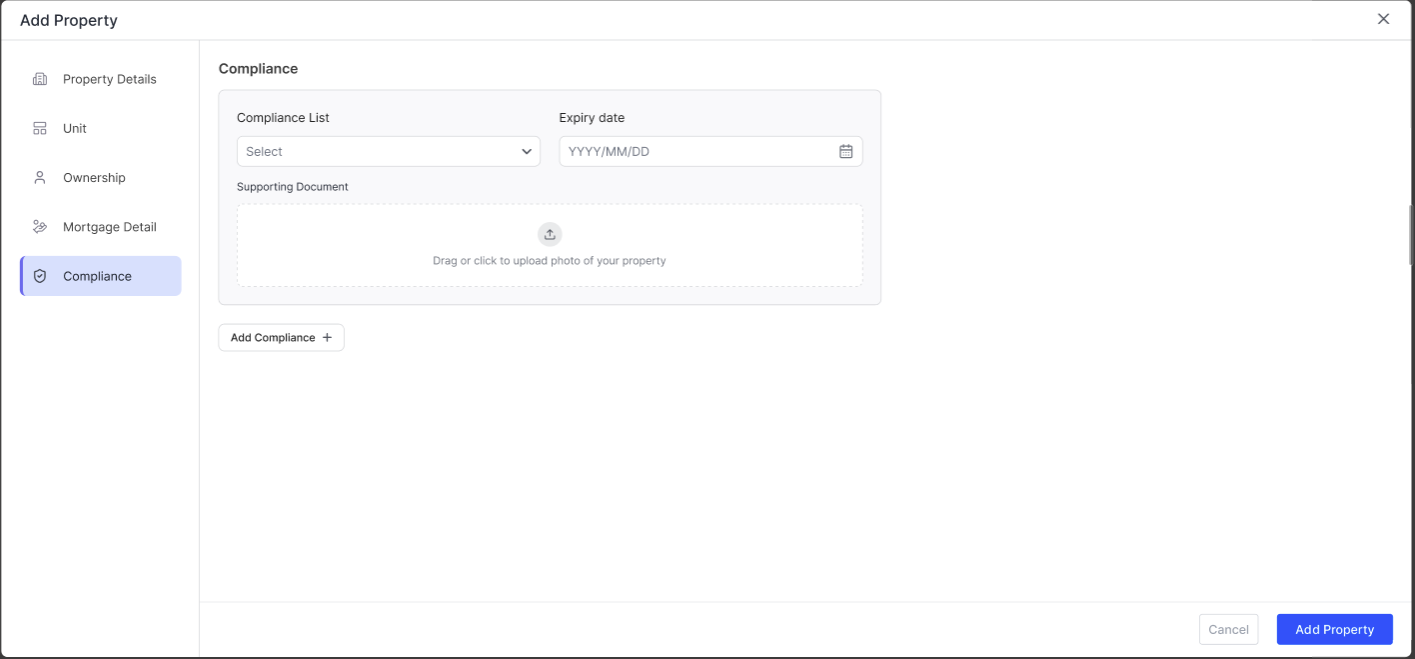
Step 6: Compliance
Add any compliance document, if you have, from the list available or add a new one. Get reminders before they expire, so that you stay compliant.
Take a moment to confirm all the details look correct. You can edit any of these later by clicking on the action button on the property and selecting Edit.
The property will now appear in your property portfolio with a clear label showing it's a foreign property. On your dashboard, foreign property income and expenses are tracked separately from your UK properties.
How RentalBux Handles Currency
Rent from your overseas property is likely paid in a foreign currency. HMRC requires you to report it in British pounds.
RentalBux handles this by converting your foreign currency income and expenses to GBP using exchange rates at the time of each transaction. You don't need to look up exchange rates yourself — the platform does it automatically.
You can see both the original foreign currency amount and the GBP equivalent on each transaction.
The Currency Management feature is currently in active development. When it's deployed, you can handle currency. Don’t worry, we will let you know.
How Quarterly MTD Submissions Work for Foreign Properties
When you submit your quarterly MTD update, RentalBux generates separate summaries for:
Your UK property income and expenses
Your foreign property income and expenses
Both are submitted to HMRC as part of the same quarterly update, but they're clearly separated so HMRC can see which income comes from where.
You don't need to do anything extra — the separation happens automatically based on how you've categorised your properties.
FAQ Section
Related guides: |