Made a mistake on an invoice? Overcharged a tenant? Had a tenant cancel an agreement after invoicing? A credit note is how you correct or cancel a previously issued invoice without deleting it — keeping your audit trail intact and your accounts accurate.
What is a Credit Note?
A credit note is a document that reduces or cancels an amount that was previously invoiced. It's the accounting equivalent of a refund notice. Rather than deleting the original invoice (which would break your audit trail), you issue a credit note for the same amount — the two cancel each other out in your accounts.
When to issue a credit note
Situation | What to do |
|---|---|
You invoiced the wrong amount (too high) | Issue a credit note for the difference |
You invoiced the correct amount but the tenancy was cancelled before payment | Issue a credit note for the full invoice amount |
Tenant returned goods or services you charged for | Issue a credit note for the returned items |
You agreed a rent reduction after issuing the invoice | Issue a credit note for the reduction, then create a new correct invoice |
You invoiced twice for the same rent period (duplicate) | Issue a credit note against the duplicate invoice |
How to issue a credit note in RentalBux
Go to Accounting > Invoices and Bills, Click on Credit Note button next to Add invoice button shown below.

Or find the original invoice you need to credit and Click the three dots action button next to it and select Issue Credit Note.

RentalBux pre-fills the credit note with the original invoice details, or select a specific invoice you want to reconcile.
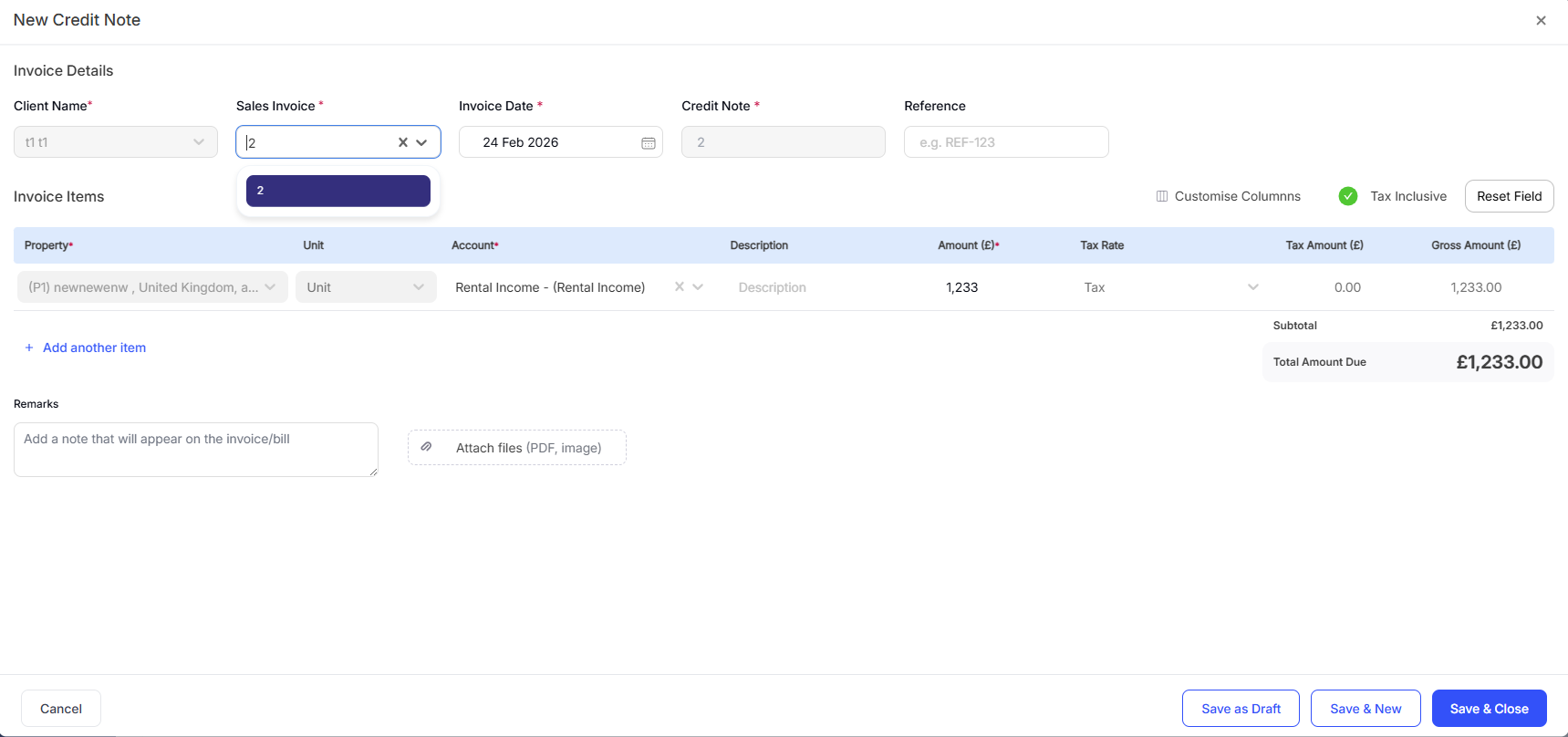
Just review, save and close. It's sent to your accounts automatically.
What a credit note looks like in your accounts
When you issue a credit note:
The original invoice remains in your records unchanged, its status shows Paid
The credit note appears in your invoice list with a status of Return
Your income figures are reduced by the credit note amount — reflecting the actual income received
If the tenant has already paid and you owe them a refund, you record the refund payment separately

Credit notes and MTD
Credit notes flow directly into your MTD figures. If you issue a credit note in a quarter, it reduces the income total for that quarter — which is the correct treatment. HMRC expects your quarterly updates to reflect actual income received, and credit notes ensure that's the case.
Quick Tip: Always issue a credit note rather than deleting an invoice. Deleting an invoice breaks your sequential numbering, removes the audit trail, and can cause reconciliation problems if the invoice was already matched to a bank transaction.
Related Guides: |