For most day-to-day transactions, you'll never need to create a journal entry manually — invoices, bills, and bank reconciliation handle everything automatically. But occasionally, you'll need to record something that doesn't fit neatly into an invoice or bill: a depreciation adjustment, a year-end accrual, a correction your accountant has requested, or a transfer between accounts. That's what the Journal is for.

What a journal entry is
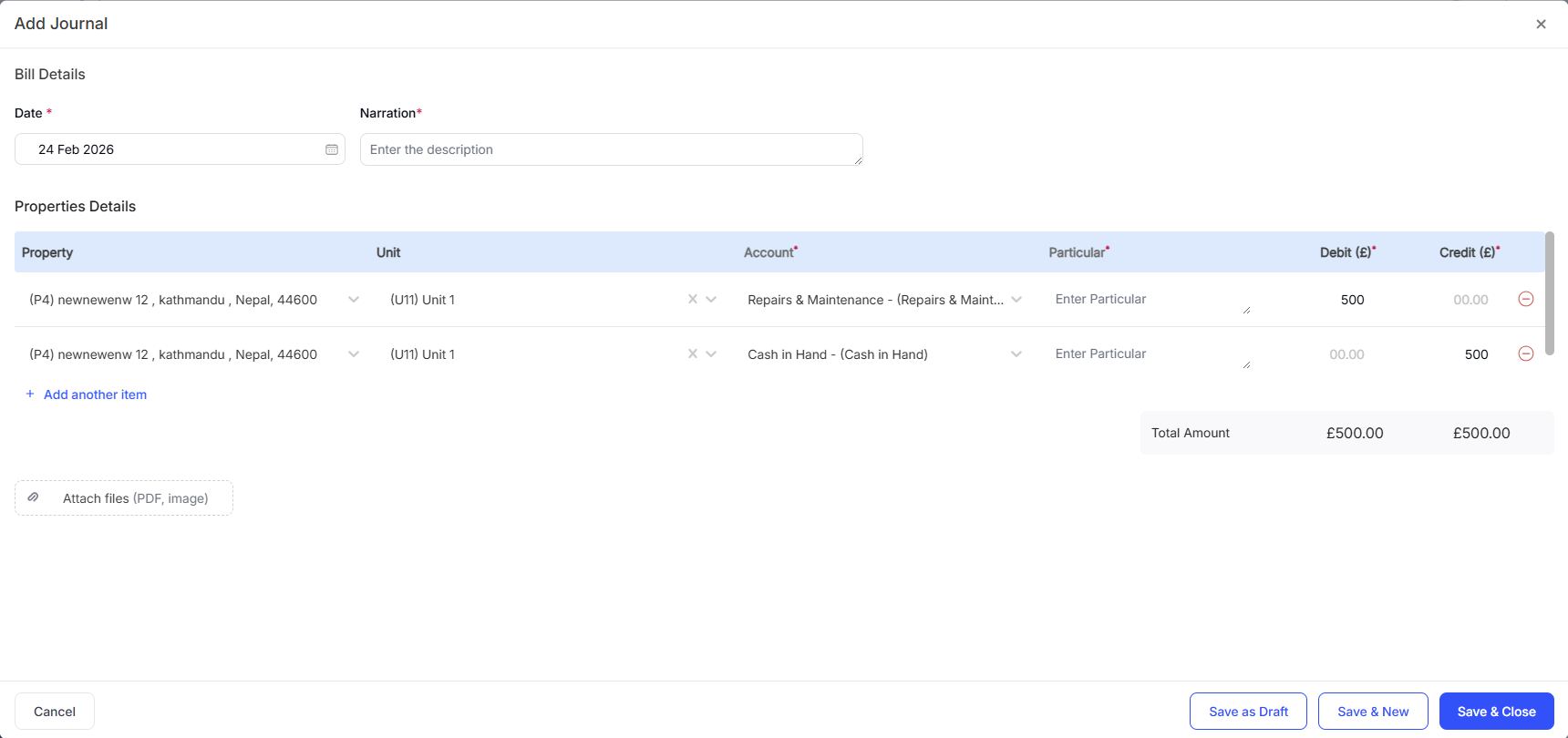
A journal entry is a manual record of a financial transaction using double-entry bookkeeping: one debit to one account and one credit to another. The two sides must always balance. For example, recording a mortgage payment split between interest (expense) and capital repayment (liability reduction) might require a journal entry rather than a simple bill.
When you'd create a journal entry
Recording depreciation on an asset (usually at year-end with your accountant's help)
Adjusting an opening balance entry
Recording an accrual (income earned or expense incurred but not yet invoiced or billed)
Correcting a categorisation error that's easier to fix with a journal than by editing the original transaction
Recording a transfer between two of your own bank accounts (not a real expense, just a movement of money)
How to create a journal entry

Quick Tip: If you're not sure whether something needs a journal entry, check with your accountant first. Incorrect journal entries are harder to untangle than missing invoices, because they affect account balances directly. When in doubt, use an invoice or a bill instead.
Related Guides: |