The Chart of Accounts is the organised list of every income and expense category in your RentalBux account. It's the structure that makes categorisation consistent, reports meaningful, and MTD submissions accurate.
The good news: RentalBux pre-configures it for you, so you don't need to build it from scratch.
Why the Chart of Accounts matters
Every time you record a rent invoice or a repair bill, you assign it to an account in the Chart of Accounts — 'Rent Received', 'Repairs and Maintenance', 'Letting Agent Fees', and so on. These accounts then feed into your Income Statement, Balance Sheet, and most importantly, your MTD quarterly updates.
If transactions are assigned to the wrong account, your reports will be inaccurate and your MTD figures will be wrong. A well-organised Chart of Accounts which RentalBux provides by default —prevents this.
How RentalBux pre-configures your Chart of Accounts
When you add an income source (UK Property, Foreign Property, or Sole Trader), RentalBux automatically creates a Chart of Accounts tailored to that income type. For UK Property income, this includes:
Customising your Chart of Accounts
If you need to add a custom account (for example, a specific expense category relevant to your business), go to Accounting > Chart of Accounts > Add Ledger. You can:
Create a new account under any category (Assets, Liabilities, Income, or Expenses)
Set a parent account to keep related accounts grouped
Delete accounts you don't need

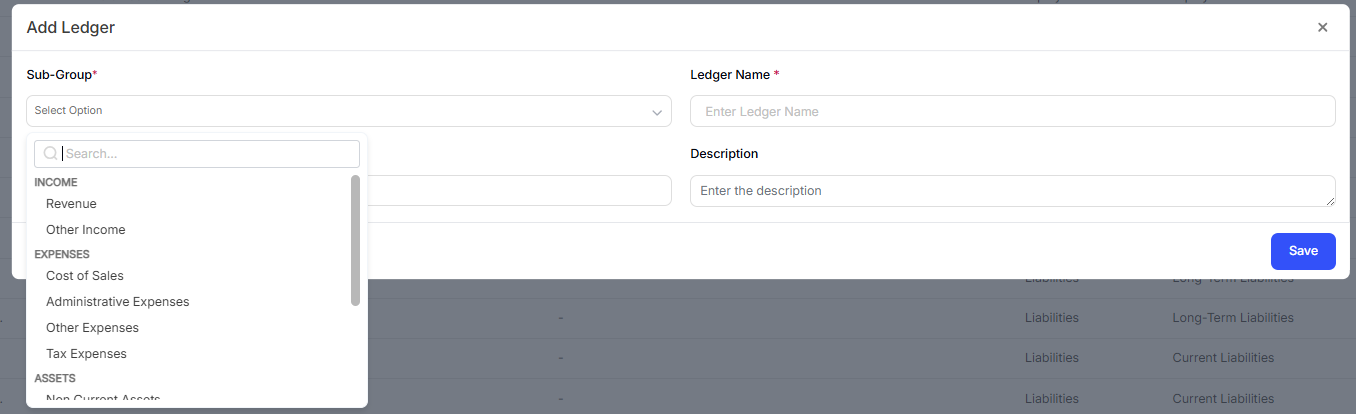

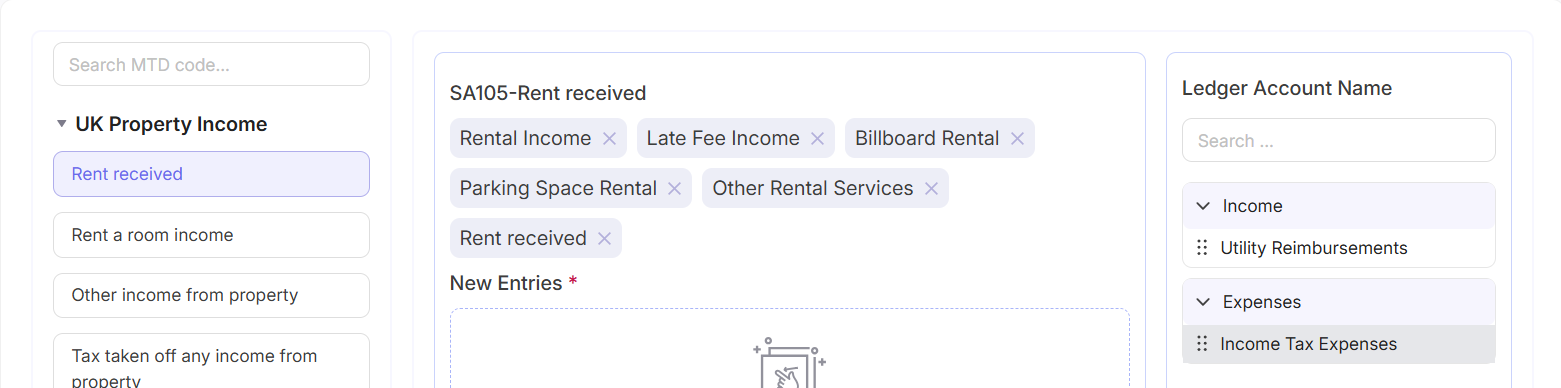
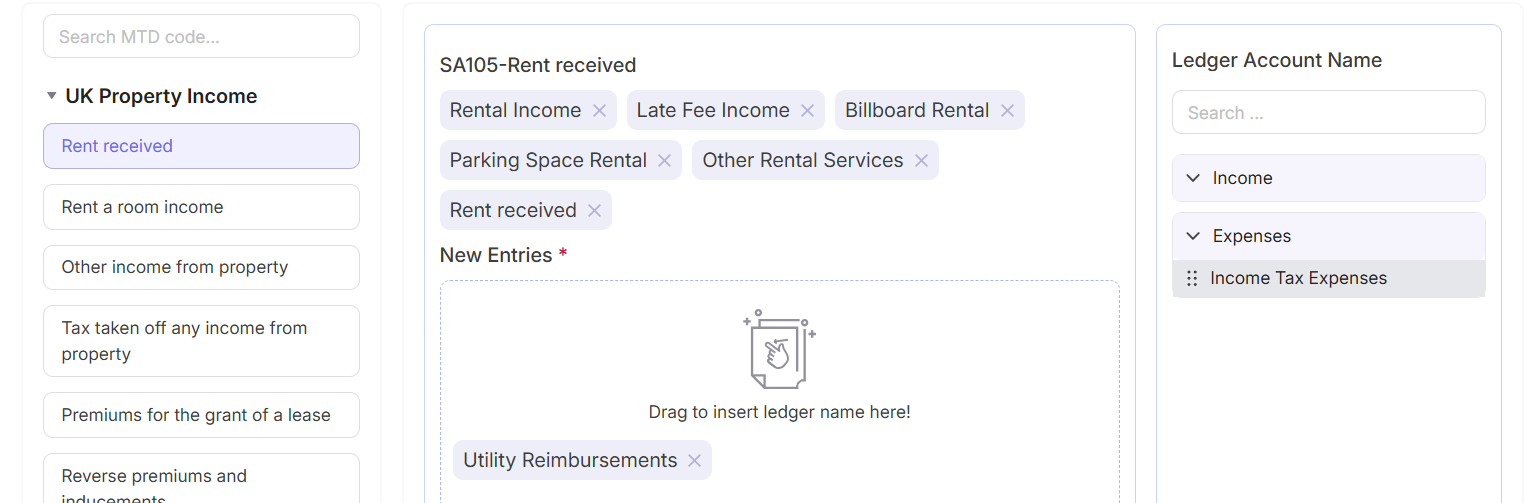
Any account you create under the Expenses section will be available as an expense category when recording bills. However, only accounts that are mapped to HMRC's approved categories will flow into your MTD submissions — custom accounts won't automatically appear in your quarterly updates unless you configure the mapping in MTD > Ledger Mapping.
Quick Tip: If you're unsure whether an expense you're recording is allowable or not, check with your accountant before creating a new account for it. Recording non-allowable expenses as allowable deductions will overstate your expenses and understate your taxable income — which creates a risk if HMRC ever queries your returns.
Related Guides: |