


Before you can submit any MTD quarterly updates, you need to authorise RentalBux to communicate with HMRC on your behalf. This is a one-time setup and takes about a few minutes. Here’s exactly how to do it, including what to do if something goes wrong.
What you'll need before you start
Your National Insurance Number (NINO) — format: two letters, six numbers, one letter, e.g. AB123456C
Your HMRC Government Gateway user ID and password. This is the same login you use for Self Assessment online.
You must be signed up for MTD for Income Tax with HMRC. If you haven't done so yet, you can sign up through your HMRC online account or contact HMRC directly. Note: you can set up RentalBux and log your income and expenses before signing up for MTD — you just won't be able to submit until the connection is in place.
Access to your email (HMRC may send a verification code)
If you've filed Self Assessment returns before, you already have a Government Gateway account. If not, you'll need to register at gov.uk/log-in-register-hmrc-online-services before proceeding.
Connecting to HMRC — step by step
Log in to RentalBux and go to MTD in your left-hand sidebar.
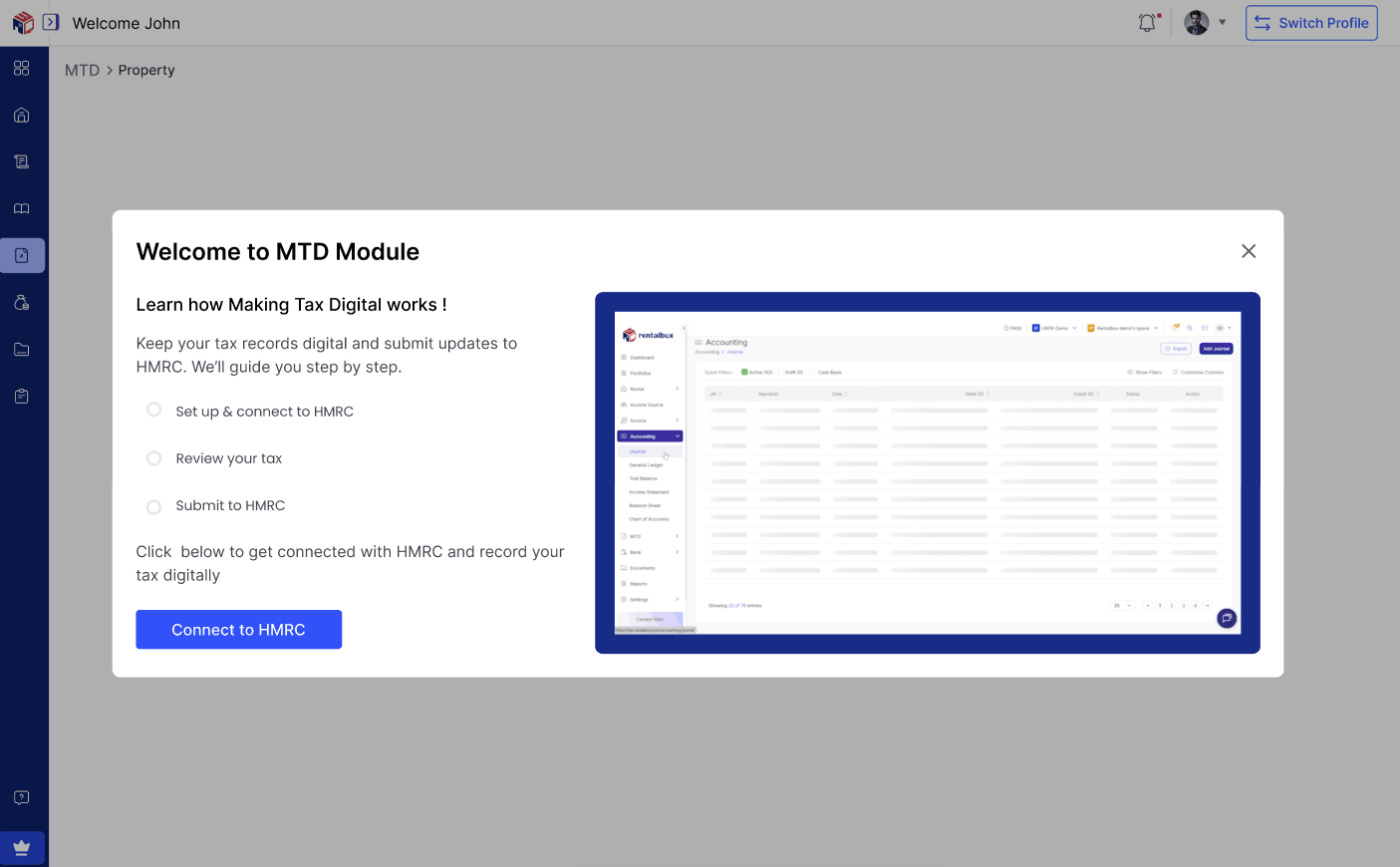
You will first need to set up Two Factor Authentication (2FA). This has been made mandatory by HMRC.
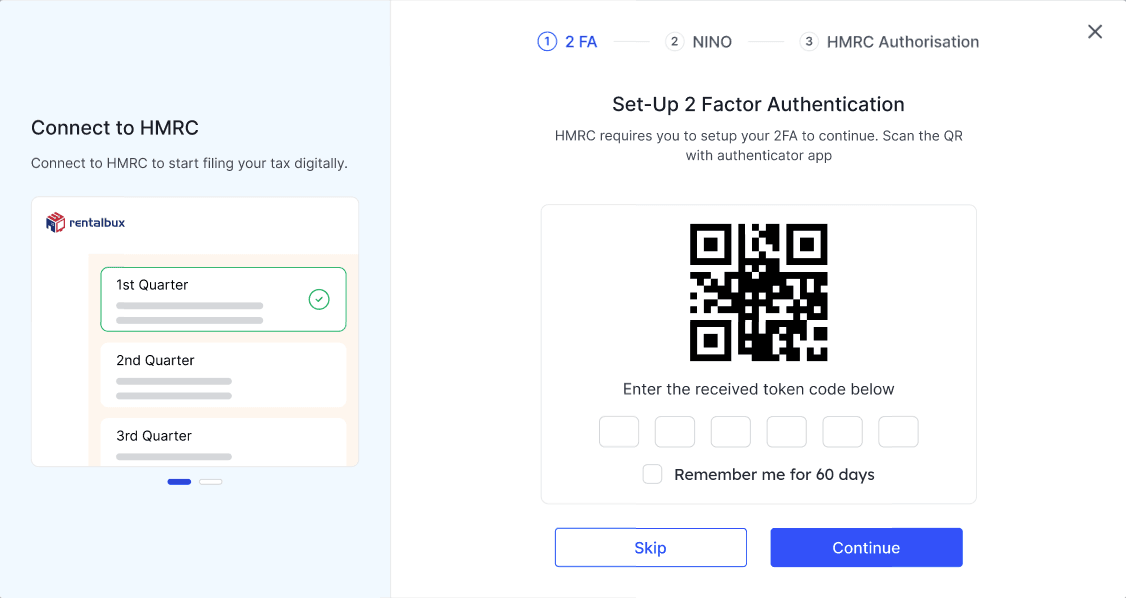
Enter your National Insurance Number in the field provided. Double-check it — an incorrect NINO is the most common cause of connection failures.
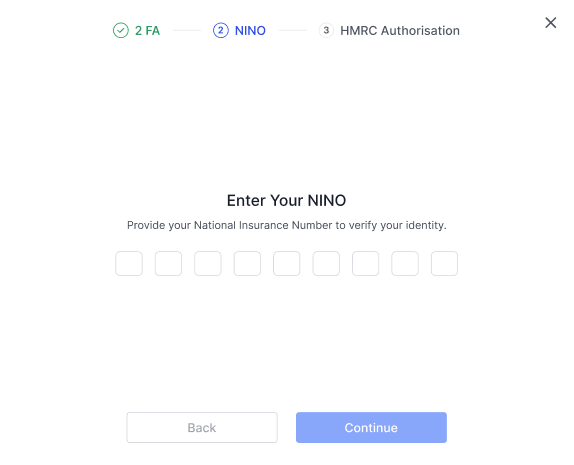
Confirm if you have a Government Gateway ID and are registered for Making Tax Digital for income tax. If you don’t, you can follow the on-screen prompt to obtain both.
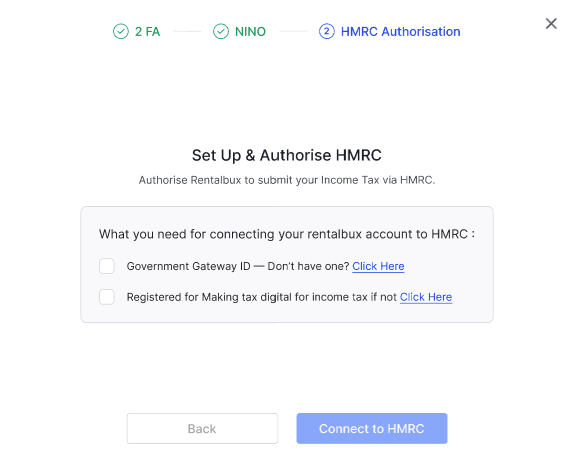
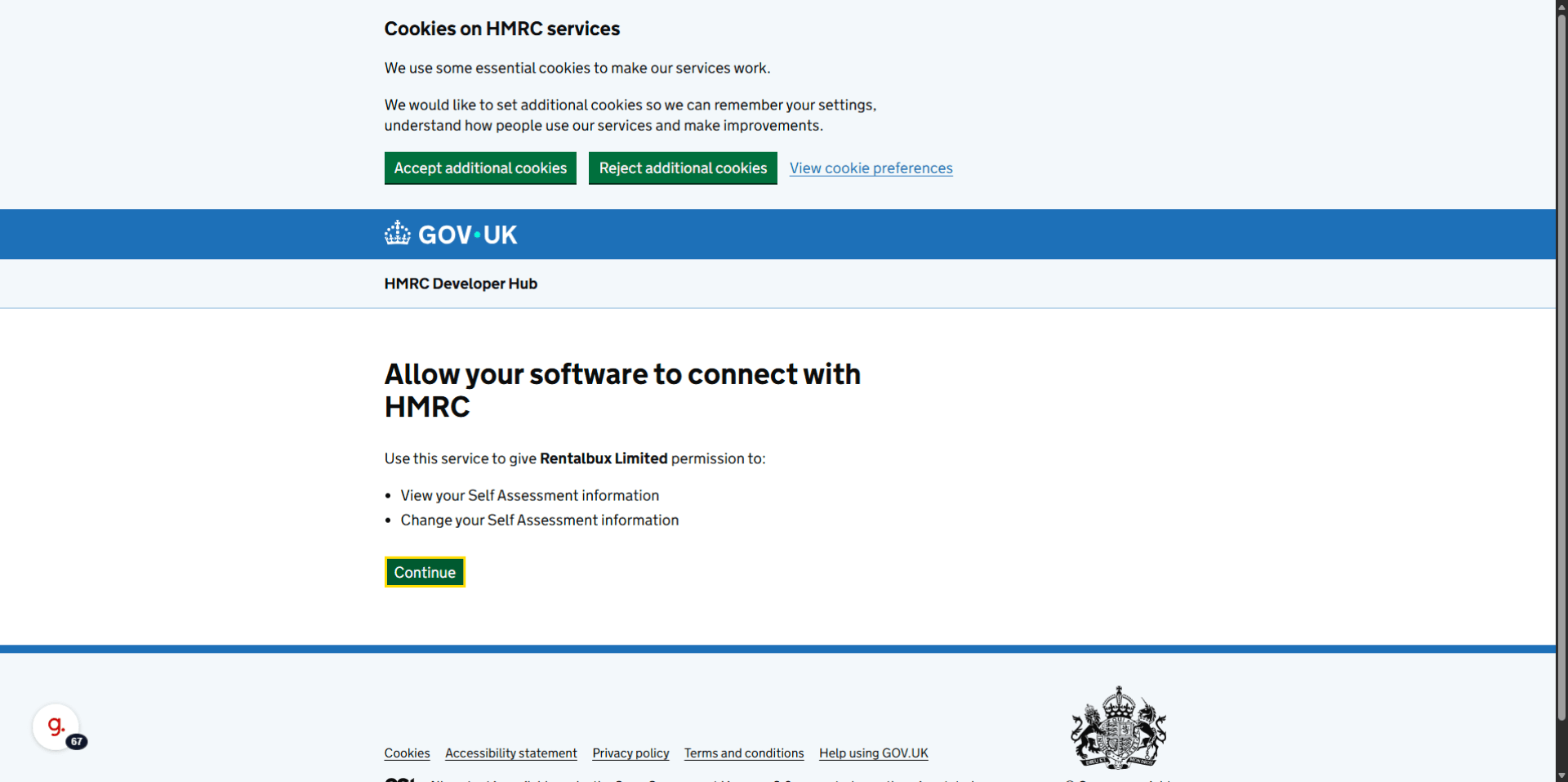
You will then be redirected to the HMRC Government Gateway website. Click on Continue.
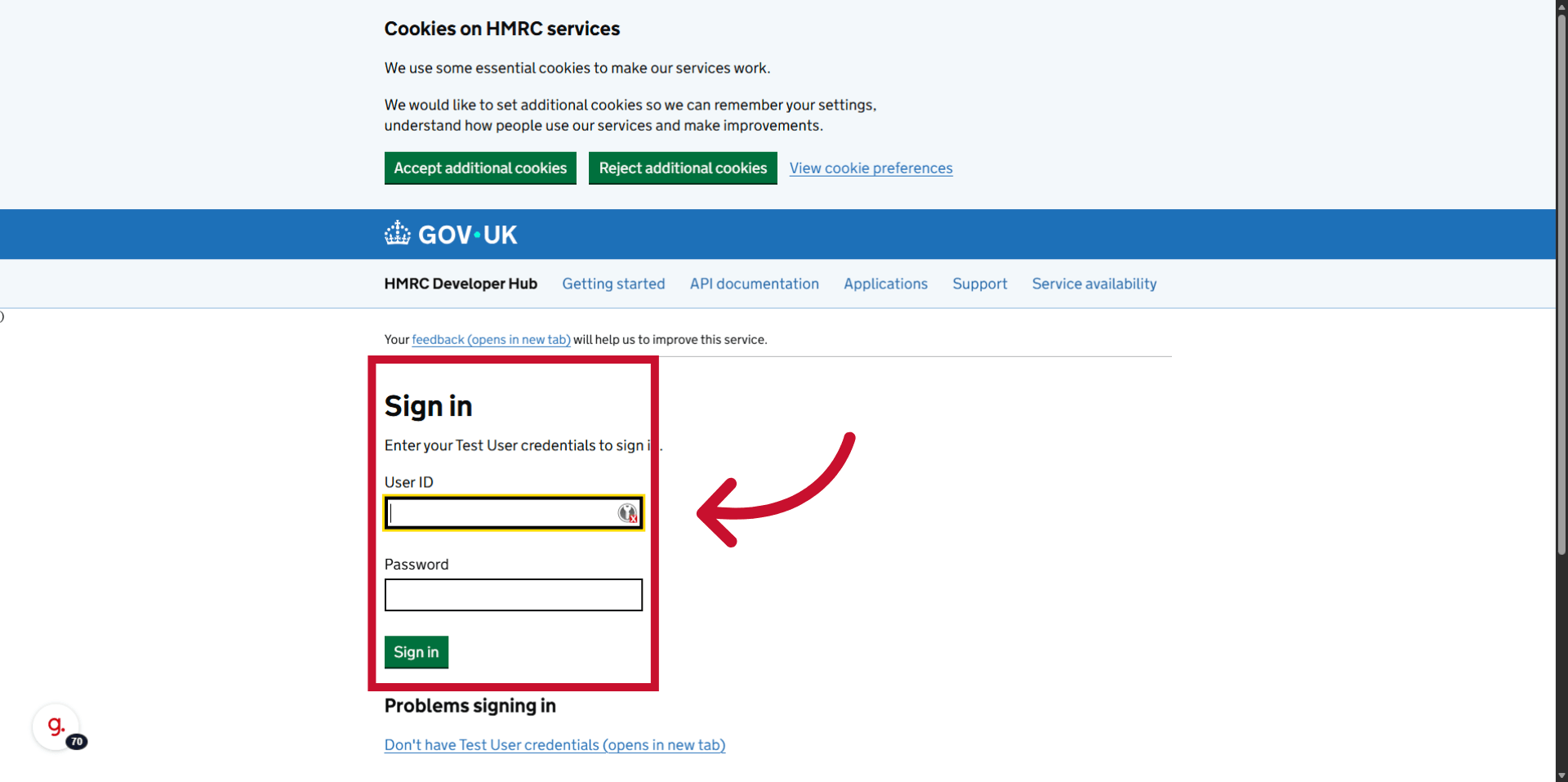
Sign in to the Government Gateway with your user ID and password.
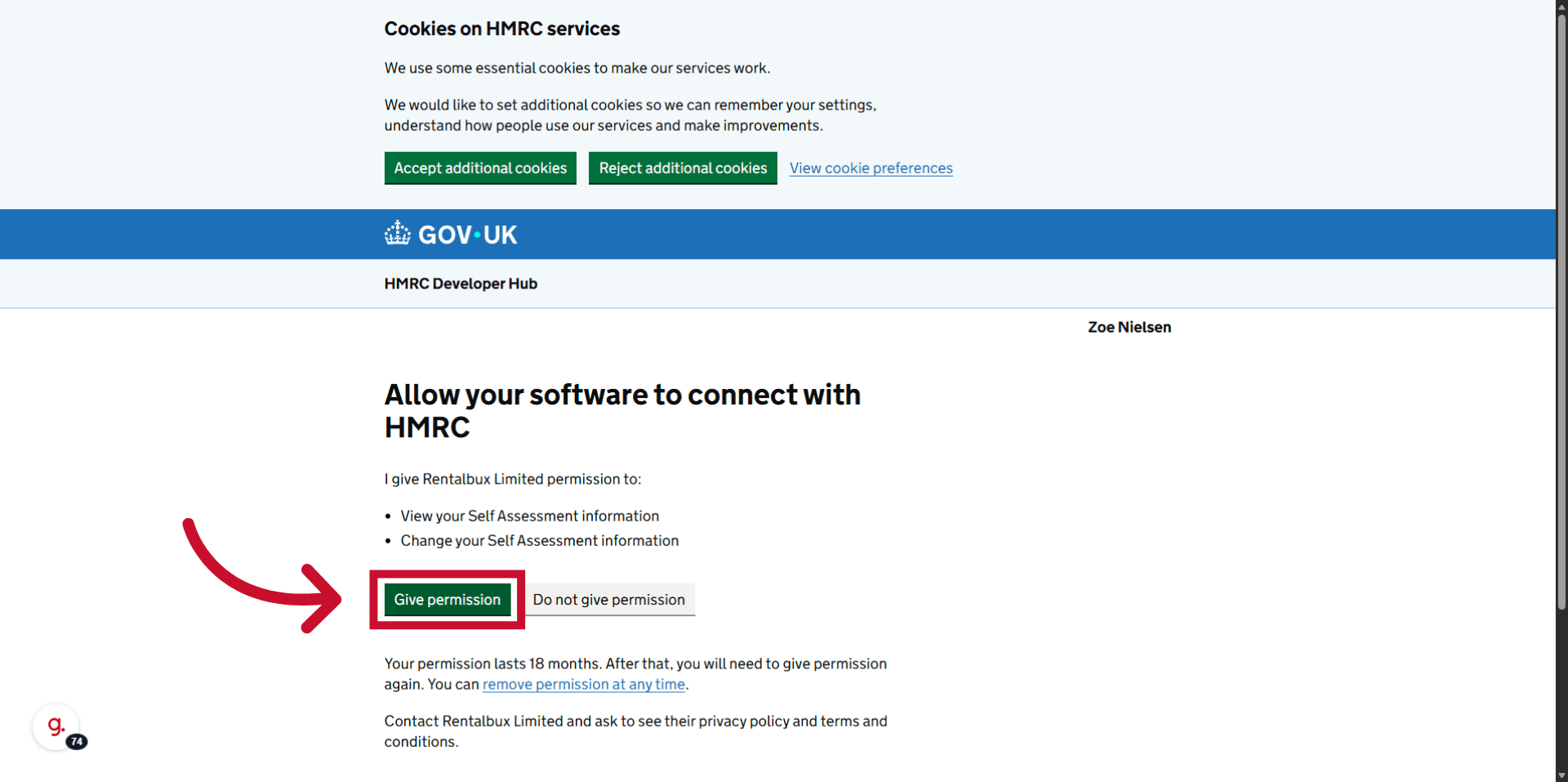
Review the permissions screen — Click Give Permission.
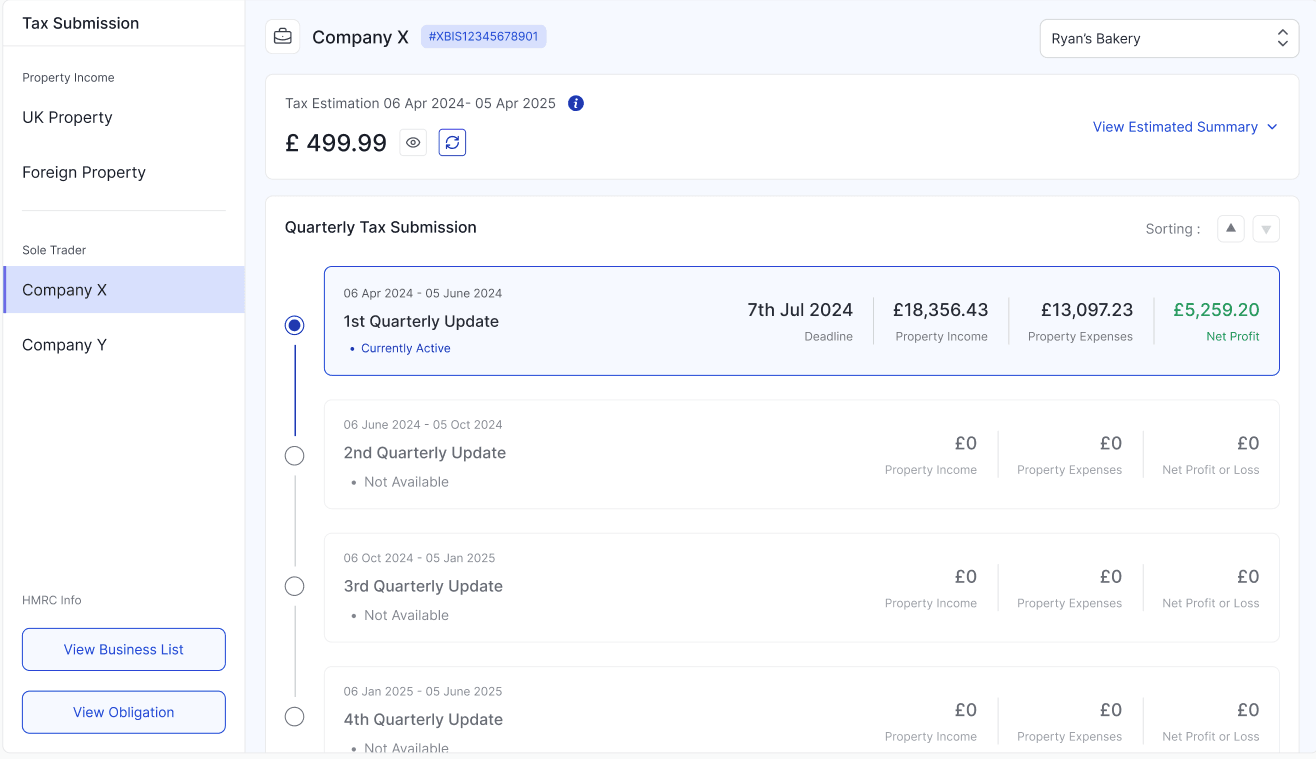
You will be redirected back to RentalBux on the Tax submission screen.
The HMRC authorisation typically takes about 60 seconds to complete once you click Allow. If you're not redirected back to RentalBux within two minutes, close the browser tab and go back to MTD in RentalBux — your connection may already be active.
Troubleshooting common connection issues
Issue | Likely cause | Fix |
|---|---|---|
'NINO not found' error | NINO entered incorrectly, or not yet registered for Self Assessment | Double-check your NINO; register at gov.uk if needed |
Government Gateway won't accept your password | Forgotten credentials or account locked | Use HMRC's 'Forgot password' or 'Get access code' options on the Gateway |
Redirected back to RentalBux but showing 'Not Connected' | Session timed out during authorisation | Try the authorisation process again from the beginning |
'Already authorised to another application' | Previously connected to another MTD software | You can have multiple authorised applications — this is not an error; check your Gateway account for the existing connection |
Connection shows Active but can't submit | MTD sign-up not yet completed with HMRC | Sign up for MTD at https://www.gov.uk/guidance/sign-up-your-business-for-making-tax-digital-for-income-tax before connecting |
What happens after you're connected
Your HMRC connection is stored securely in RentalBux. You won't need to re-authorise for every submission — the connection stays active. HMRC authorisations do expire in intervals, at which point you will need to reconnect. The reconnection process is identical to the initial setup and takes under two minutes.
Joint owners — each person needs their own connection
If you own a property jointly, each co-owner needs to connect their own RentalBux account to their own HMRC Government Gateway. One person cannot authorise on behalf of another. Each connection is personal and links to that individual's HMRC record.
When you're redirected to HMRC, you're entering your credentials on HMRC's own secure website — not on RentalBux. RentalBux never sees, stores, or has access to your Government Gateway password. The authorisation uses a secure process (OAuth 2.0) that gives RentalBux permission to submit on your behalf without sharing your login details.
Related Guides: |