


Getting your bank transactions into RentalBux is the foundation of everything else — your MTD figures, your reconciliation, your reports. The good news is there are two ways to do it, and both are straightforward. This guide walks you through each option so you can choose the one that works best for you.
Why linking your bank account is important?
Without a bank connection, you'd need to enter every rent receipt and every expense manually. That's slow, error-prone, and the opposite of what MTD digital record-keeping is supposed to achieve. A linked bank account means:
Transactions are imported automatically (or via quick monthly upload)
RentalBux auto-categorises income and expenses against HMRC's chart of accounts
Your quarterly MTD figures are based on verified bank activity, not manual estimates
Bank reconciliation takes minutes, not hours
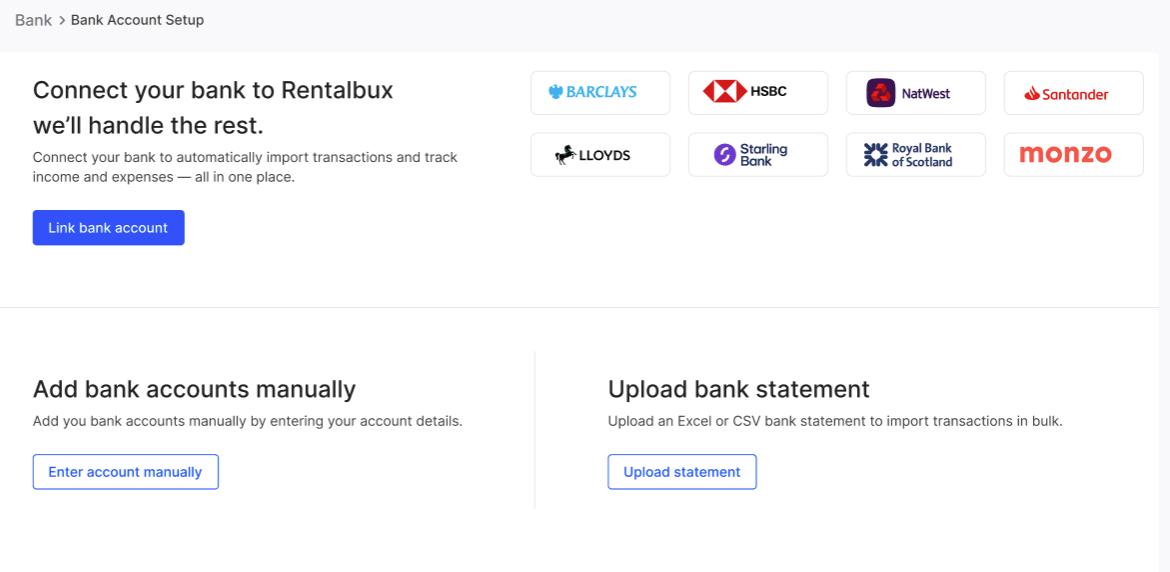
Option 1 — Automatic bank linking (Open Banking)
This is the fastest and most hands-off option. Once connected, RentalBux pulls in new transactions every day automatically. You just review and confirm the categorisations.
How to set it up
Go to Bank > Bank Accounts in the sidebar menu
Click Connect Bank Account
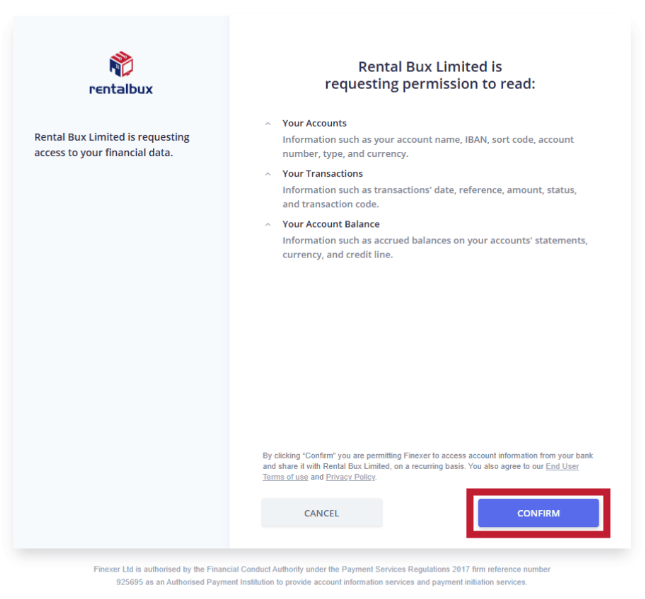
You'll be redirected to your bank's own secure login page
Grant read-only access to RentalBux
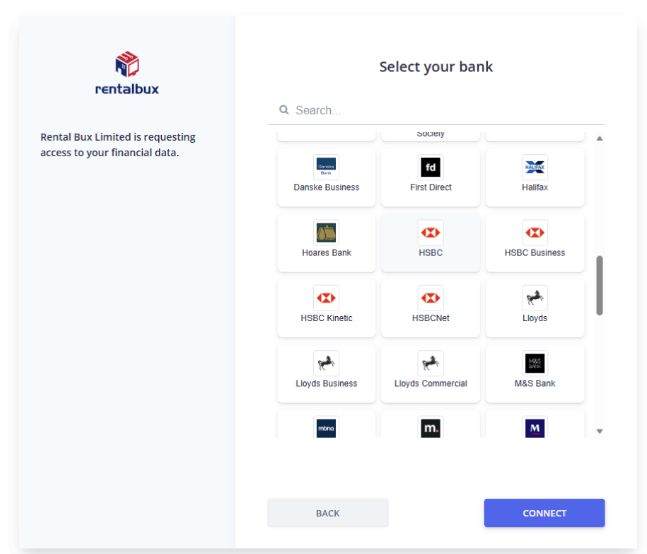
Select from the list of Supported Banks
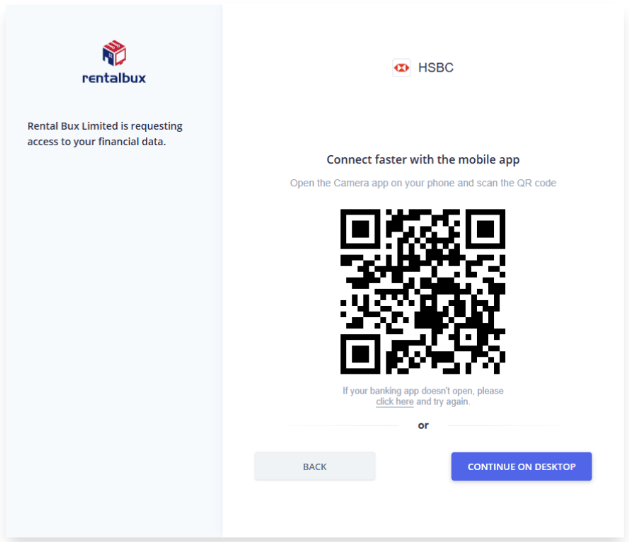
Scan shown QR code with your banking app or continue logging in with your browser
You'll be redirected back to RentalBux. Your bank will appear as Connected in your bank settings
Supported UK banks
Barclays, Lloyds, HSBC, NatWest, Santander, Nationwide, TSB, Metro Bank, First Direct, Monzo, Starling, Revolut, Tide — plus most UK building societies and challenger banks. If your bank isn't listed, use Option 2 (manual upload) instead.
Security — What you need to know
RentalBux uses Open Banking, which is regulated and authorised by the FCA
Your bank credentials are never stored by RentalBux — you authenticate directly with your bank
Access is read-only: RentalBux can see your transactions but cannot make payments or transfers
Option 2 — Manual bank linking (CSV upload)
If you prefer full control over what gets imported, or your bank doesn't support Open Banking, manually adding a bank and uploading statements works just as well.
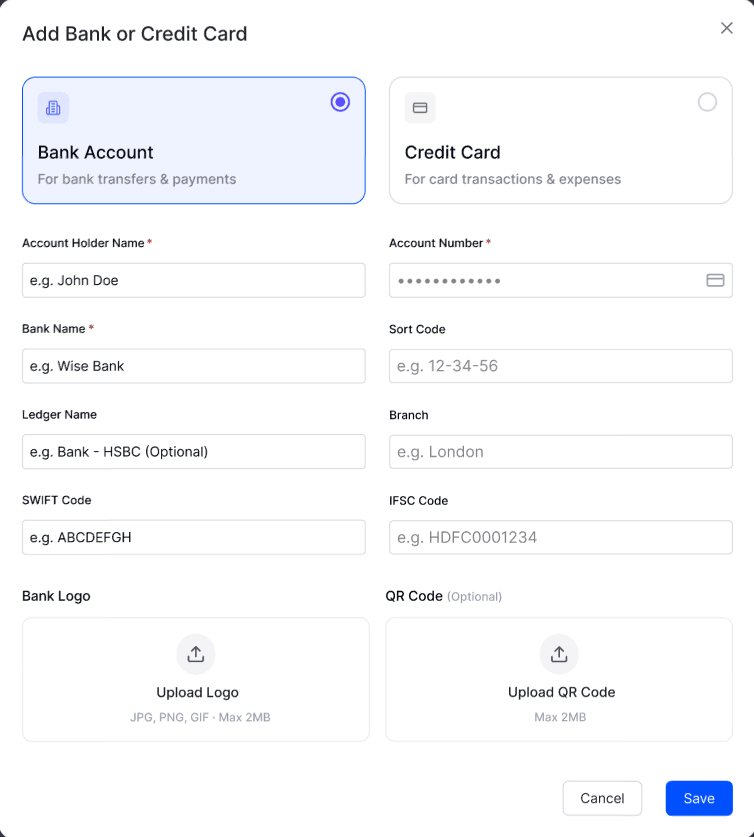
How to manually add your bank
Select enter bank manually from the Bank Account section
Enter Account holder name, bank name, account number, sort code, SWIFT code, IFSC code, and other required details
Click on Save
How to prepare your bank statement
Log in to your online banking and navigate to Statements or Transaction History
Set the date range you want to import (one month at a time works best)
Export or download as CSV (sometimes labelled as 'Excel' or 'Spreadsheet' — make sure it's a .csv or .xlsx file)
Check the file has these four columns: Account Number, Amount, remarks and transaction Date (DD/MM/YYYY format). Remove any subtotal rows or blank rows
How to upload your statement
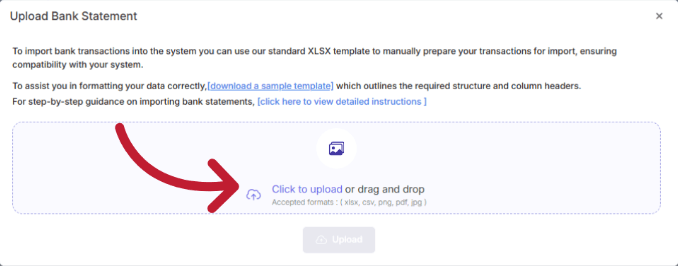
Go to Bank Account > select Import Bank Statement
Click Upload File and select your prepared CSV or Excel file
RentalBux will preview the transactions and ask you to confirm the column mapping (which column is the date, which is the amount, etc.). Do this once — RentalBux remembers the format for your bank
Click Confirm Import. Your transactions appear in the reconciliation queue

Format question | Answer |
|---|---|
Which file types are accepted? | CSV, XLS, XLSX, PDF |
Maximum file size? | 10MB per upload (less the better) |
Date format required? | DD/MM/YYYY |
Can I import multiple months at once? | Yes — just make sure there are no gaps between periods |
What if my file has a password? | Remove the password before uploading — RentalBux cannot open protected files |
After importing — What happens next
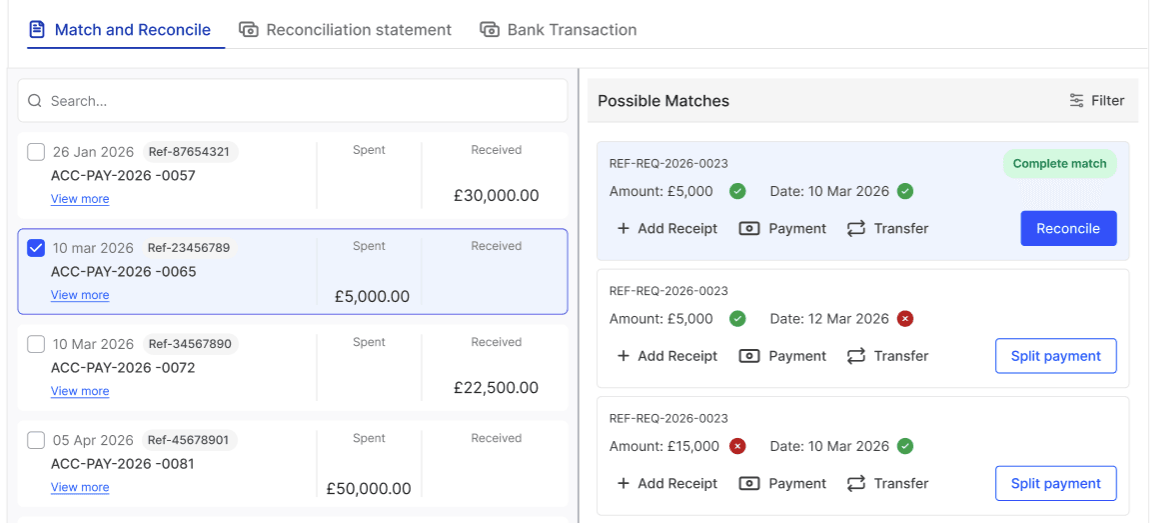
Regardless of whether you used automatic or manual linking, the process from here is the same. RentalBux will:
Analyse each transaction and suggest a category based on the description and your previous choices
Show you a list of categorised transactions for review. Green items are confidently categorised.
Allow you to match each transaction to an existing invoice or bill — or create a new record from the transaction
Update your running balance as you work through the queue
Troubleshooting common issues
Issue | Likely cause | Fix |
|---|---|---|
File won't upload | Wrong format | Re-export from your bank as CSV or XLSX |
Dates showing in wrong order | US date format (MM/DD/YYYY) in file | Re-map the date column in the preview step |
Amounts showing as negative | Bank exports outgoings as negative values | Toggle 'reverse debit sign' in column mapping |
Duplicate transactions appearing | Overlapping date ranges imported twice | Delete the import and re-import with a clean date range |
Related Guides: |