.jpg&w=64&q=75)
.jpg)

Set the ownership split once and RentalBux divides income and expenses between owners automatically, then prepares each owner’s share for their own submission. This is the reason a lot of couples end up here.
How Joint Ownership Works Under MTD
Each owner reports their own share of the income and expenses.
Each owner files their own quarterly updates and their own Final Declaration.
One person cannot file for both. Your co-owner submits from their own account.
Steps
Ownership is set on the property record and applies from a date you choose, so it's worth doing when you first add the property.
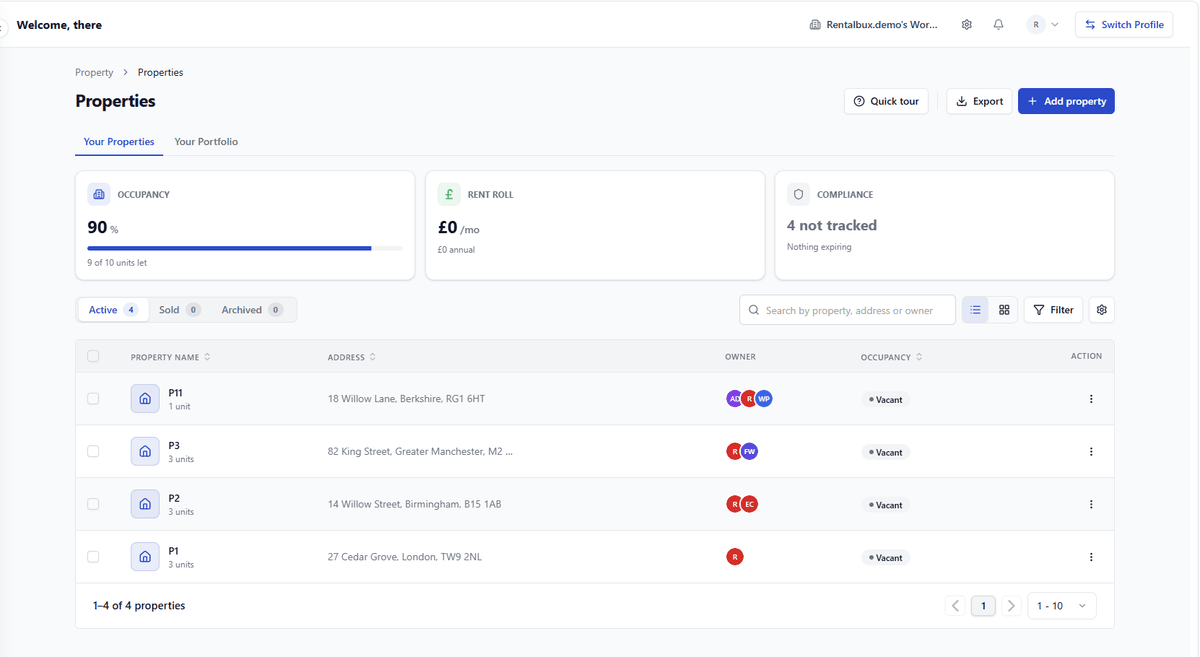
Open the property. Go to Property → Properties and click the property in the list to open its record.
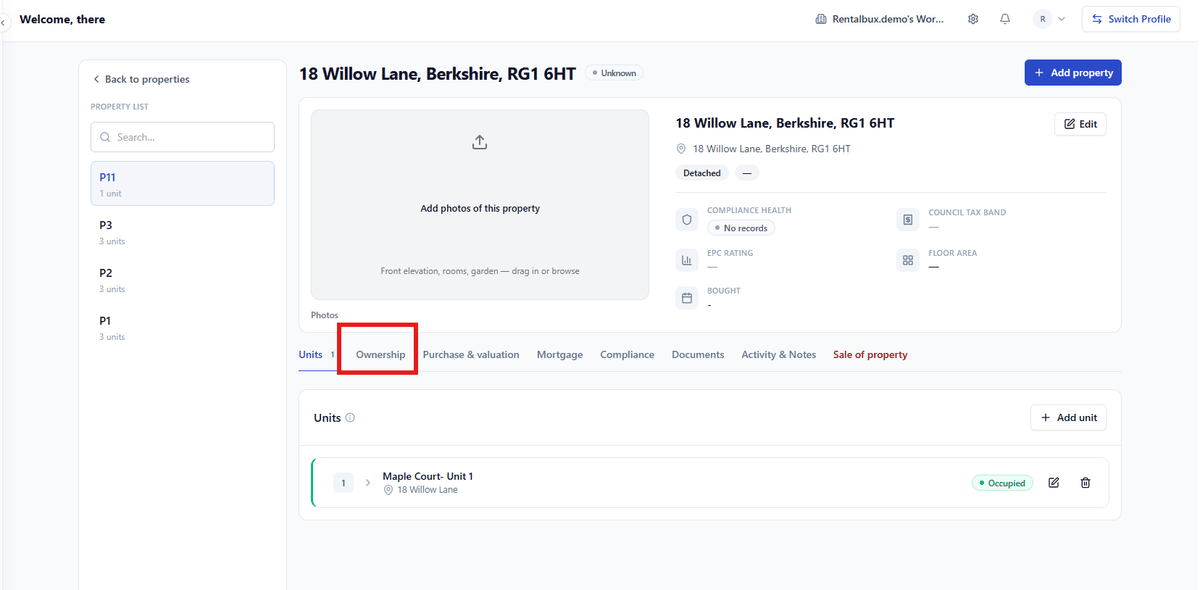
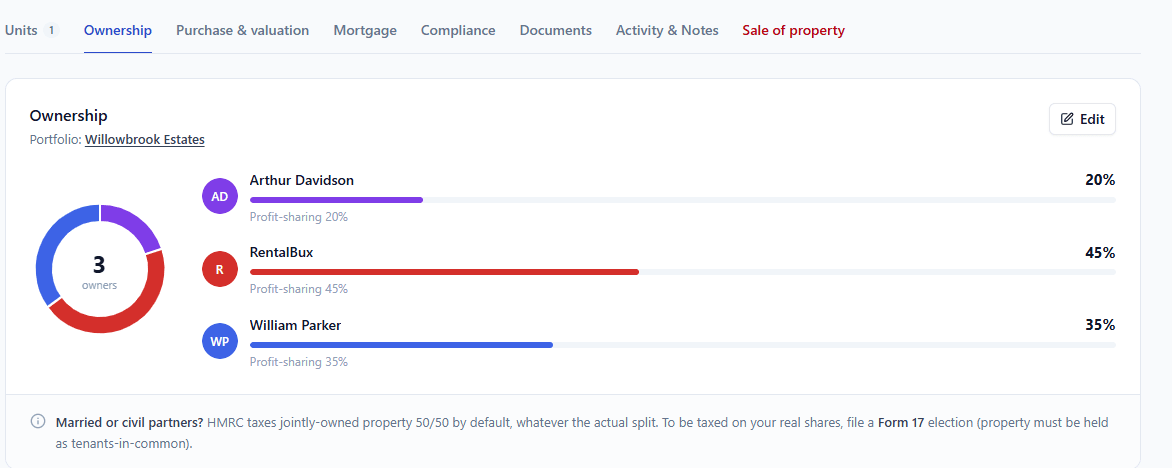
Open the Ownership tab. On the property page, select Ownership from the row of tabs (Units, Ownership, Purchase & valuation, Mortgage, and so on). You'll see the current split shown as a donut with each owner's percentage.
Click Edit. This opens the Manage ownership window, where the split is managed at portfolio level (e.g. "Willowbrook Estates") so the same ownership structure can apply across the properties in that portfolio.
Name the portfolio and set "Effective from". Enter a portfolio name and an Effective from date. This date matters: it's when the split takes effect, which is what lets RentalBux apply the right percentages to the right periods rather than assuming the split has always existed.
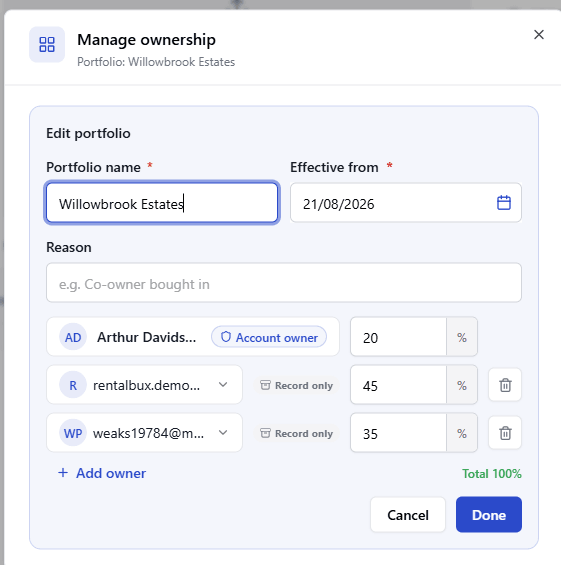
Add each owner. Click Add owner and select each person.
Enter each owner's percentage. Type the share for each owner. The window shows a running Total, which must reach 100%, RentalBux won't let you save a split that doesn't add up.
Click Done to save.
What Happens Next
From that point, every transaction on the property splits by those percentages. A £1,250.00 rent on a 60/40 split contributes £750.00 to one owner and £500.00 to the other. Reports can be viewed per owner, and the quarterly figures RentalBux prepares are your share, not the whole property.
A couple own 8 Ferndale Terrace 60/40. Annual rent is £15,000.00 and allowable expenses are £4,200.00. RentalBux prepares £9,000.00 of income and £2,520.00 of expenses for the 60% owner, and £6,000.00 and £1,680.00 for the 40% owner. Each files their own quarterly updates from their own account. Neither has to calculate a share by hand, and neither can accidentally file the whole property.
The Mistake To Avoid
Recording the whole property under one owner and splitting at year end. It produces quarterly updates that are wrong all year, and correcting four of them at the declaration is a conversation with an accountant you did not need to have. Set the split when you add the property.
What The Split Does Not Do
It does not give your co-owner access to the account. That is a separate invitation, see Who can see your account. And it does not decide who is legally entitled to what: RentalBux applies the percentages you enter.