.jpg&w=64&q=75)
.jpg)

The property type you pick decides how RentalBux tracks that property what it asks you for, how income is recorded, and what shows up in reporting. It is worth two minutes of thought when you add a property, and it can be changed later.
The Types
Type | Use it when | What it changes |
|---|---|---|
Residential buy-to-let | A single household on an assured shorthold tenancy | Standard rent schedule and expense categories |
HMO | Three or more tenants from separate households sharing facilities | Room-level income and expense tracking |
Serviced accommodation | Nightly or short-stay lettings | Nightly rates, variable pricing, occupancy tracking |
Rent to rent | You lease a property and sublet it | Head lease recorded as an expense against sublet income, net profit calculated |
Commercial | Shops, offices, industrial units | Service charge reconciliation, lease term and rent review tracking |
Holiday let | Short-term holiday lettings | Standard property income. The furnished holiday lettings regime was abolished from April 2025 (HMRC guidance, gov.uk), so this is no longer a separate tax treatment |
Foreign property | Any property outside the UK | Belongs to the foreign property income source and is reported separately |
Changing A Type
You change a property's type by editing the property record. It takes about a minute.
Go to Property → Properties and open the property you want to change (click its row in the list).
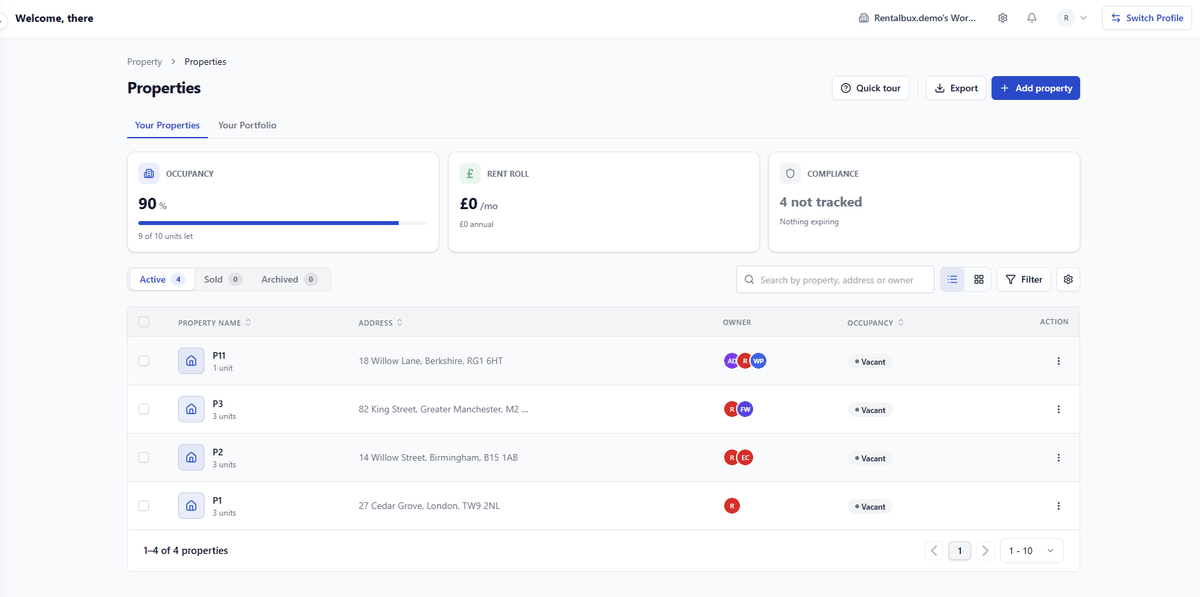
On the property page, click Edit (top right). The Edit property window opens.
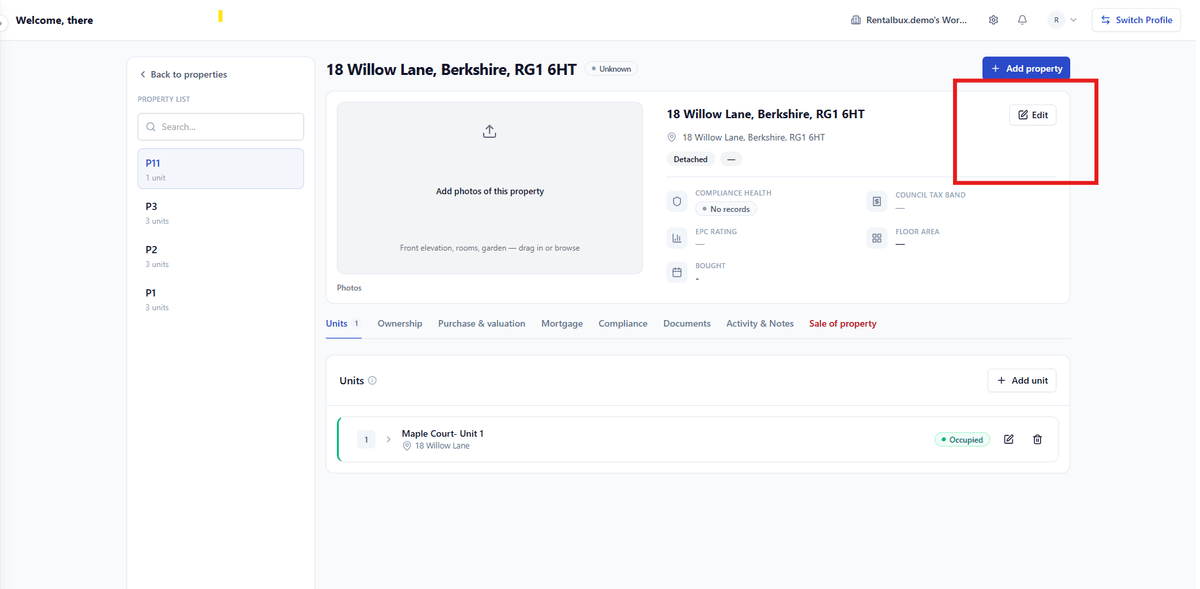
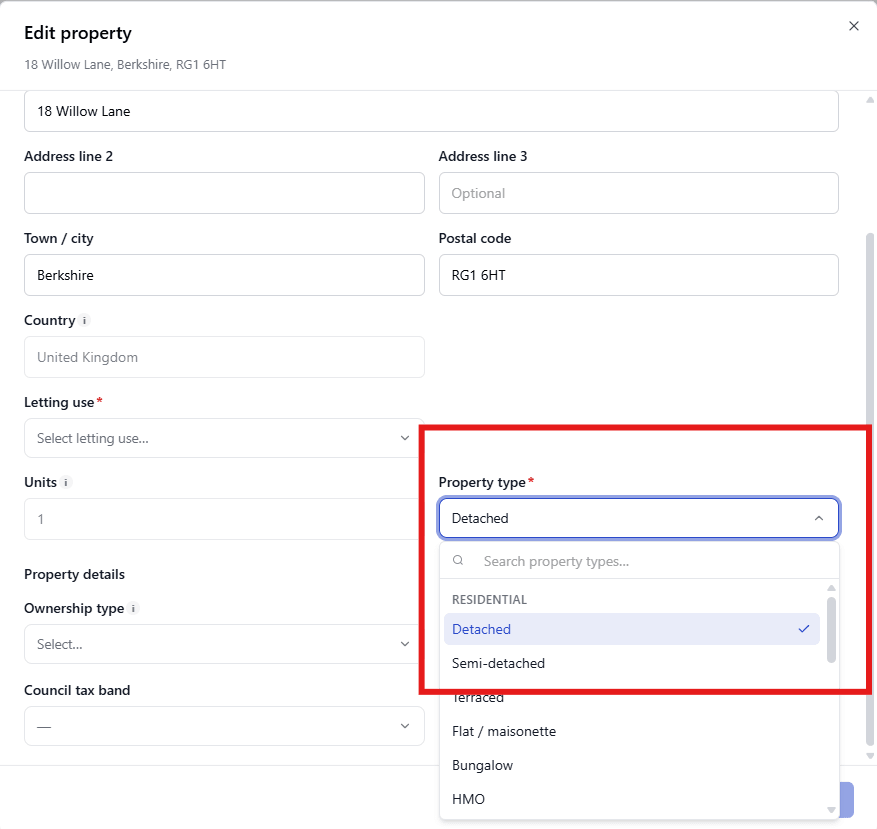
Under Address & basics, find the Property Type field — this is the setting that controls how RentalBux tracks the property (Residential buy-to-let, HMO, Serviced accommodation, Rent to rent, Commercial, Holiday let, Foreign property). Select the correct one.
Click Save changes.
Why It Is Worth Getting Right
The type is not cosmetic. It decides whether RentalBux asks you for room-level detail, nightly rates, lease terms or none of those, and it decides how the property is grouped in reporting. Picking the wrong one does not break anything, but you will spend the next year working around a record that does not match how the property actually operates.
A five-bedroom house in Headingley let room by room to students. Recorded as a residential buy-to-let it shows one rent of £2,600.00 and no way to see that room 4 has been empty since June. Recorded as an HMO it shows five tenancies, five rents, and the void that is costing £520.00 a month.
Mixed And Unusual Properties
A shop with a flat above, let separately: Two records, two types. They are two lettings with different tenants and different rules.
A property you live in and let part of: Record the let part and keep private use out of the figures. How costs are apportioned is a tax question for UKPA.
A property let furnished on short stays for part of the year: Serviced accommodation, and see UKPA on how that income is treated now the FHL regime has gone.