.jpg&w=64&q=75)
.jpg)
A bank feed is a read-only link between your bank and RentalBux. Your transactions arrive on their own, every day, and stay in step with the account they came from. The connection can see money that moved; it can never move any.
Before You Start
The login you normally use for that bank; you enter it at your bank, never in RentalBux.
The phone your bank sends approvals to. Banks start with a QR code you scan with your banking app, so having the phone to hand saves a detour.
A decision on how far back you want history: this is the one choice that is awkward to change later.
Steps
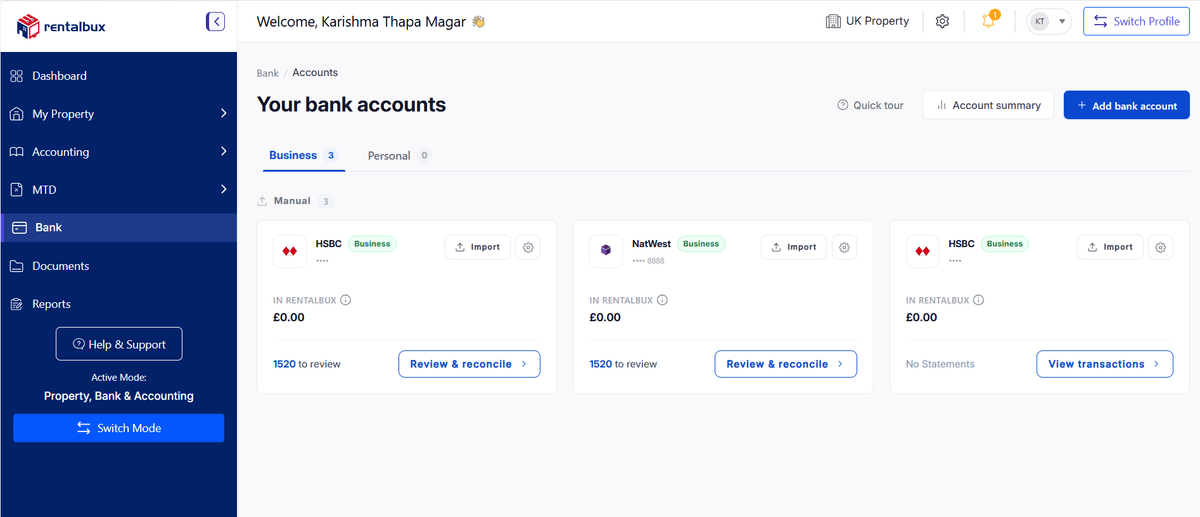
Open Banking and click Add bank account at the top right of the accounts list.
Choose Connect via bank feed, the recommended option. RentalBux syncs transactions directly from your bank and keeps them up to date automatically, so there is no CSV or Excel to upload.
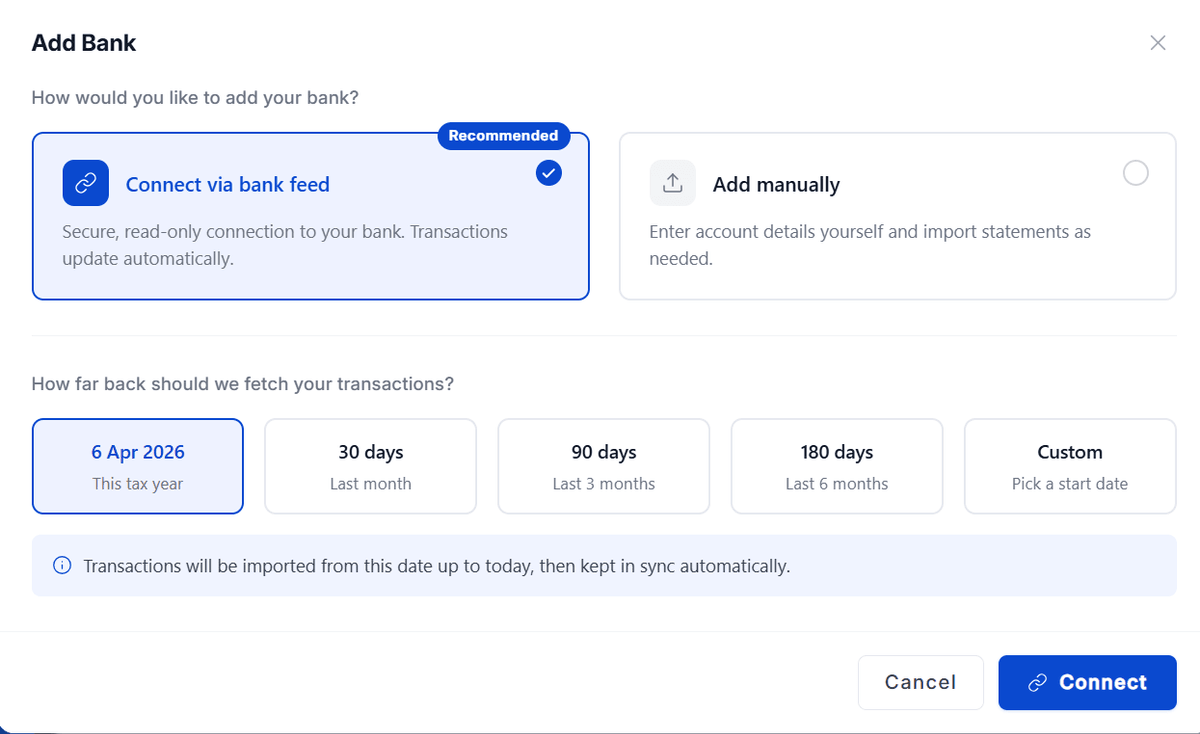
Answer How far back should we fetch your transactions?. See the table below.
How far back to fetch
The period you pick decides which transactions exist in RentalBux at all. Pick the start of the tax year you are filing for unless you have a reason not to.
Choice | Fetches | Pick it when |
|---|---|---|
This tax year | 6 April to today | You are setting up for the current year, the usual answer |
Last month | The past month | You only need the recent gap filled |
Last 3 months | A quarter of history | You are starting mid-year and one quarter is enough |
Last 6 months | Half a year | You want a run-up to the period you are filing |
Custom | From a date you choose | Your records start on a specific day a purchase completion, an account opening |
Choosing Custom opens a date field: Fetch transactions from. Transactions are imported from that date up to today, then kept in sync automatically.
Click Connect. RentalBux hands you to Finexer, the regulated provider behind the feed.
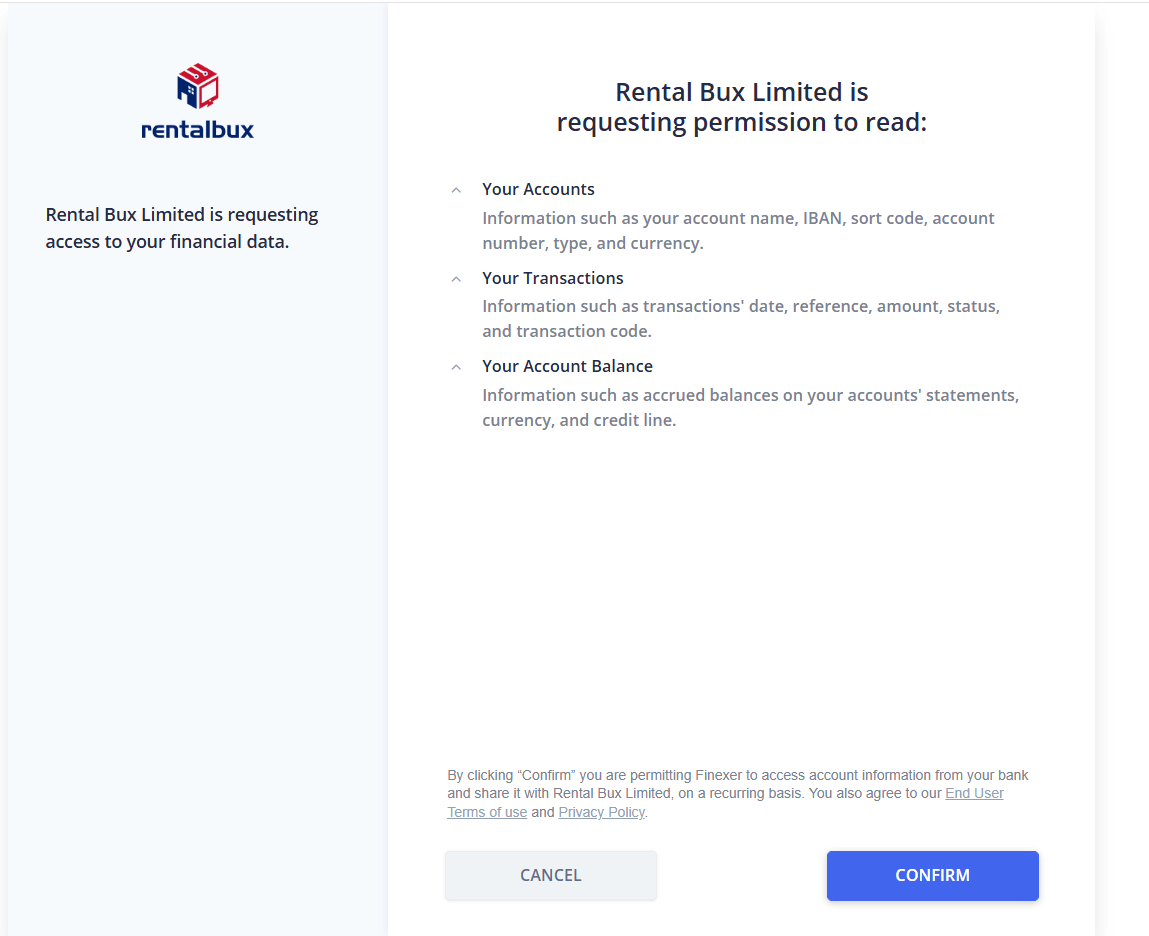
On the permission screen, check what you are agreeing to share your accounts, your transactions and your account balances then click CONFIRM. This is read-only access to information only; nothing on this screen lets anyone move money.
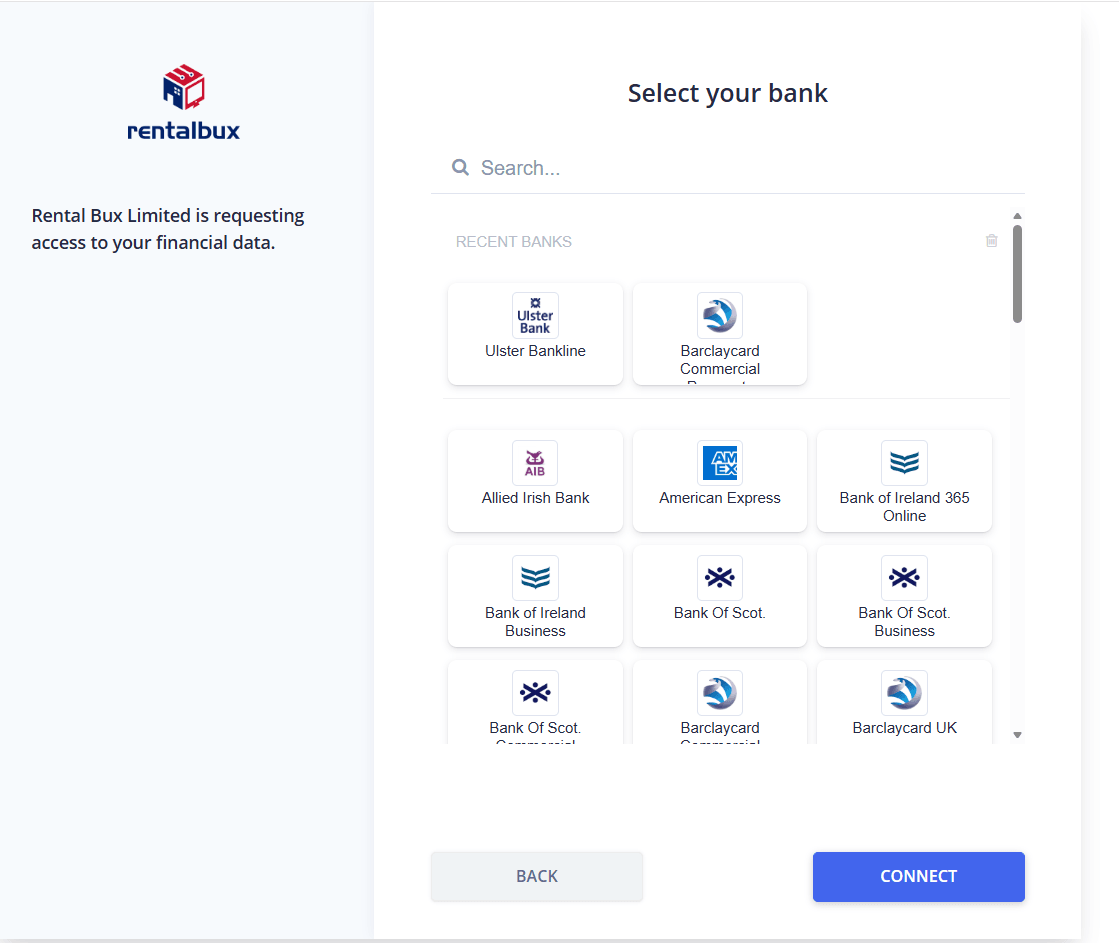
Choose your bank from the list that appears, then click Connect again.
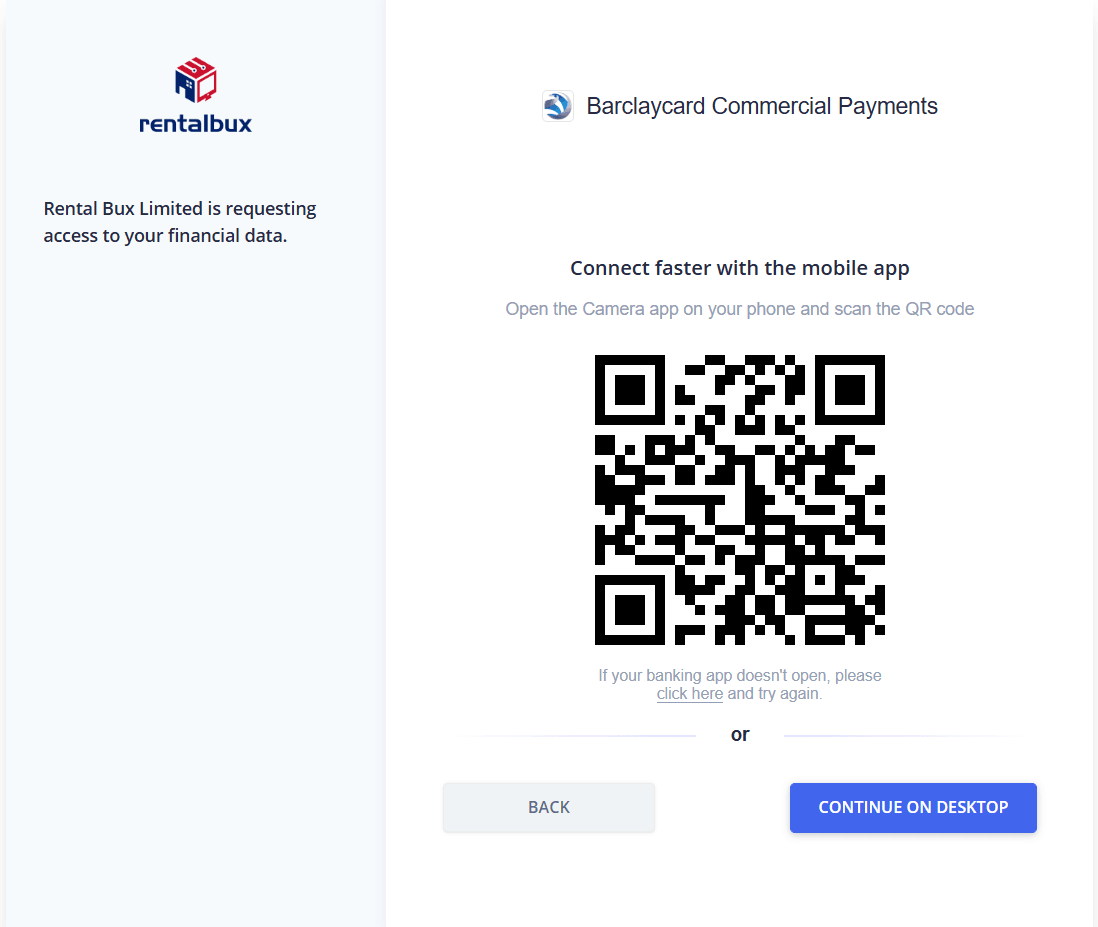
Approve the connection at your bank. Banks show a QR code first: scan it with your phone's camera to finish in your banking app. If you would rather stay where you are, click Continue on desktop and log in there instead.
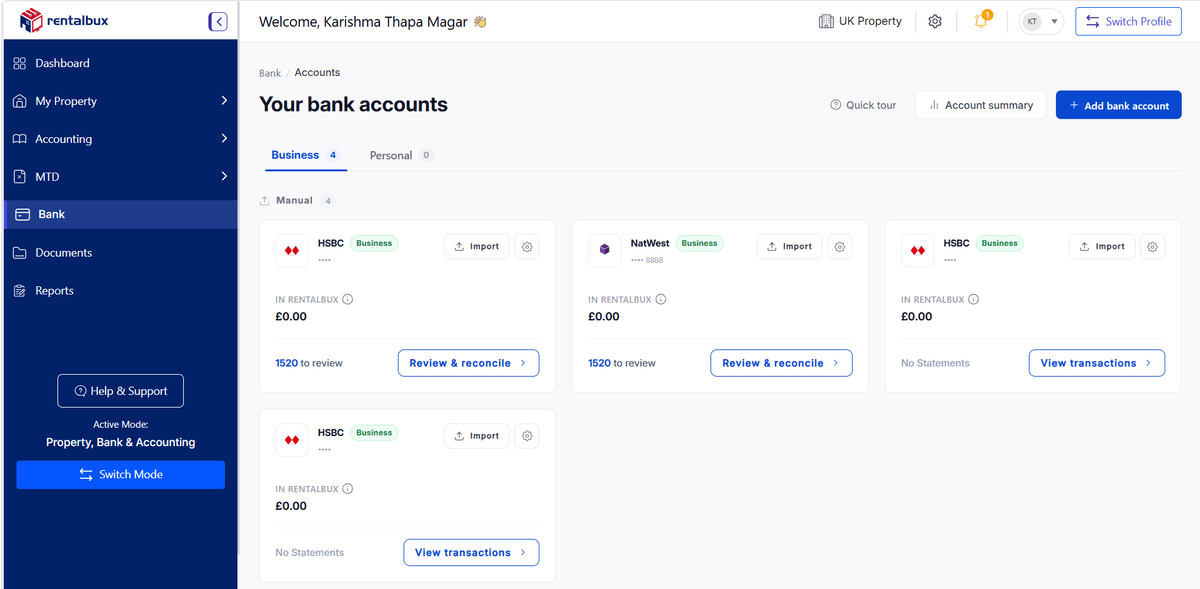
Once approved you are returned to RentalBux, and the account appears on the accounts list.
What Happens Next
The account appears under Bank feed on the accounts list, with a green Connected dot.
While the bank is still handing over, the card reads Connecting. It clears itself.
Each card shows the bank balance, the RentalBux balance and the difference between them, plus how many transactions are waiting.
New transactions land in To Review and Reconcile on that account.
Adding More Than One Account
Choose every account you want at your bank’s consent step and they all arrive in one go, each as its own card. Connect personal accounts too if rent lands in them private spending can be marked personal so it stays out of your figures.
How the Permission Works
You are giving consent under Open Banking rules, and that consent has a fixed life commonly 90 days after which it must be renewed. RentalBux warns you before it lapses, and the card changes to Re-authorize needed if it does. Renewing takes the same route as connecting and loses nothing already imported.
What a Bank Feed Actually Is
A rule says your bank must let you share your own transaction data with a service you choose. You approve it at the bank, not here, and you can withdraw it whenever you like. The link is read-only: it can see money that moved; it cannot move any.
A landlord banks with a high-street bank for the portfolio and has an app-only account that one tenant pays into. Both are connected in the same session, each approved separately at the bank’s end. Transactions from both arrive on their own cards, and the tenant paying into the app account is reconciled exactly like the others.
Choosing the Start Date
Fetching from the start of the tax year gives you a full period to reconcile and a clean quarterly update. Fetching only last month is faster to clear but leaves earlier months with no record at all, which shows up as a hole the first time you run a report.
The 90-day Thing
Consent expires periodically because the rules require renewal rather than a permanent grant. RentalBux warns you first and the card changes to Re-authorize needed if it lapses. Renewing takes the same route and loses nothing. The only real risk is ignoring the warning and finding a gap at quarter end.