.jpg&w=64&q=75)
.jpg)

Most spending has no document behind it. A card payment at a builders’ merchant, a bank charge, a parking ticket at a viewing these are categorised rather than reconciled. Categorising is what puts a transaction into your income statement and, in time, into the right SA105 box.
Steps
Select the uncategorized transaction from the list and open the "Categorise" tab in the right-hand panel.
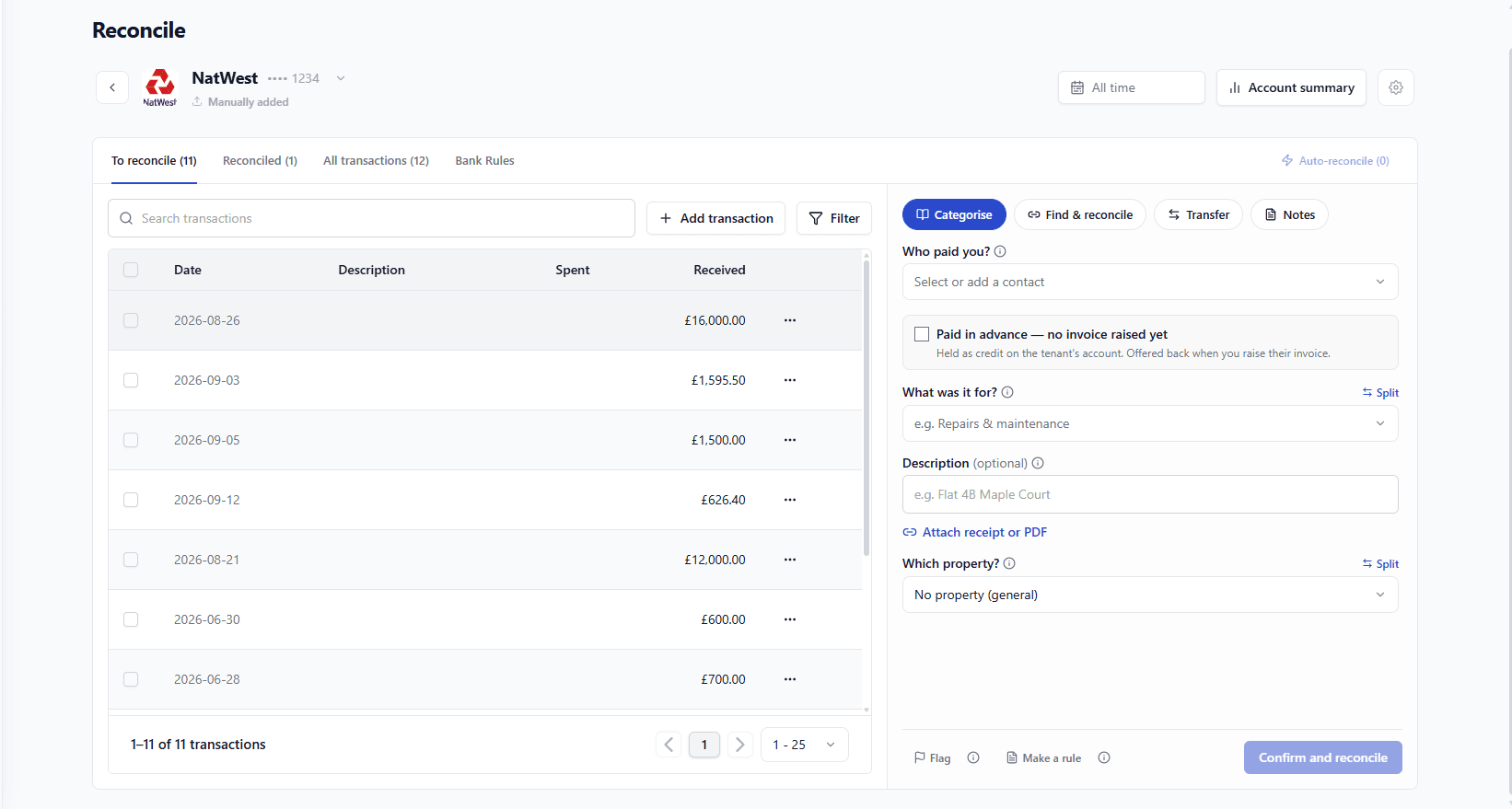
In the "Who paid you?" or "Who did you pay?" field, select the relevant contact from the dropdown list. If the payee is not yet in your contacts, you can add them by clicking "Select or add a contact".
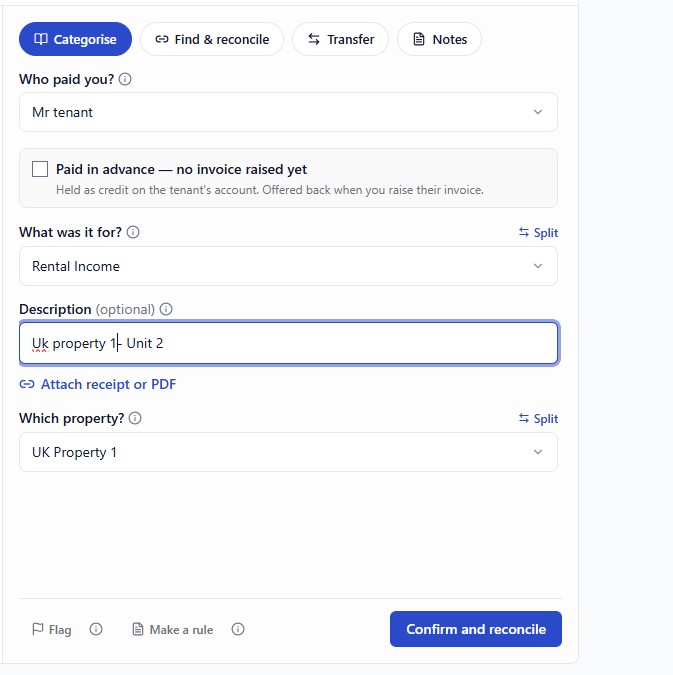
Choose the category for the transaction in the "What was it for?" field. This determines where the transaction will be reflected in your reports and tax return. Common categories include:
Money in: rental income, service charge income, late payment fees, bank interest, other income
Money out: repairs and maintenance, insurance, letting fees, mortgage interest, bank charges, council tax, utilities, other expenses
4. If the transaction relates to a specific property, choose the property from the "Which property?" dropdown.
Once you've entered all the relevant details, click "Confirm and reconcile" to categorize the transaction.
The Three Answers
Field | What it decides |
|---|---|
Who | The party the money went to or came from — a supplier, a tenant, a client |
What for | The category, which decides where it lands in your reports and on your return |
Which property | Whether the cost belongs to one property or to the portfolio |
The Categories You Will Use Most
Money in: rental income, service charge income, late payment fees, bank interest, other income.
Money out: repairs and maintenance, insurance, letting fees, mortgage interest, bank charges, council tax, utilities, other expense.
Choose No property (general) for costs that genuinely cover the portfolio; accountancy, software, a general insurance policy. Do not use it as a shrug for “I am not sure which one”.
When One Payment Covers More Than One Thing
Click Split and divide it by category, by property, or both. A bank charge shared between two properties, a builder’s invoice covering a repair and an improvement. See Splitting a payment.
Making It Stick
If the same payment will arrive every month, use Make a rule from the transaction. RentalBux writes the rule from what is in front of you, and sorts the next one automatically.
Repair or improvement is a category decision with a tax consequence. If you are not sure which one a job was, ask before you file UK Property Accountants covers the ruling; RentalBux records what you choose.
Changing Your Mind
Revert the transaction, recategorise it and confirm again. Reports follow the change; nothing needs rebuilding.
In Plain Terms
A category is a labelled bucket. Every pound that moves goes into one, and your reports are those buckets added up. Getting the bucket right at the moment of the transaction is what makes the year-end figure trustworthy.
£312.40 to a builders’ merchant. Who: the merchant. What for: repairs and maintenance. Which property: 14 Elm Road. Three answers, and the cost appears in that property’s P&L and in the repairs line of the return. Had it been for a new bathroom rather than a leak, the category and its tax treatment would be different.
Property Or Portfolio?
Costs that genuinely serve everything, accountancy, software, a portfolio insurance policy belong on No property (general). Costs that serve one property belong to it, even when they were paid together with others; split them rather than smearing them across the portfolio.
Categories And The Return
Categories are what feed the SA105 boxes. That is why the list is short and deliberate: an invented category has nowhere to go on a tax return, and a general one dilutes what would otherwise be a clear allowable cost.