Paper certificates in a drawer, scanned PDFs scattered across your desktop, emails you're hoping to find when a tenant asks for something — there's a better way. RentalBux's Document Storage gives you a single, searchable, tracked place for every document your rental business needs to keep.
What you can store
Document Storage works for any file type — PDF, image (JPG, PNG), Word document, or scanned paper. The most common documents landlords store include:
Document type | Why you need it | Validity |
|---|---|---|
Energy Performance Certificate (EPC) | Legal requirement — must be provided to new tenants | 10 years |
Gas Safety Certificate (CP12) | Annual legal requirement for properties with gas | Annual |
Electrical Installation Condition Report (EICR) | Legal requirement in England since 2020 | 5 years |
Assured Shorthold Tenancy Agreement (AST) | Legal record of the tenancy terms | Per tenancy |
HMO Licence (if applicable) | Legal requirement for HMO landlords | Up to 5 years |
Inventory / Check-in Report | Best practice for deposit dispute protection | Per tenancy |
Rent Payment Records | Track all incoming rent payments | Ongoing |
Property Maintenance Records | Record of repairs and maintenance requests and costs | Ongoing |
Tax and Accounting Reports | Simplify tax filing and track income and expenses | Ongoing |
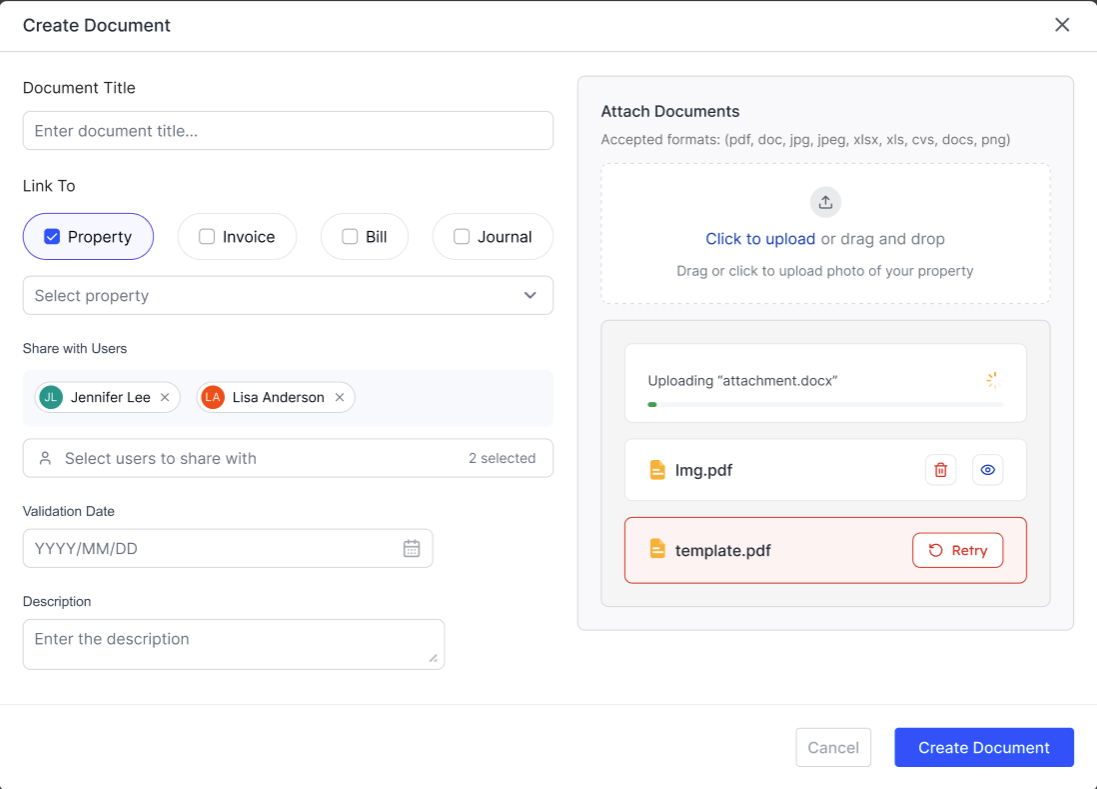
Uploading a document
Go to Documents in your sidebar.
Click Add Document.
Enter a title for the Document.
Link the document to headings such as Property, Invoice, Bill or Journal.
Choose if you would like any other user to see it. For example, a tenant might want to see the compliance documents.
Click Upload and select the file from your computer or phone.
Add any description for it, if helpful (e.g. the name of the gas engineer, or the letting agent who provided it).
Click Save.
Viewing and filtering your documents
Your document list can be filtered by property and who you have shared it with. Green — Valid, not due to expire soon

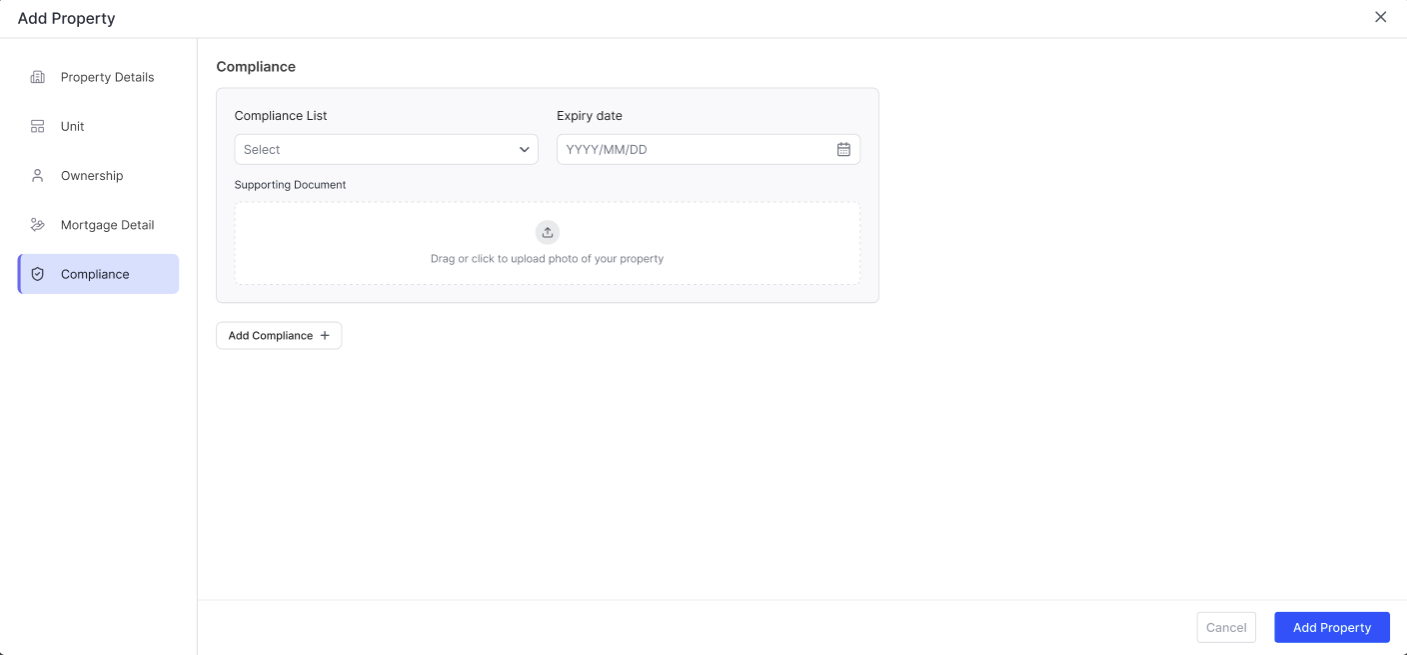
Uploading Compliance Documents
The Property module has a dedicated compliance tab. When you add a new property or edit an existing property, you can add a compliance document and link it specifically to that particular property.
How document storage connects to compliance
Every document stored in RentalBux is linked to a specific property. In the Property Module, your property record includes a Compliance tab that displays all documents associated with that property. This gives you a complete compliance picture for each property without having to search through folders.
Even if the law doesn't require you to digitally store a particular document, doing so protects you. A digital record with a timestamp is far more useful in a deposit dispute, a licensing audit, or an insurance claim than a paper document you may or may not be able to find.
Related Guides: |