.jpg&w=64&q=75)
.jpg)

Find & reconcile is for transactions that have a document behind them: rent you invoiced, a bill you recorded. Reconciling links the two, so the invoice stops showing as owed and the bank line stops showing as unexplained.
Steps
Open the account and stay on the To reconcile tab.
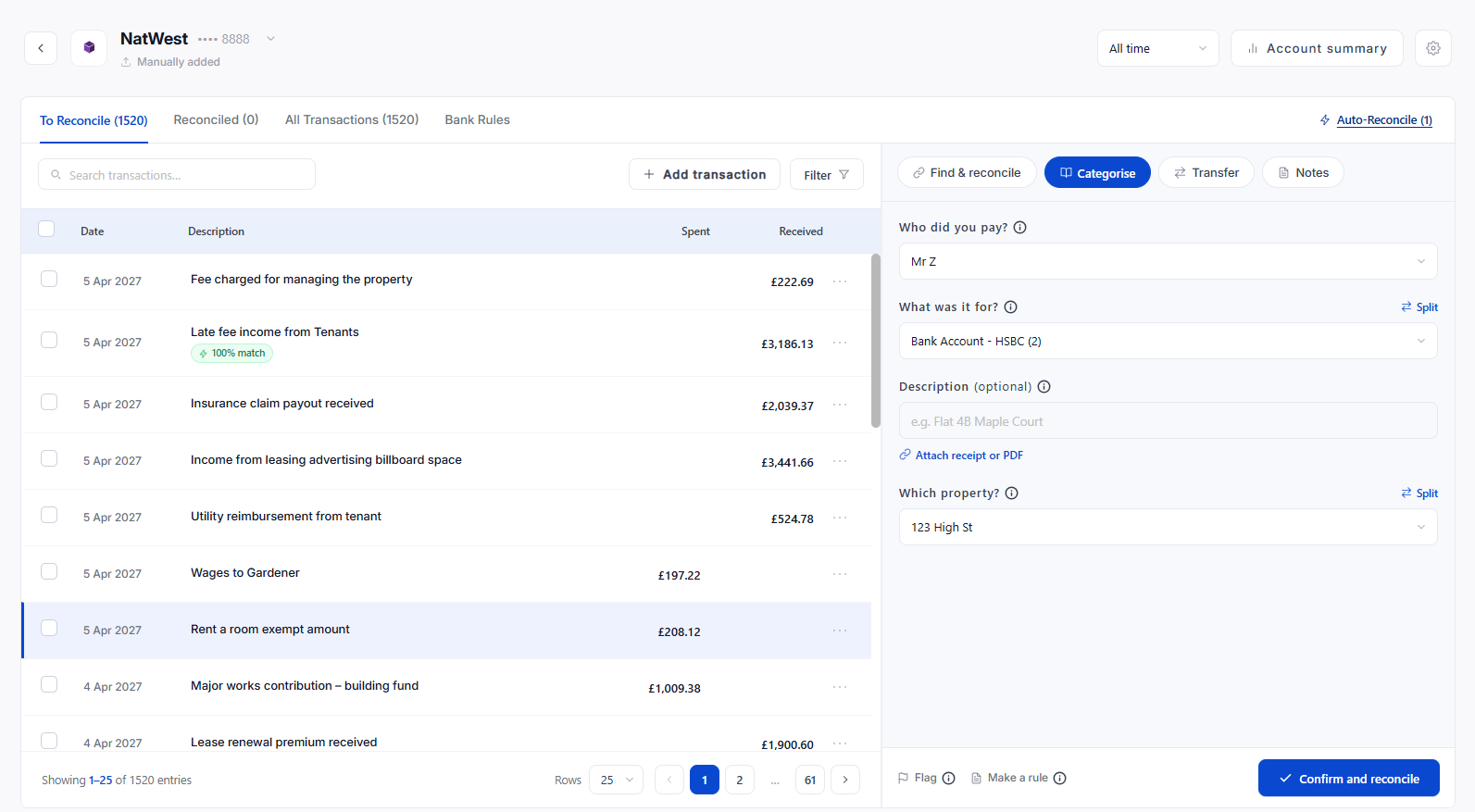
Click the transaction. The panel on the right opens on Find & reconcile when there is a confident match, and on Categorise when there is not.
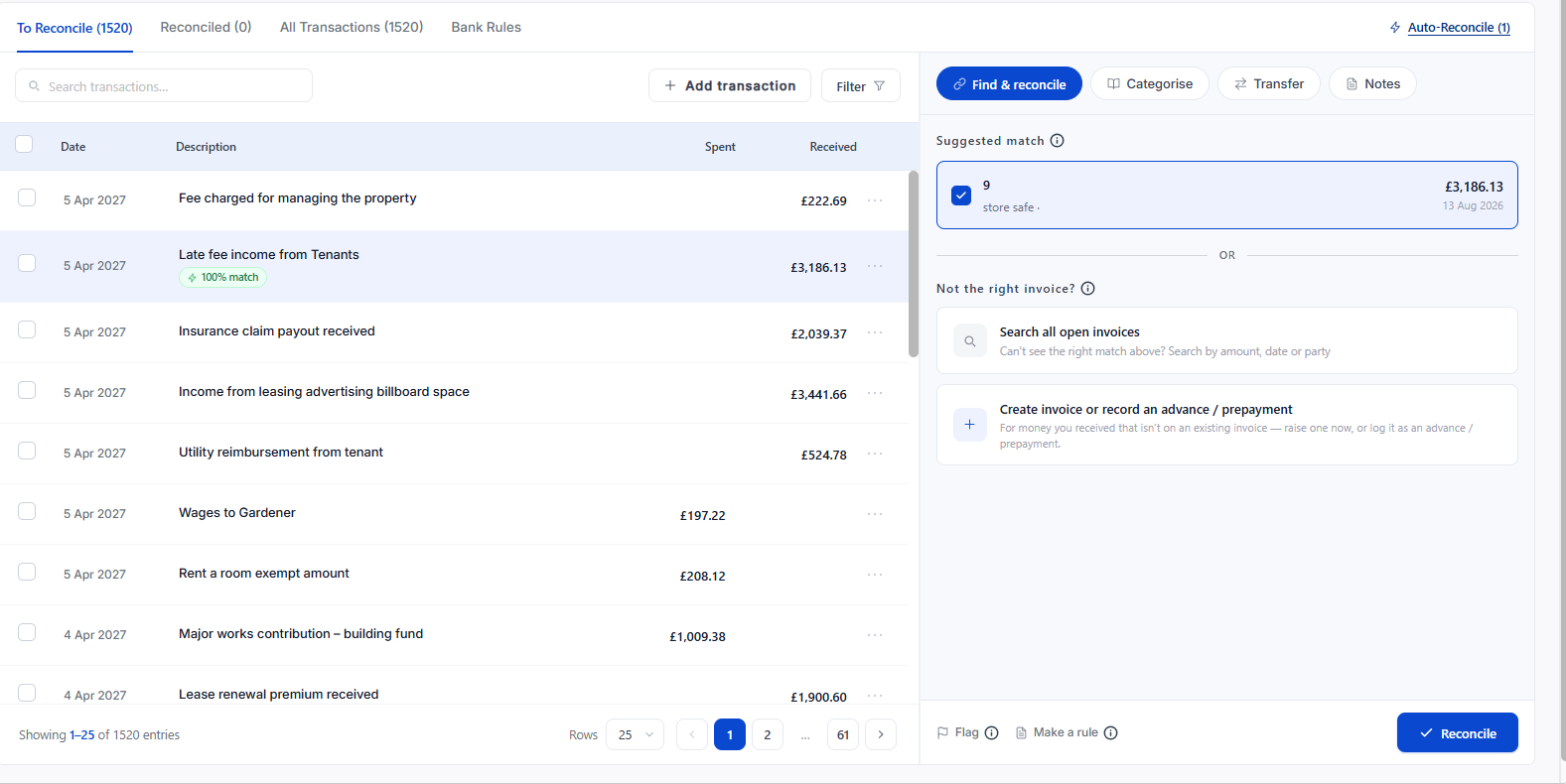
Read the suggestion under Suggested reconciliation. RentalBux looks for open records with a matching amount and date.
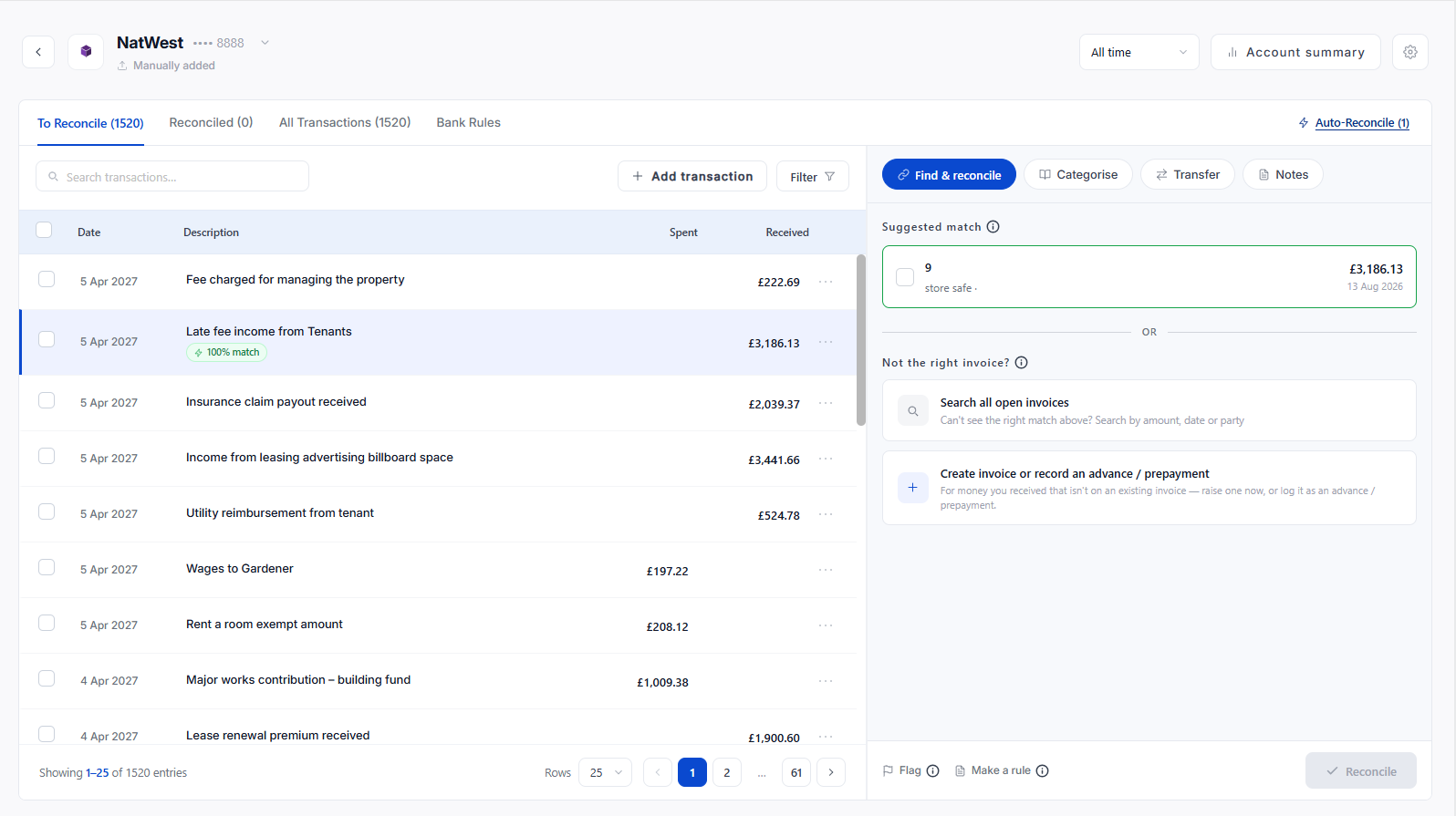
If it is right, select it and click Reconcile.
If it is not, use Search all open bills or Search all open invoices to find the right record, see Matching to an open bill.
What RentalBux Matches On
Amount: An exact amount against an open record is the strongest signal.
Date: Close to the record’s date, allowing for payment lag.
Party: The tenant, client or supplier named on the record.
Description: The reference your bank passed through, which is also what bank rules read.
Note
A suggestion is a suggestion. RentalBux never reconciles on your behalf without a confirmation — either yours here, or yours in the Matched by bank rules review.
When Nothing Is Suggested
Usually one of four things is true, and each has a different answer.
What happened | What to do |
|---|---|
The invoice or bill was never recorded | Create it from the transaction — see Creating a bill from a bank transaction |
The amount does not match the record | Match manually and choose how to treat the difference |
It is not income or an expense at all | Use the Transfer tab |
There is no document and never will be | Use Categorise |
Undoing A Reconciliation
Select the transaction and revert it. RentalBux tells you what will happen before you confirm: the transaction moves back to To reconcile and its link to the invoice or bill is released, so the record shows as open again. Nothing is deleted.
Match or categorise?
A match links a bank line to something already in your records an invoice, a bill. A categorisation records income or a cost with no document behind it. Both are legitimate. Rent usually matches; a card payment at a merchant is usually categorised.
Worked Example
£1,250.00 arrives on 3 May with the reference J HUGHES. An open invoice for Maple Court rent, dated 1 May, is for the same amount, so RentalBux suggests it. One click and both close: the invoice stops showing as owed, the bank line stops asking to be explained..
When Two Things Look The Same
Two properties at £1,250.00 on the same day is the case where a quick confirmation costs you. Read the reference before reconciling. If the references are identical too, check the tenancy the payer belongs to the amount alone cannot tell you.
Reverting Without Fear
Reverting is not a repair, it is a normal action. The transaction returns to To reconcile, the invoice reopens, and nothing is deleted. Reconcile confidently and correct later rather than leaving a queue untouched because you are not certain.