.jpg&w=64&q=75)
.jpg)

Not every account needs a feed. A credit card you use twice a year, a cash float, a building society that has no Open Banking connection add these by hand and import statements when you need to. Everything downstream behaves the same: the same reconcile screen, the same rules, the same reports.
Steps
Open Banking and click Add bank account.
Choose Add manually described as: enter account details yourself and import statements as needed.
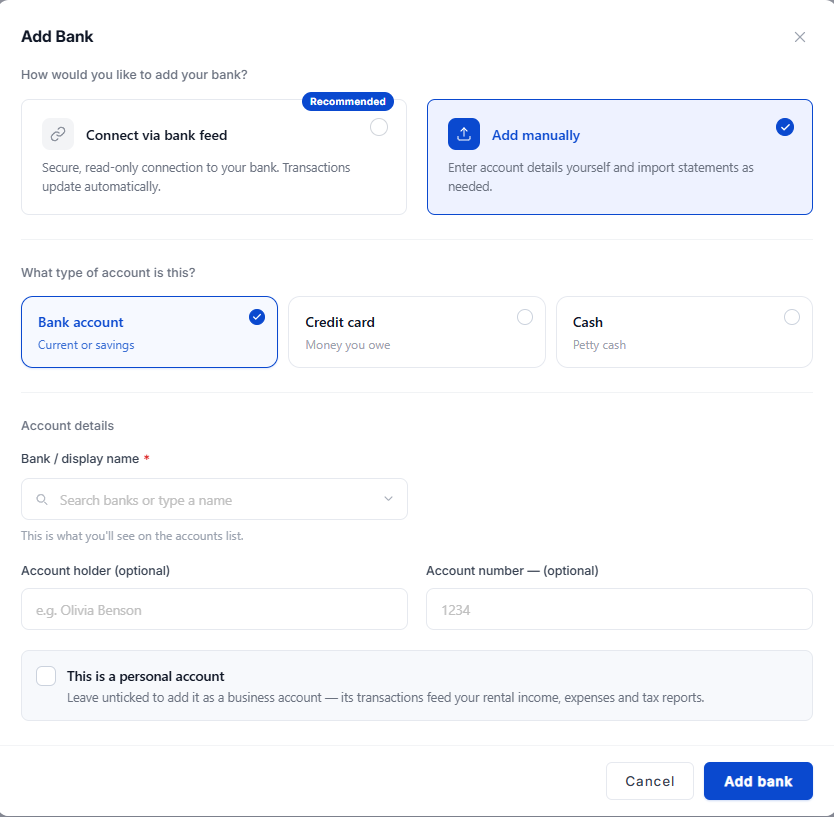
Pick the account type: Bank account (current or savings), Credit card (money you owe) or Cash (petty cash).
Enter a Display name. This is what you will see on the accounts list, so name it the way you think of it “Barclays business”, “Office petty cash”.
Optionally add an Account holder and the Account number. Both help you tell similar accounts apart; neither is required.
Decide whether This is a personal account applies, then click Add bank.
The Personal Account Tick
Ticking This is a personal account keeps the account separate and leaves it out of your tax totals useful for tracking private spending alongside your lettings. Leave it unticked if you want its transactions to feed your rental income, expenses and tax reports.
Check first
If a single account holds both rent and grocery shopping, leave the tick off and mark the private transactions personal one by one. Ticking the whole account would take the rent out of your figures with it.
Account Types, and What Changes
Type | What it is for | Balance behaviour |
|---|---|---|
Bank account | Current or savings | Money you hold; a positive balance is money you have |
Credit card | Money you owe | A balance is a liability, not an asset |
Cash | Petty cash, a float, cash rent | Tracked like any other account so cash spending is not invisible |
What Happens Next
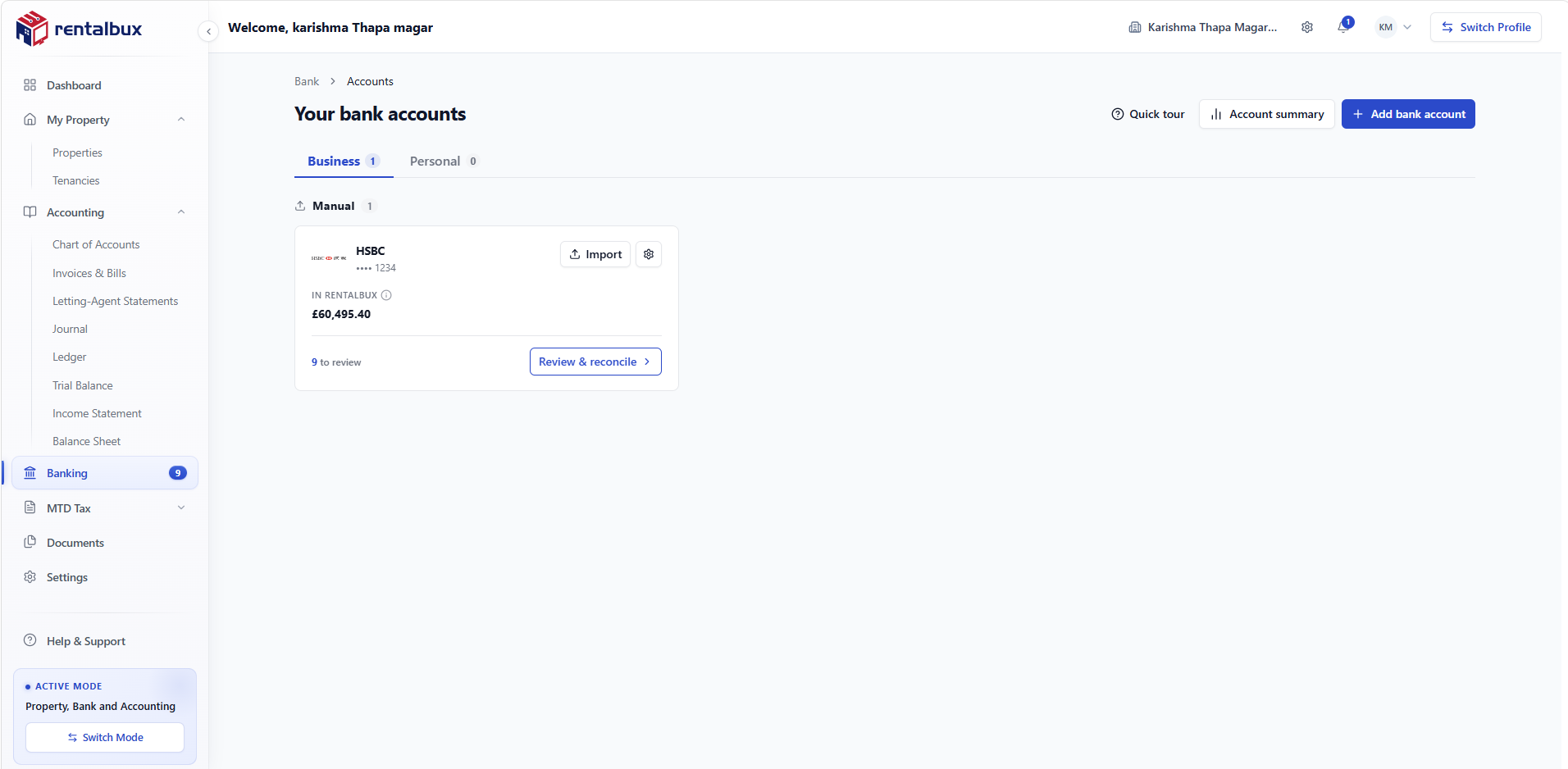
The account appears on the accounts list under Manual, with an amber dot instead of the green Connected one.
There are no transactions until you import a statement, see Importing a statement (linking).
The Import statement button sits on the account card and in the account’s settings.
You can switch the account to a feed later without losing anything already imported.
Why a Manual Account Is Not Second Best
The only difference is how transactions arrive. Once they are in, the reconcile screen, the rules, the splits and the reports treat a manual account exactly like a fed one. Landlords with a small portfolio often run entirely on monthly imports and never notice a limitation.
For Example
A landlord keeps a £200.00 cash float for small jobs; a lock change, a key cut, a bag of grit. Recorded as a Cash account, those payments become allowable costs with a category and a property. Left out, they are simply money that vanished, and the year’s repairs figure is quietly too low.
Naming Accounts So the List Stays Readable
The display name is the only thing distinguishing two accounts at the same bank on a small screen. “Barclays business” and “Barclays personal” take a second to write and save a mis-posted transaction later.