


Signing up for Making Tax Digital for Income Tax is two separate actions: register with HMRC, then authorise your software to communicate with HMRC on your behalf.
Registering for Self Assessment does not enrol you, and opening an account with a software provider does not complete the HMRC sign-up.
The setup involves two separate actions:
Sign up for Making Tax Digital for Income Tax through HMRC; and
Authorise your chosen software to communicate with HMRC
What HMRC asks you to review during sign-up depends on your circumstances.
While a landlord confirms a UK property business and, if relevant, a separate foreign property business, a sole trader, on the other hand, confirms one or more trades. Someone who is both a landlord and a sole trader confirms each property and trading source separately.
Timing matters as well. The first quarterly update for any tax year is due by 7 August, so leaving sign-up until close to your start date gives you little room to set up your software, organise your transactions and correct missing records.
This guide explains whether you need to register, what to prepare, how to complete the HMRC sign-up and what to check before your first quarterly update.
First, check whether you can claim an Making Tax Digital exemption
Before signing-up for MTD, check whether you are exempt or not.
Some landlords and sole traders are automatically exempt from Making Tax Digital.
You are automatically exempt if you do not have a National Insurance number before the start of the relevant tax year. You cannot sign up for MTD for that year and do not need to apply for the exemption.
For example, if you receive your National Insurance number after 6 April 2026, you will remain exempt for the 2026/27 tax year, even if your qualifying income exceeded the MTD threshold. Your position may need to be reviewed for a later tax year.
You may also apply for an exemption if it is not reasonable or practical for you to use compatible software because of:
your age, health condition or disability;
your religious beliefs;
unavailable or unreliable internet access because of your location; or
another circumstance that makes digital compliance impractical.
HMRC considers applications for digital exclusion individually. Being unfamiliar with software, having relatively few transactions or facing additional cost or inconvenience will not, by themselves, normally justify an exemption.
An exempt landlord or sole trader must still report their income and gains through Self Assessment. The exemption removes the MTD digital record-keeping and quarterly update requirements, not the obligation to submit a tax return.
What landlords and sole traders need before signing up for MTD
Before using HMRC’s sign-up service, make sure you are registered for Self Assessment and have submitted a tax return.
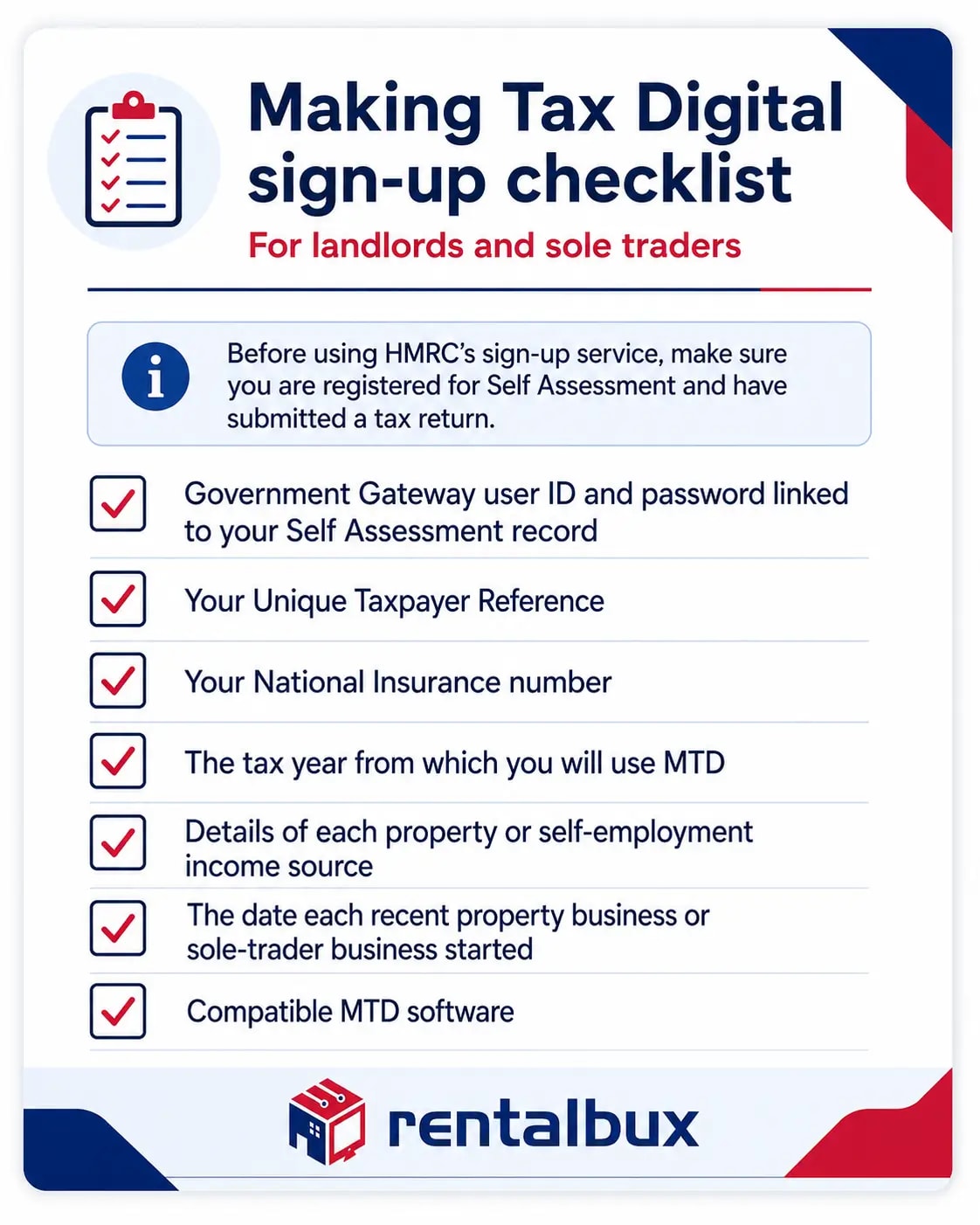
You should prepare:
The Government Gateway user ID and password linked to your Self Assessment record;
Your Unique Taxpayer Reference;
Your National Insurance number;
The tax year from which you will use MTD;
Details of each property or self-employment income source;
The date each recent property business or sole-trader business started;
Compatible MTD software.
HMRC may also ask you to complete an identity check.
Use the Government Gateway account linked to you personally as a Self Assessment taxpayer. Do not use credentials belonging to a limited company, employer, business partner or unrelated tax account.
Additional information for landlords | Additional information for sole traders |
|---|---|
A landlord may need to identify:
| A sole trader may need to identify:
|
A person with both rental and trading income should prepare the details for each relevant source before beginning the registration.
How to Sign up for Making Tax Digital as a Landlord, Sole Trader, or both
Step 1: Choose MTD-compliant and HMRC-approved software
HMRC does not provide the accounting software needed for MTD for Income Tax. You must choose software that supports your income sources and reporting requirements.
A landlord should choose software that can record: | A sole trader should choose software that can record: |
|---|---|
|
|
Someone with both property and self-employment income should choose software that can keep the two activities distinct while supporting the same MTD account.
How RentalBux helps
RentalBux supports landlords, sole traders and people with both income sources by keeping their digital income and expense records in one account.
Choosing software does not register you for MTD. You must complete the HMRC sign-up separately.
Step 2: Open HMRC’s MTD sign-up service
Use HMRC’s online service for Making Tax Digital for Income Tax.
Sign in with the Government Gateway details associated with your personal Self Assessment record.
HMRC will check your eligibility using the information on your tax record and the details you provide. Landlords and sole traders who must use MTD from the 2026/27 tax year can sign up now.
Step 3: Confirm your MTD start year
HMRC will ask you to confirm the tax year from which you will use MTD.
Select the year in which your mandatory MTD obligations begin unless you have chosen to join voluntarily.
Voluntary sign-up may create immediate record-keeping and quarterly update obligations for the selected tax year. Check the consequences before choosing an earlier start date.
Step 4: Review your income sources
HMRC will show the income sources held against your record. Confirm that each one is present and correct before you continue, because these sources determine which quarterly updates you will need to send.
The sources HMRC shows may include:
A UK property business;
A foreign property business;
One sole-trader business;
Several separate sole-trader businesses;
Both property and self-employment income.
What you need to check depends on whether your income is from property, from a trade, or from both. Refer to the table below for a better understanding of what to look for.
If you are a landlord | If you are a sole trader | If you are both landlord and sole trader |
|---|---|---|
All income from UK property is generally treated as one UK property business for MTD purposes. Starting to rent another UK property does not normally create a new income source. Foreign property income is treated separately. | A sole trader with separate trades may need each trade to appear as a separate business or income source. For example, a self-employed electrician who also operates an unrelated online retail business may need to maintain separate records for the two trades. | HMRC may hold both a property business and one or more sole-trader businesses. Review each source individually. Do not merge rent, business sales, property expenses and trading costs into one undifferentiated activity. You should also tell HMRC if a property or self-employment source has ceased since your latest tax return. |
Step 5: Enter the relevant start date
HMRC may request the date on which a recent income source began.
For a landlord, use the date the property activity began generating rental income where HMRC requests it. This is not necessarily:
Property purchase date;
Mortgage completion date;
Date the property was first advertised;
Date the tenancy agreement was signed;
Date an accounting account was opened.
For a sole trader, use the date the trade began. This is not necessarily:
Company incorporation date for a separate company;
Date a business bank account was opened;
Date equipment was purchased;
Date the first tax return was submitted.
The correct date depends on when the relevant property or trading activity commenced.
Step 6: Submit the registration
Review the information before submitting it.
Check:
Government Gateway account;
MTD start year;
UK or overseas property source;
Sole-trader business;
Start date for each recent income source;
Any ceased property or trading activity.
HMRC should confirm when the sign-up has been completed.
Keep the confirmation for your records. HMRC will not complete the sign-up automatically. You or an authorised agent must register using the appropriate service.
Does every property or trade require a separate registration?
You complete one personal MTD registration, but HMRC records the relevant businesses and income sources within that account.
Let's see how it looks for different types of income.
Rental properties
You do not normally register every physical property separately.
Several personally owned UK rental properties may form one UK property business. Your accounting software may track each flat, house or commercial unit separately, but HMRC generally treats the UK property activity as one income source.
Foreign property income is treated as a separate property business from UK property income.
Sole-trader businesses
A sole trader may have one trade or several separate trades.
Closely related services may form one business, while commercially distinct activities may require separate records. For example:
A plumber providing installation and repair services may operate one trade;
A plumber who also runs an unrelated catering business may operate two trades.
The correct classification depends on the facts of the activities. Separate trades each need their own digital records and quarterly updates, something which a great MTD software for sole traders keeps distinct within a single account.
Property income and trading income
Property income and sole-trader income remain separate sources.
A landlord who also works as a consultant should maintain:
Rental income and property expenses for the property business; and
Client fees and trading expenses for the consultancy.
RentalBux can keep these records separate within the same user account.
What happens after you sign up?
HMRC registration does not complete your MTD setup.
You must then authorise your software and begin maintaining the appropriate digital records. HMRC treats software authorisation as a separate step after sign-up.
After registration:
Sign in to your MTD software;
Select the HMRC authorisation option;
Follow the secure link to HMRC;
Sign in with the correct Government Gateway account;
Review the authority requested;
Approve the connection;
Return to the software;
Confirm that the authorisation was successful.
It does not provide unrestricted access to your Government Gateway account.
Authorisation is the start of an ongoing cycle rather than a one-off task. Once your software is connected, you send a quarterly update for each property or sole-trader business, then submit a Final Declaration after the tax year ends.
The Final Declaration confirms your total income and gains, including income outside MTD such as employment or dividends, and finalises your tax position in place of the year-end Self Assessment return. It is due by 31 January following the end of the tax year.
Can an Accountant sign you up?
An authorised tax agent can sign up a landlord or sole trader for MTD. Your accountant need to have Agent Services Account (ASA) with HMRC.
The agent must use the appropriate agent service and have authority to act for the taxpayer. Existing authority does not itself complete the registration. The agent must still sign up the client.

HMRC allows taxpayers to appoint:
One main agent; and
One or more supporting agents.
A main agent may manage the overall tax position and submit the tax return. A supporting agent, such as a bookkeeper, may help maintain business or property records and send quarterly updates. Their permissions are different.
You should agree who will:
Complete the MTD sign-up;
Authorise the software;
Record rental or trading transactions;
Correct bookkeeping errors;
Review quarterly figures;
Send quarterly updates;
Make year-end adjustments;
Submit the tax return.
Where a landlord also has a sole-trader business, responsibilities should cover both income sources.
Common MTD sign-up problems
You are using the wrong Government Gateway account
A landlord or sole trader may have several Government Gateway logins.
Use the account linked to your personal Self Assessment record. Do not use a login created only for:
A limited company;
PAYE as an employer;
Corporation Tax;
A business partner;
Another family member.
HMRC does not show your property business
Check whether you reported the property income on your latest Self Assessment return.
Also check whether the income belongs to:
You personally;
A joint owner;
A property partnership;
A limited company;
A trust or other legal owner.
The person who manages the property is not always the person taxable on the income.
HMRC does not show your sole-trader business
Check whether the trade appeared on your latest Self Assessment return and whether it is still active.
A missing business may also result from:
Using the wrong Government Gateway account;
Reporting the activity through a partnership;
Operating through a limited company;
Recording two trades as one business;
Failing to notify HMRC that a new trade has started.
One of your businesses has ceased
Tell HMRC when a property or self-employment income source has ceased.
For a landlord, purchasing or selling one property does not necessarily start or end the wider UK property business.
For a sole trader, stopping one activity may not end another separate trade.
You selected the wrong MTD start year
The selected year determines when your MTD obligations begin.
Contact HMRC or your tax agent if the registration contains the wrong year. Changing a reporting period inside your software will not necessarily amend the HMRC registration.
Your software cannot connect to HMRC
Check that:
HMRC has completed the registration;
the correct Government Gateway account is being used;
the software authorisation process was completed;
the authorisation remains valid;
the taxpayer details match HMRC’s records;
the browser did not interrupt the redirect;
the relevant property or sole-trader source is available.
Repeat the authorisation process if the original connection did not finish.
You have not received an HMRC letter
Do not rely on an HMRC letter to determine whether MTD applies.
Landlords and sole traders remain responsible for checking their qualifying income and start date.
How Joint Property ownership affects Registration
Each individual owner considers their own MTD position.
One joint owner’s registration does not register the other owners. Each person considers:
their share of the rental income;
their other property income;
their sole-trader turnover;
their total qualifying income.
The tax position may depend on legal ownership, beneficial ownership, spousal rules or the existence of a genuine property partnership. Since each owner is taxed on their own share, good MTD software for landlords splits the income and expenses by ownership percentage and produces a separate quarterly submission for each.
How Partnerships and Limited Companiesare treated
MTD for Income Tax applies to qualifying individuals who receive property or self-employment income.
A person does not include partnership turnover, company sales or employment income as their own sole-trader income merely because they work in the business.
A limited company does not sign up for MTD for Income Tax solely because it receives rent or trading income. Its profits are normally dealt with under Corporation Tax.
A director, shareholder or partner may still have a separate personal MTD obligation if they receive qualifying property or sole-trader income in their own name.
Sign up before your MTD start date
Complete the HMRC registration before the tax year in which your MTD obligations begin.
You must then authorise compatible software and maintain complete digital records for each property business or sole-trader business.
RentalBux helps landlords, sole traders and people with both income sources record income, categorise expenses and prepare their records for MTD reporting.