



If you receive rental income and that income exceeds a certain threshold, HMRC now requires you to manage and report your tax affairs differently.
MTD for Income Tax changes how landlords keep records and report property income to HMRC. Instead of preparing everything once at the end of the year, landlords within MTD must keep digital records, send quarterly updates through a MTD-compatible software and submit their tax return using that software by 31 January after the end of the tax year.
This guide covers everything a landlord needs to know about MTD for landlords: who it applies to, when it becomes mandatory, what your compliance obligations are, and how to prepare before your start date.
Whether you own a single buy-to-let property, manage a portfolio, or have income from both property and self-employment, the same framework applies.
What Is Making Tax Digital for Income Tax Self-Assessment for Landlords?
MTD for ITSA is a mandatory digital reporting regime under which landlords maintain real-time records of their rental income and expenses and submit quarterly updates to HMRC in place of the traditional annual Self Assessment tax return.

HMRC introduced the regime in direct response to the tax gap, its own term for the estimated £10.6 billion lost annually through avoidable errors in self-reported income, of which landlords represent a material portion.
HMRC estimates that over 563,000 landlords will be required to comply by April 2028, out of a total UK landlord population of around 2.5 million.
What Changed for Landlords?
Previously, under Self Assessment, you gathered twelve months of income and expense data and submitted a single return by 31 January. But under MTD, that same information is reported across four quarterly updates through an MTD-compliant software for landlords that maintains digital records and submits data directly to HMRC, followed by a Final Declaration at year's end that confirms the total liability.
Who Does MTD Apply to?
MTD for ITSA applies to individuals and unincorporated landlords. The rollout is phased by gross income level, and the schedule confirmed in the Spring Statement of March 2025 is as follows:
Mandatory Start Date | HMRC Assessment Year | Gross Income Threshold |
|---|---|---|
April 2026 | 2024 to 2025 tax return | Over £50,000 |
April 2027 | 2025 to 2026 tax return | Over £30,000 |
April 2028 | 2026 to 2027 tax return | Over £20,000 |
If your income sits below £20,000, you are not currently required to comply, though HMRC has indicated this threshold may be reviewed in future.
Landlords must sign up for MTD for Income Tax through their Government Gateway account before their mandatory start date.
Not sure whether MTD applies to you yet? Download our free MTD readiness checklist for landlords and see where you stand before your start date.
MTD Deadlines for Landlords
Three sets of MTD deadlines matter: when you must join, when each quarterly update is due, and when you must pay.
When You Must Join - Once, Based on Income
Every Tax Year After You Join - Recurring
How Does the MTD Qualifying Income Threshold Work?
HMRC determines a landlord's MTD obligations based on gross income, not taxable profit. Whether you must comply, and from which date, depends on what counts as qualifying income toward that figure and what does not.
What Is the Threshold Measured Against?
The MTD threshold is measured against gross rental receipts before expenses, not taxable profit. A landlord receiving £52,000 in rent but incurring £20,000 in allowable expenses still has a gross income of £52,000 and already falls within the MTD regime.
This catches many landlords off guard, who assume the threshold applies to what they retain after costs.
Which Income Sources Count Toward the Threshold?
HMRC adds together income from UK property, overseas property, and self-employment to determine whether a landlord meets the threshold.
A landlord earning £28,000 in rent who also runs a self-employed business generating £24,000 has a combined qualifying income of £52,000 and falls within the first wave.
NOTE: Dividends, savings interest, pension income, and capital gains are excluded from the calculation.
How Are Jointly Owned Properties Treated?
HMRC assesses jointly owned properties individually, according to each co-owner's share of the income. Two landlords jointly receiving £60,000 in rent and splitting it equally, each has a qualifying income of £30,000, placing them in the April 2027 group rather than the April 2026 group.
Each co-owner must register separately and submit their own quarterly updates and Final Declaration.
What Happens if Your Income Drops Below the Threshold?
A landlord remains within the MTD regime even if their income subsequently falls below the threshold they originally entered under, unless it stays below that level for three consecutive tax years.
Landlords with fluctuating rental income should factor this into their planning, particularly where a property is sold, a tenancy ends, or rental receipts drop materially from one year to the next.
How to Register for MTD for Income Tax Through Government Gateway
You must sign up for MTD for Income Tax before your mandatory start date. Registration is not automatic. Follow these steps:
|
|
|
|
|
Refer to our comprehensive guide on how to sign-up for Making Tax Digital, be it as a landlord, or sole trader, or both, for detailed instructions.
MTD for Different Types of Landlords
MTD applies a single compliance framework, but how it operates in practice varies depending on your ownership structure, portfolio size, and the nature of your rental income.
Joint Landlords
Each co-owner carries their own MTD obligations, assessed on their individual share of the income, with married couples and civil partners taxed 50/50 unless a Form 17 election declares otherwise. Each registers separately and files their own quarterly updates and Final Declaration. HMRC offers two easements: joint owners can report gross income only in quarterly updates, deferring expenses to year end, and can share a single digital record for the jointly held property. For how the easements work in practice and when to use them, see our guide to MTD for joint landlords.
Portfolio Landlords
HMRC treats all of a landlord's UK rental properties as a single UK property business under section 264 of the Income Tax (Trading and Other Income) Act 2005. For MTD purposes, this means one set of quarterly updates covering the combined income and expenses of every UK property, not separate submissions per property. Keeping records at property level remains good practice for tracking the performance of each asset, but it is a management decision, not an MTD requirement.
Landlords With Both Rental and Self-Employment Income
If you are a sole trading landlord, income from property and self-employment are added together to test the MTD threshold, and once you are in the regime, each source needs its own quarterly updates. A landlord with £28,000 of rent and £24,000 of trading income has £52,000 of qualifying income and joined in the first wave. Our guide to MTD for sole traders covers how the two income streams are reported side by side.
HMO Landlords
Landlords letting a house in multiple occupation follow the same MTD rules as any other residential landlord. Rent from each room forms part of the income of the single UK property business, and there is no HMRC requirement to keep digital records at room level, however useful that breakdown may be for managing individual tenancies. HMO licensing under the Housing Act 2004 is a separate obligation that runs alongside MTD compliance.
Airbnb and Short-Stay Landlords
Since the abolition of the furnished holiday lettings regime from April 2025, income from Airbnb and short-stay lets is treated as standard property income for MTD purposes and counts towards your qualifying income in the normal way. Nightly rates, platform fees and cleaning costs still need careful categorisation in your digital records. Our guide to MTD for Airbnb and holiday let landlords works through the record keeping in detail.
Non-Resident Landlords
Non-UK-resident landlords receiving rental income from UK properties are subject to MTD once their income exceeds the relevant threshold, in the same way as UK residents. However, their obligations under the Non-Resident Landlord scheme, including the 20% withholding rules and the NRL1, NRL2, and NRL3 forms, sit alongside their MTD requirements as a separate compliance layer.
Read our entire guide on Making Tax Digital for Non-Resident landlords.
Overseas Landlords and Foreign Property
Foreign rental income is treated as a separate overseas property business under section 265 of the Income Tax (Trading and Other Income) Act 2005, so it requires its own quarterly updates, submitted separately from your UK property figures.
Unlike UK property, digital records must be kept for each individual foreign property. HMRC offers an easement here: most foreign expenses can be reported as a single total of allowable property expenses, with residential finance costs the one category that must always be recorded separately.
Read our entire guide on how MTD impacted UK Landlord' with foreign property.
Commercial Landlords
MTD applies to commercial landlords on the same framework as residential: the same thresholds, quarterly updates and Final Declaration. The differences sit in the expense categories and the VAT position, including where an option to tax is in place. Our guide to MTD for commercial landlords covers those distinctions.
Accidental/New Landlords
If you have just started receiving rental income, whether through purchase or inheritance, MTD does not apply immediately. You first register for Self Assessment and file a return reporting the new income; HMRC then assesses your qualifying income from that return, annualising it where the income covers only part of the year.
In practice, a business that starts after April 2026 will generally be mandated from 6 April of the third tax year in which it exists, so expect at least one full Self Assessment cycle before quarterly reporting begins. Responsibility for checking your start date sits with you, not HMRC's letters.
What Are Your Compliance Obligations Under Making Tax Digital?
Once within the MTD for Income Tax Self Assessment regime, a landlord's obligations fall into three categories: digital record-keeping, quarterly updates, and the Final Declaration.
Keeping Records in Digital Form
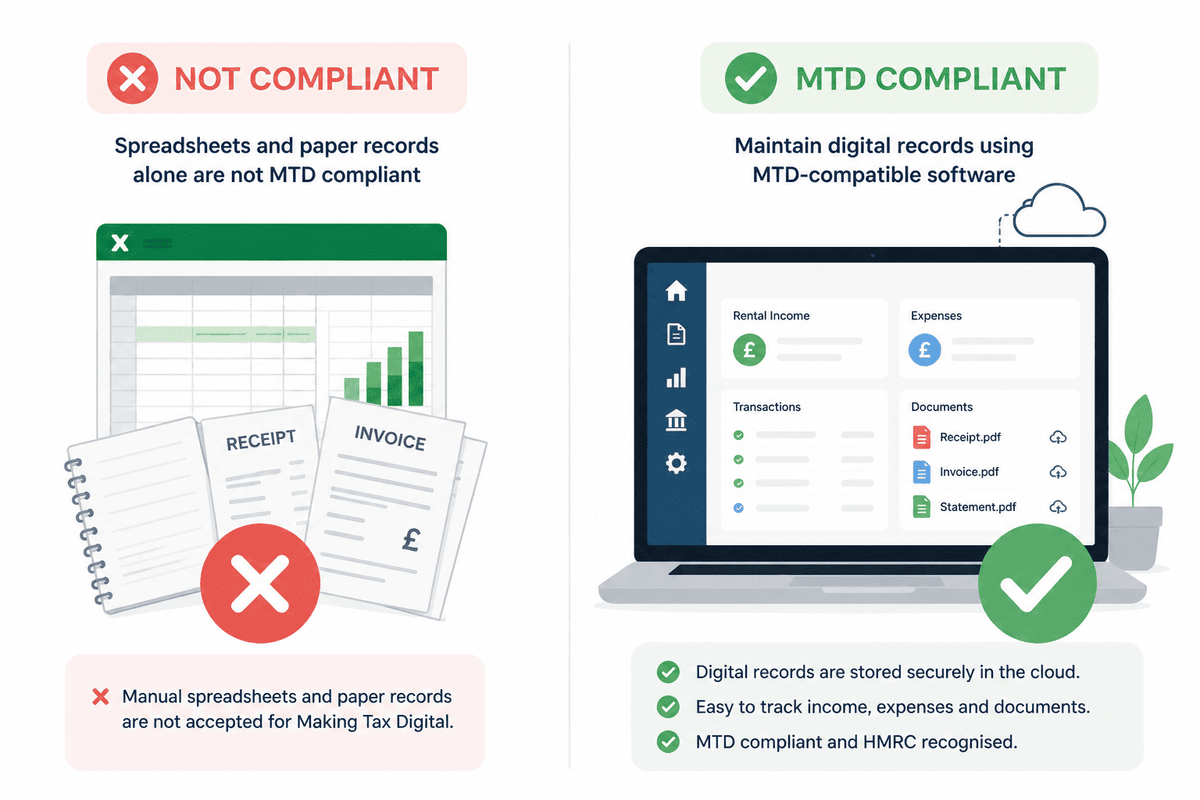
MTD requires all records relating to property income and expenses to originate and be maintained in digital form, i.e., digital record keeping. This can be achieved through MTD-compatible software.
Paper records, such as a standalone Excel spreadsheet, even if later transcribed into software, do not satisfy the requirement.
All digital records must be retained for at least five years after the submission deadline for the relevant tax year. Landlords must record and retain:
Rental income received, including rent, parking fees, storage charges, and ancillary property receipts
Tenant deposits received, noting that deposits are not treated as income unless legitimately retained at the end of a tenancy
Mortgage interest payments, recorded separately for the purposes of the finance cost restriction calculation
Letting agent fees and property management charges
Repair and maintenance costs, kept clearly distinct from capital improvements, which are not allowable as revenue expenses
Insurance premiums, council tax paid by the landlord, and utilities where applicable
Legal and professional fees, accountancy costs, and advertising expenditure
Ground rent and service charges for leasehold properties
Travel costs directly attributable to property management activities
If the gross income of your property business is below the VAT registration threshold, currently £90,000, the Income Tax (Digital Requirements) Regulations 2021 allow you to report total expenses as a single figure instead of splitting them across the standard expense categories.
The one exception is residential property finance costs, typically mortgage interest, which must always be recorded separately because of the basic rate restriction under section 272A of ITTOIA 2005.
Joint property owners can also use this approach if eligible. Three-line accounts reduce the categorisation work in each quarterly update considerably, though fuller records may still serve you better for managing the business.
Decide Between Cash Basis or Traditional Accounting
You will also need to settle your accounting method. The cash basis is the default for unincorporated property businesses under section 271A of ITTOIA 2005: you record income when it is received and expenses when they are paid.
It applies automatically where cash receipts are £150,000 or less; above that, the accruals basis is mandatory, and landlords who prefer accruals, perhaps because a lender requires it, can elect for it on the return.
Our guide to the cash basis for landlords covers the finance cost rules, late payments and when opting out makes sense.
Submitting Your Quarterly Updates
Landlords must submit four updates each tax year showing a summary of income and expenses for each quarter. The quarters follow the tax year, which runs from 6 April to 5 April:
Quarter | Period Covered | Submission Deadline |
|---|---|---|
Quarter 1 | 6 April to 5 July | 7 August |
Quarter 2 | 6 July to 5 October | 7 November |
Quarter 3 | 6 October to 5 January | 7 February |
Quarter 4 | 6 January to 5 April | 7 May |
Quarterly updates are provisional submissions. Final adjustments for capital allowances, private use of assets, and any corrections to earlier figures are all made at the Final Declaration stage.
An error identified in an earlier quarter can generally be corrected in a subsequent update or at year's end without penalty, provided the correction is made in good time.
Worked Example:
Rachel receives £55,000 in rental income across two buy to let properties in the 2024/25 tax year. Because her gross receipts are above £50,000, she has been required to register for MTD since April 2026, whatever her profit may be.
Each quarter she submits a summary of income and expenses, roughly £13,750 of rent plus her running costs for that period, approves it in her software, and it reaches HMRC by 7 August, 7 November, 7 February and 7 May.
At the year end she files one Final Declaration confirming her total income, claims the 20% finance cost tax credit on her mortgage interest under section 272A ITTOIA 2005, and pays any balance by 31 January 2028. Her software shows a running estimate of her liability through the year, so the January figure is no surprise.
Completing the Final Declaration Instead of Self Assessment
The Final Declaration is the submission that replaced the Self Assessment tax return under MTD for Income Tax Self Assessment. It is submitted after the end of the tax year and confirms total income from all sources, not property alone.
Employment income, pension income, dividends, savings interest, and any other taxable receipts are declared here alongside the property figures already reported through the quarterly updates.
In earlier versions of the MTD framework, landlords were also required to submit a separate End of Period Statement (EOPS) for each income source before the Final Declaration.
HMRC removed this requirement, folding the year-end confirmation directly into the Final Declaration itself, simplifying the process to two distinct obligations: quarterly updates throughout the year and a single Final Declaration at the end.
Year-end adjustments made through the Final Declaration typically include:
Capital allowances on plant, machinery, or equipment used in the property business
Replacement of Domestic Items Relief for furnished residential lettings
Private use adjustments where assets serve both personal and business purposes
Corrections to figures reported in earlier quarterly updates
One point worth clarifying: Rental income does not attract National Insurance. Class 4 contributions apply to self-employment profits, and if you run a business alongside your property portfolio, both liabilities land in the Final Declaration together.
But if property is your only income source, National Insurance has no bearing on your MTD position at all.
The payment deadline of 31 January following the end of the tax year remains unchanged from Self Assessment, covering both the income tax and any National Insurance liability confirmed through the declaration.
Two Payment Points Carry Over From the Old Regime |
|---|
First, payments on account continue under MTD: the 31 January payment covers the balance for the year just ended plus the first instalment towards the current year, with the second instalment due on 31 July. Second, your first MTD year overlaps with your last Self Assessment year. A landlord mandated from April 2026 submits quarterly updates for 2026/27 while still filing a traditional Self Assessment return for 2025/26 by 31 January 2027, so the two systems run side by side for one filing season. |
Who Is Exempt from MTD for Income Tax?
Not every landlord must comply with Making Tax Digital for Income Tax Self Assessment. Several groups fall outside the regime, some automatically and some only on application to HMRC. The main categories are:
Income below the threshold. Landlords whose total qualifying gross income is below £20,000 are not yet required to register. This is automatic and needs no application.
The £1,000 property allowance. Under Part 6A of ITTOIA 2005, property income covered by the allowance does not count towards qualifying income, so if your property income was under £1,000 and you reported nothing on your return, you need not keep digital records for it, even where self-employment income brings you into MTD.
Limited companies and corporate landlords. MTD for Income Tax applies to individuals, not companies. A separate MTD for Corporation Tax regime is planned but not yet dated.
Income through a REIT. Income from shares in a Real Estate Investment Trust is dividend income, not rental income, and sits outside MTD for Income Tax entirely.
Digital exclusion. Landlords genuinely unable to use digital tools, whether through disability, health, location or religious belief, can apply to HMRC for exemption.
Insolvency. Landlords whose property business is insolvent or being wound down are not required to comply during that period.
Income below £20,000, limited company status, REIT income and insolvency apply automatically. Digital exclusion is the one that requires a formal application.
Penalties for Non-Compliance
Understanding the exemptions is one side of the picture. The other is knowing what HMRC will charge if those obligations are not met.
HMRC operates two distinct penalty frameworks under MTD for Income Tax Self Assessment: one for late payment of tax and one for missed submissions. Both are active from the mandatory start date, and neither is applied arbitrarily.
Penalties for Paying Late Tax
Late payment penalties apply to the income tax liability confirmed through the Final Declaration. The charge escalates the longer the debt remains outstanding:
2026/27 tax year (first year of MTD)
Scenario | Penalty |
|---|---|
Payment made in full, or a Time to Pay arrangement agreed, within 15 days of the due date | No Penalty, though late payment interest under section 101 of the Finance Act 2009 still runs from the due date |
Still outstanding at day 15 | 3% of the amount outstanding at day 15 |
Still outstanding at Day 30 | A further 3% of the amount still outstanding at day 30 |
From Day 31 onwards | 10% per annum, charged daily until the debt is cleared |
2027/28 tax year onwards
Scenario | Penalty |
|---|---|
Payment made within 15 days of the due date | No penalty |
Still outstanding at Day 15 | 4% of the amount outstanding at Day 15 |
Still outstanding at Day 30 | A further 4% of the amount still outstanding at Day 30 |
From Day 31 onwards | 10% per annum, charged daily until the debt is cleared |
Penalties for Missing Submission Deadlines
Missed quarterly updates and Final Declarations are penalised through a points-based system, designed to distinguish between occasional lapses and persistent non-compliance:
Scenario | Penalty |
|---|---|
Missed quarterly update or Final Declaration | 1 penalty point per missed deadline |
Four accumulated points | £200 fixed penalty |
Each missed deadline beyond four points | Additional £200 fixed penalty |
Inadequate digital records | Up to £3,000, applied following an HMRC compliance check |
How the Points-Based Penalty System Works
Each missed quarterly update or Final Declaration earns one penalty point. At four points, a fixed £200 penalty is charged, with a further £200 for every missed deadline beyond that.
If you entered the regime in April 2026, it is worth knowing that no penalty points are issued for missed quarterly updates during the 2026/27 tax year.
That easement does not cover the Final Declaration for 2026/27, which is due by 31 January 2028 and carries a penalty point if missed under the normal rules.
To reset your points back to zero, two conditions must both be met.
You must complete a full 12 months of submitting everything on time, and
All outstanding submissions from the previous 24 months must also be up to date.
The £3,000 digital records penalty is not an automatic charge. It applies where HMRC opens a compliance check and finds that the digital record-keeping obligations have not been met.
Is There Any Penalty Grace Period?
HMRC has confirmed a soft landing for the first year of MTD. For landlords who join MTD from 6 April 2026, HMRC will not charge penalty points for late quarterly updates for the 2026 to 2027 tax year.
Landlords must still keep digital records and submit the quarterly updates before they can submit their tax return. For later years, missed quarterly update and tax return deadlines can lead to penalty points.
The grace period does not cover registration itself. Since September 2026, HMRC has been signing up those who have not registered, using details from their most recent Self Assessment return.
If HMRC registers you, the details on your account may be wrong and your accountant will not be notified. Read our blog on HMRC's MTD enforcement for landlords for what automatic sign-up means in practice and why registering yourself first gives you more control.
Time to Pay Arrangement
If you cannot pay by the deadline, contact HMRC promptly to request a Time to Pay arrangement. This is a formal agreement to spread the outstanding liability over an agreed period. Interest still runs on the unpaid balance, but the late payment penalties stop escalating.
What Is MTD-compatible Software for Landlords?
MTD-compatible software is an HMRC-recognised application that fulfils your compliance obligations under Making Tax Digital for Income Tax Self Assessment by maintaining digital records, generating quarterly updates, and submitting them directly to HMRC.
HMRC does not provide a free portal for MTD for Income Tax, so every landlord in the regime must use recognised software. The existing Self Assessment online gateway is not compatible with MTD reporting.
How Does It Work?
The software works by connecting to your bank accounts, recording income and expenses, categorising transactions, and transmitting data to HMRC through an API, a secure connection that allows two software systems to communicate directly. When you approve a quarterly update, the software sends it to HMRC digitally, and you receive confirmation of receipt.
What to Look for in MTD Software for Landlords
Not all software is built with landlords in mind. The features that matter for a property business differ from those suited to a general sole trader or small business, so evaluating software against the criteria below will help ensure the product you choose handles your specific reporting obligations correctly.
HMRC Recognition and Direct Submission
The software must appear on HMRC's list of recognised providers and be capable of submitting quarterly updates and the Final Declaration directly to HMRC via API.
Confirm this before committing to any product, as not every accounting tool on the market meets the MTD for Income Tax standard.
Bank Feeds and Automatic Transaction Import
The ability to connect directly to your bank accounts and automatically import transactions is known as bank feeds and is one of the most practical features available. As opposed to manually entering every rental receipt and expense, the software pulls data from your bank and you categorise it. This reduces the risk of missed transactions and eliminates a significant source of data entry error.
Property-Specific Functionality
Generic small business accounting software frequently lacks the features landlords require. Purpose-built landlord software maintains separate income and expense records by property, handles multiple tenancies, manages deposit information, and applies HMRC's specific income and expense categories for property businesses.
Automatic Quarterly Update Generation
The software should compile each quarterly update automatically from the categorised transactions already in your records. You review the figures, approve them, and the software submits directly to HMRC. No manual calculation of totals or reformatting of data should be required at the point of submission.
Real-Time Tax Estimates
The software displays an estimated income tax liability at any point during the year, calculated from the figures already recorded. This gives landlords visibility of their likely January payment well before the deadline, allowing for accurate cash flow planning.
Five-Year Record Retention
HMRC requires digital records to be retained for at least five years after the submission deadline for the relevant tax year. The software must store records securely and make them readily retrievable in the event of an HMRC compliance check.
Digital Links Between Systems
Where a landlord uses more than one application, HMRC requires that data passes between those systems digitally. Manually copying figures from one application, such as spreadsheets, and entering them into another does not satisfy the digital links requirement. Any software you use should support direct data transfer or integration with other tools in your workflow.
Full Accounting Software vs Bridging Software: Which Is Right for You?
Landlords entering the MTD regime have two broad approaches for meeting their digital record-keeping and submission obligations: full MTD accounting software or bridging software that integrates with your traditional spreadsheet. The right choice depends on how you currently manage your records and how much you want to change your existing workflow.
Full MTD Accounting Software
Full MTD accounting software is an end-to-end platform where you record all transactions, maintain your digital records, and submit quarterly updates and the Final Declaration directly to HMRC from within a single system. Platforms such as RentalBux fall into this category.
RentalBux connects directly to your bank account through an automated transaction import, pulling in income and expenses automatically so you can categorise them against the relevant property and expense type and not enter them manually.
You get consolidated property finances in one place, automated record-keeping that reduces manual input, real-time estimates of your income tax liability, and digital records you can retrieve at any point in the event of an HMRC compliance check.
Bridging Software For Landlords
Bridging software is designed for landlords who already maintain records in a spreadsheet and want to continue doing so. The bridging tool reads data from your spreadsheet, converts it into the format HMRC requires for quarterly submission, and handles the API connection to HMRC on your behalf.
This approach works well for landlords with well-organised spreadsheet systems who are not ready to change their workflow. Bridging software is generally cheaper and requires less retraining than moving to a full accounting platform.
The limitation is that it does not automate record-keeping or provide bank feeds, meaning data quality depends entirely on how carefully the underlying spreadsheet is maintained.
If you currently manage your records in Excel and want to understand how a spreadsheet-based approach works within MTD, our complete guide to using Excel for MTD covers the requirements and practicalities in full.
How to Prepare for MTD as a Landlord: A Step-by-Step Approach
With what and why of MTD cleared out of the way, the logical next step for a landlord is how to prepare. The steps below follow the sequence that makes the transition most straightforward.
Step 1: Confirm Your Threshold and Mandatory Start Date
Calculate your total gross qualifying income from property for the most recent tax year, adding any self-employment income if applicable, since both count toward the MTD threshold. Landlords above £50,000 are already within the MTD regime since April 2026.
Those above £30,000 enter from April 2027, and those above £20,000 from April 2028. The threshold is based on gross receipts before expenses, not taxable profit.
Step 2: Choose Your MTD-Compatible Software
Review HMRC's recognised software providers and compare products based on the features relevant to your situation. When evaluating software, the key questions to ask are:
Is it officially HMRC-recognised for MTD for Income Tax Self Assessment?
Does it support bank feeds for automatic transaction import?
Can it maintain separate income and expense records for multiple properties?
Does it handle overseas property income if that is relevant to your portfolio?
Does it support joint ownership and reflect profit-sharing arrangements correctly?
What does the subscription cost, and what is included at each pricing tier?
Are free or limited plans available, and do they cover your level of complexity?
Is professional onboarding or dedicated customer support available?
Step 3: Digitise Your Existing Records
Move your existing records into digital format before your mandatory start date. Scan or photograph paper receipts and invoices, import historic bank statements into your chosen software, and establish the property and expense categories you will use going forward.
Recording transactions as they arise, reduces the risk of missed entries and makes each quarterly update straightforward to review and submit. If you currently use a personal bank account to receive rent and pay property expenses, opening a dedicated account used exclusively for your property business makes this process considerably cleaner.
Step 4: Register for MTD for Income Tax
Register through your Government Gateway account ahead of your start date, following the steps in How to register for MTD for Income Tax through Government Gateway above. Once registered, you link your HMRC record to your chosen software. If you use an accountant or tax agent, they can register you and manage all submissions through their Agent Services Account.
Step 5: Submit Your First Quarterly Update
The first quarterly update covers the period from 6 April to 5 July and must be submitted by 7 August. Before approving submission, confirm that your bank reconciliation is current, all transactions are correctly categorised against the relevant property and expense type, and the figures reconcile with your records. Most software will typically flag obvious discrepancies before submission, but the landlord remains responsible for the accuracy of what is submitted to HMRC.
How Landlords Can Use MTD to Improve Their Tax Position?
MTD does not change what a landlord owes in tax. It changes how visible that liability is throughout the year, giving us a better chance to plan than what the old annual Self Assessment cycle permitted.
Maximising Allowable Deductions
Accurate digital record-keeping reduces the risk of missing legitimate deductions that would otherwise go unclaimed. Allowable expenses for a residential buy to let business include repairs and maintenance, letting agent fees, insurance premiums, legal and professional costs, travel directly attributable to property management, and advertising costs.
Under the old annual Self Assessment cycle, many landlords reviewed their expenses once at year's end, often after records had gone cold and costs had been forgotten or miscategorised. The quarterly submission requirement under MTD creates a regular review point at which a landlord or their adviser can confirm that all legitimate costs have been captured and correctly classified before each period closes.
Mortgage Interest Restriction
Since April 2020, individual landlords have been unable to deduct mortgage interest and other finance costs directly from rental income. Under Section 272A of the Income Tax (Trading and Other Income) Act 2005, a basic rate tax credit of 20% applies to finance costs instead of a direct deduction.
For higher and additional rate taxpayers, this restriction significantly increases the effective tax rate on rental profits. The real-time tax estimates generated by MTD-compatible software allow landlords to model the impact of this restriction on their actual liability as the year progresses.
Ownership Structure
Limited companies fall outside MTD for Income Tax Self Assessment entirely. A buy-to-let landlord who holds rental properties through a limited company is subject to corporation tax on profits rather than income tax, which means the MTD for ITSA obligations covered in this guide do not apply.
For landlords currently operating as individuals and considering incorporation, this distinction is worth factoring into the decision alongside the broader tax implications, including the ability to deduct mortgage interest in full as a business expense and the stamp duty land tax costs of transferring properties into a corporate structure.
Distributing Ownership Between Co-Owners
If you jointly own properties, the income split among co-owners materially affects the overall tax position. A difference in marginal tax rates between co-owners means that adjusting the ownership proportion in favour of the lower-rate taxpayer may improve tax efficiency across the portfolio.
Rent a Room Relief
Landlords who rent a furnished room in their main residence benefit from the Rent a Room Scheme, which provides tax-free rental income of up to £7,500 per year under Section 784 of the Income Tax (Trading and Other Income) Act 2005.
If the relief is shared between joint owners letting rooms in the same property, the threshold reduces to £3,750 per person. Income within these thresholds is excluded from qualifying income for MTD purposes entirely, meaning it does not count toward the £20,000, £30,000, or £50,000 limits that determine when a landlord must comply.
What To Do Next?
MTD for Income Tax Self Assessment is no longer a future obligation for the highest-earning landlords. The current legal framework is in place, and the April 2027 and April 2028 deadlines for landlords above £30,000 and £20,000, respectively, are confirmed and approaching.
The landlords who find the transition straightforward are those who have their records in order, understand their obligations, and have chosen software that reflects the specific requirements of their property business. Those who delay risk not just penalty points but the practical difficulty of reconstructing months of transactions under time pressure.